> ## Documentation Index
> Fetch the complete documentation index at: https://help.captureiq.ai/llms.txt
> Use this file to discover all available pages before exploring further.
# How to reset password in CaptureIQ
CaptureIQ allows flexible login options such as **Gmail**, **Microsoft account**, or **OTP-based login**. However, you can also set up and manage your own password for easier access.
## **Setting a Password for the First Time**
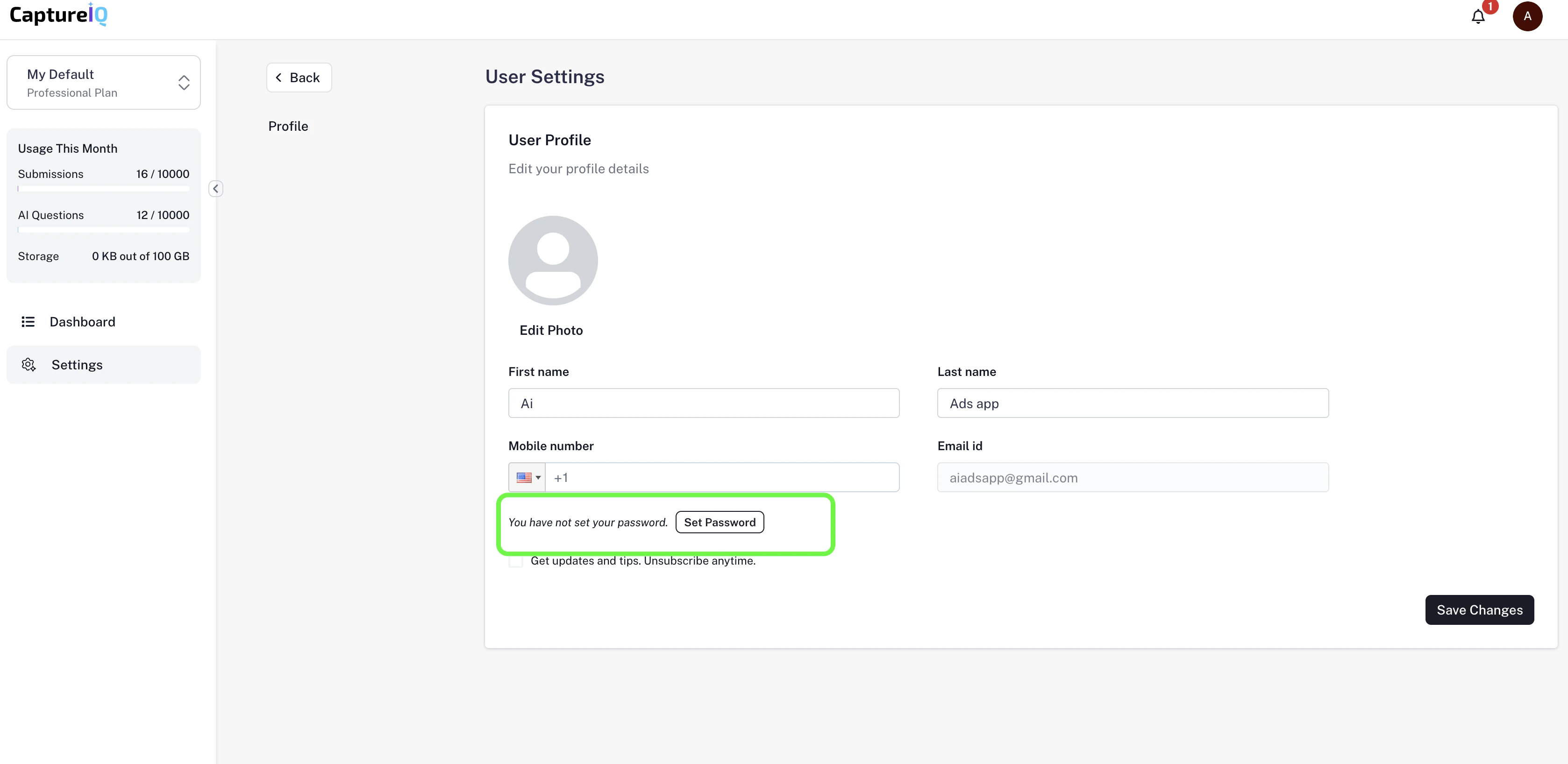
1. Log in to CaptureIQ using **Gmail**, **Microsoft account**, or **OTP-based login**.
2. Once inside your dashboard, navigate to:
**Settings → Profile → Set Password**
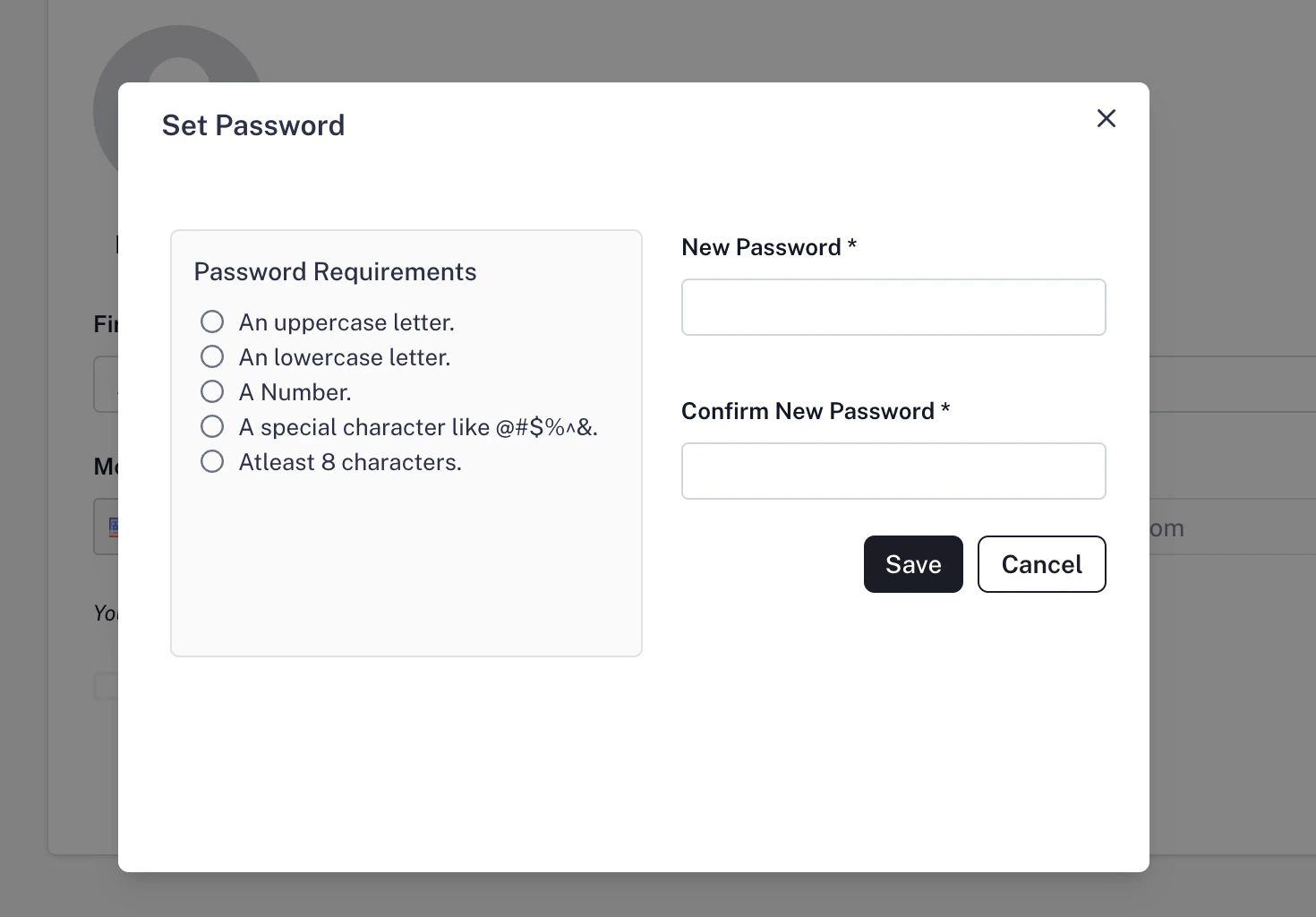
3. Enter your new password and save.
4. After this, you can log in using your **email + password** combination, in addition to your existing login methods.
 ## **Resetting Your Password**
If you already have a password but need to change it:
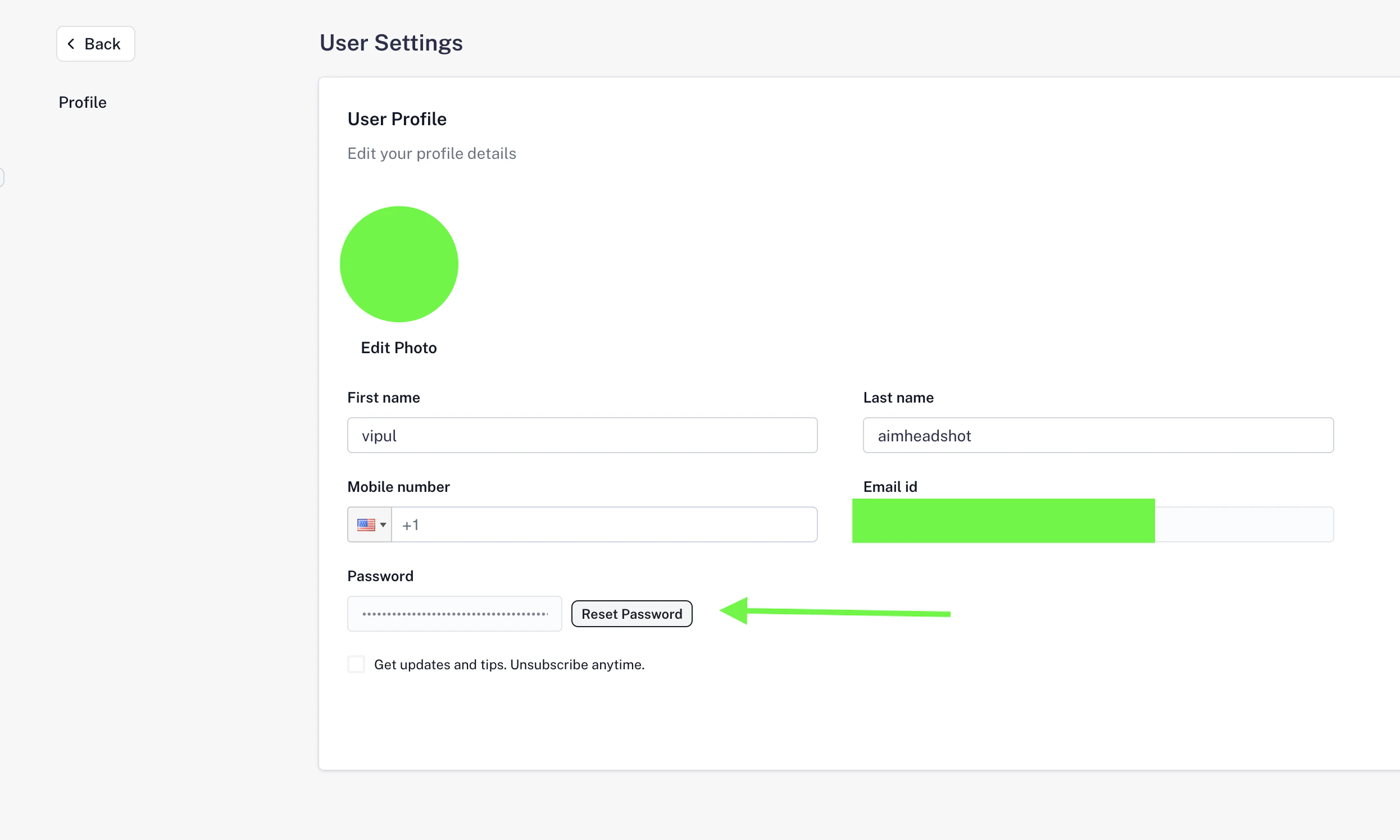
1. Go to **Settings → Profile**.
2. Click on the **Reset Password** button.
3. Enter and confirm your new password.
4. Save the changes.
Your password will be updated immediately, and you can use the new password for your next login.
## **Resetting Your Password**
If you already have a password but need to change it:
1. Go to **Settings → Profile**.
2. Click on the **Reset Password** button.
3. Enter and confirm your new password.
4. Save the changes.
Your password will be updated immediately, and you can use the new password for your next login.
 **Tip:** Make sure your password is strong (a mix of letters, numbers, and symbols) to keep your account secure.