> ## Documentation Index
> Fetch the complete documentation index at: https://help.captureiq.ai/llms.txt
> Use this file to discover all available pages before exploring further.
# CaptureIQ - Submissions List
Once your form has collected a good number of submissions, you can dive into the **Results** tab to start analyzing. The **Submissions List** view gives you a clear, organized look at how participants have answered.
### **What you’ll see in Submissions List:**
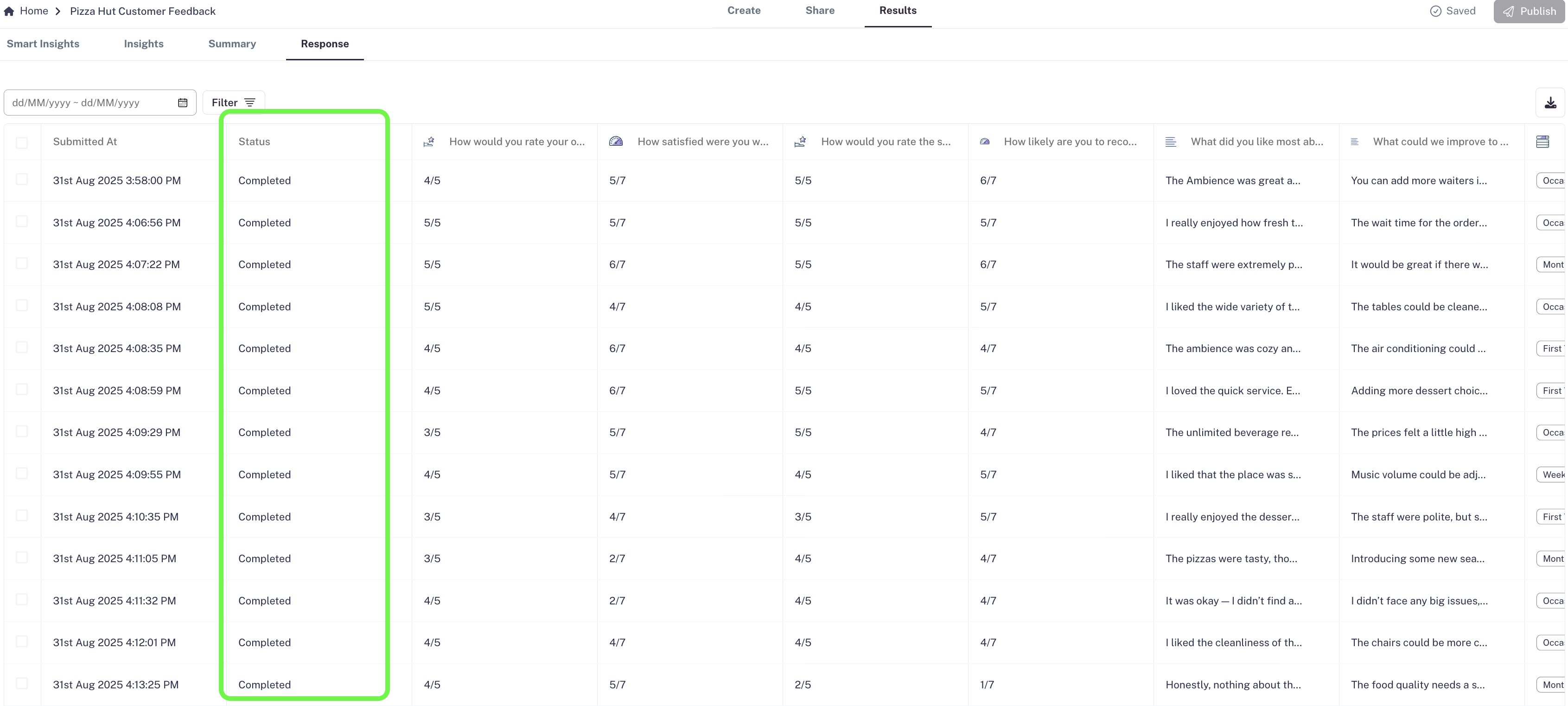
* A **table of all submissions**: Every submission is displayed in the exact way it was entered by the user.
* A **status column**: Each response is marked as either **Completed** or **Partial**, so you can easily track unfinished submissions.
 ### **Filters for smarter analysis:**
At the top-left of the Results page, you’ll find two powerful filters:
1. **Date Filter**
* Narrow down responses within a specific time range.
* Useful for tracking campaigns, week-on-week progress, or monthly reports.
### **Filters for smarter analysis:**
At the top-left of the Results page, you’ll find two powerful filters:
1. **Date Filter**
* Narrow down responses within a specific time range.
* Useful for tracking campaigns, week-on-week progress, or monthly reports.
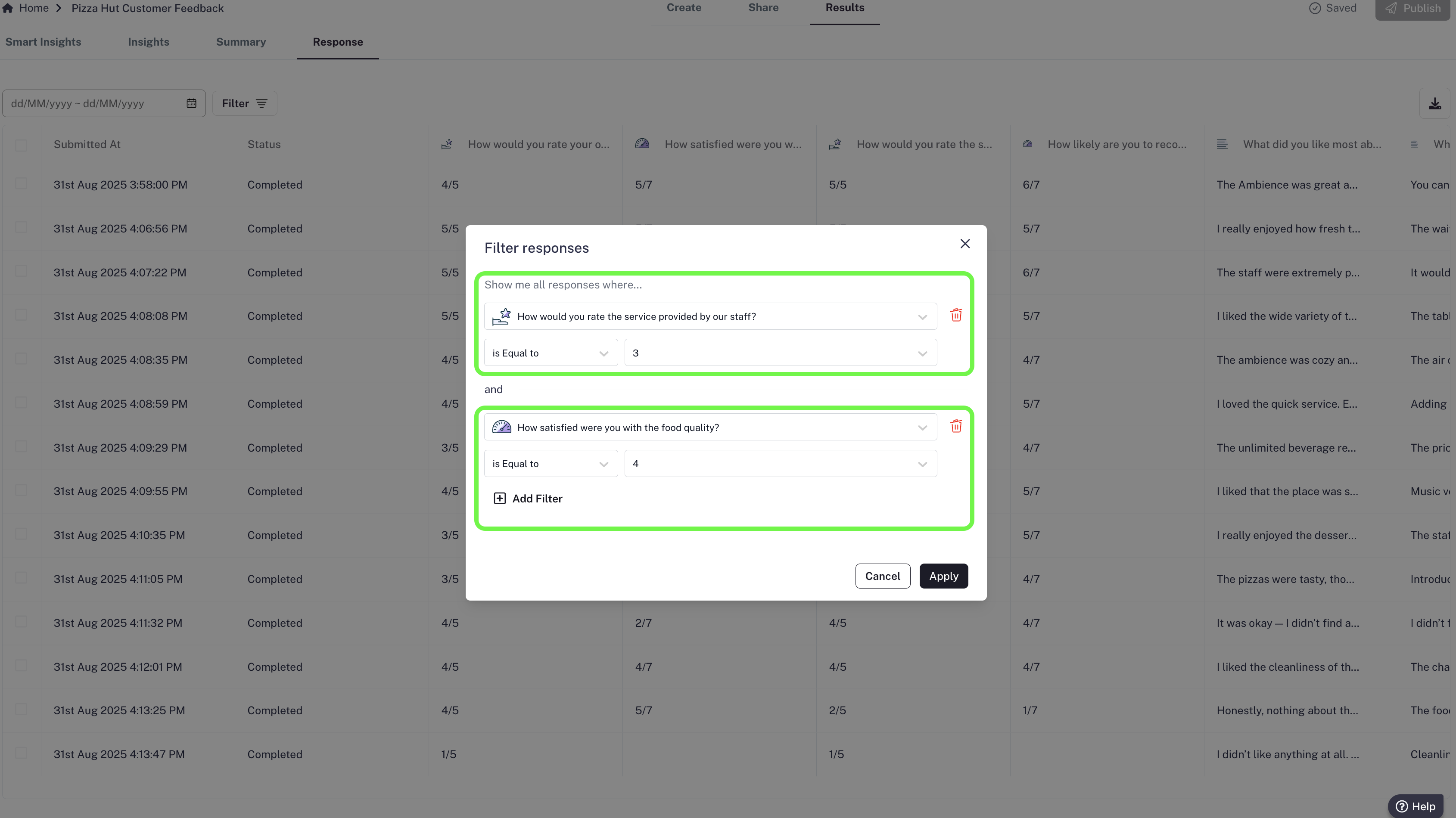
 2. **Field-Level Filters**
* Apply filters on individual fields for deeper analysis.
* Examples:
* Show only responses where the **rating > 3**.
* Filter **Yes/No questions** where the response = Yes.
* Combine multiple filters across different fields to find exactly what you need.
2. **Field-Level Filters**
* Apply filters on individual fields for deeper analysis.
* Examples:
* Show only responses where the **rating > 3**.
* Filter **Yes/No questions** where the response = Yes.
* Combine multiple filters across different fields to find exactly what you need.
 ### **Why it matters:**
The **Submissions List** is perfect when you want a quick, raw look at your data without diving too deep. It helps you:
* Spot patterns in submissions.
* Focus on relevant submissions.
* Cleanly segment submissions for reporting or follow-ups.
### **Why it matters:**
The **Submissions List** is perfect when you want a quick, raw look at your data without diving too deep. It helps you:
* Spot patterns in submissions.
* Focus on relevant submissions.
* Cleanly segment submissions for reporting or follow-ups.