> ## Documentation Index
> Fetch the complete documentation index at: https://help.captureiq.ai/llms.txt
> Use this file to discover all available pages before exploring further.
# Use AI to Create CaptureIQ Forms
Creating forms manually can take time — but with CaptureIQ’s **AI-powered form builder**, you can generate optimized forms in just a few clicks. Here’s how to use AI to create your first form:
## **Step 1: Start from the Homepage**
* From your CaptureIQ dashboard, click **“Create Form.”**
 ## **Step 2: Choose AI Form Creation**
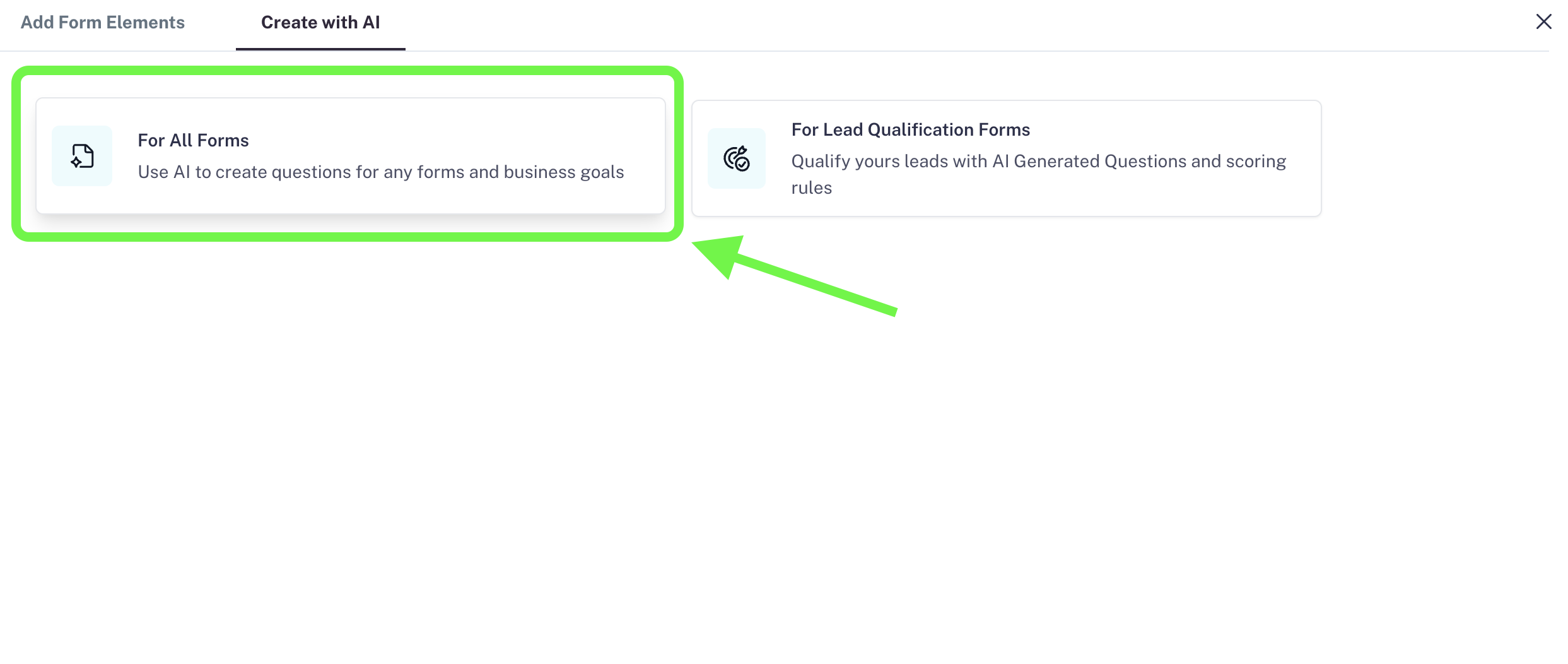
* Click the button **“Create with AI.”**
* You’ll see two options:
1. **For all forms**
2. **For lead qualification forms**
For this guide, let’s select **For all forms**.
## **Step 2: Choose AI Form Creation**
* Click the button **“Create with AI.”**
* You’ll see two options:
1. **For all forms**
2. **For lead qualification forms**
For this guide, let’s select **For all forms**.

 ## **Step 3: Describe the Goal of Your Form**
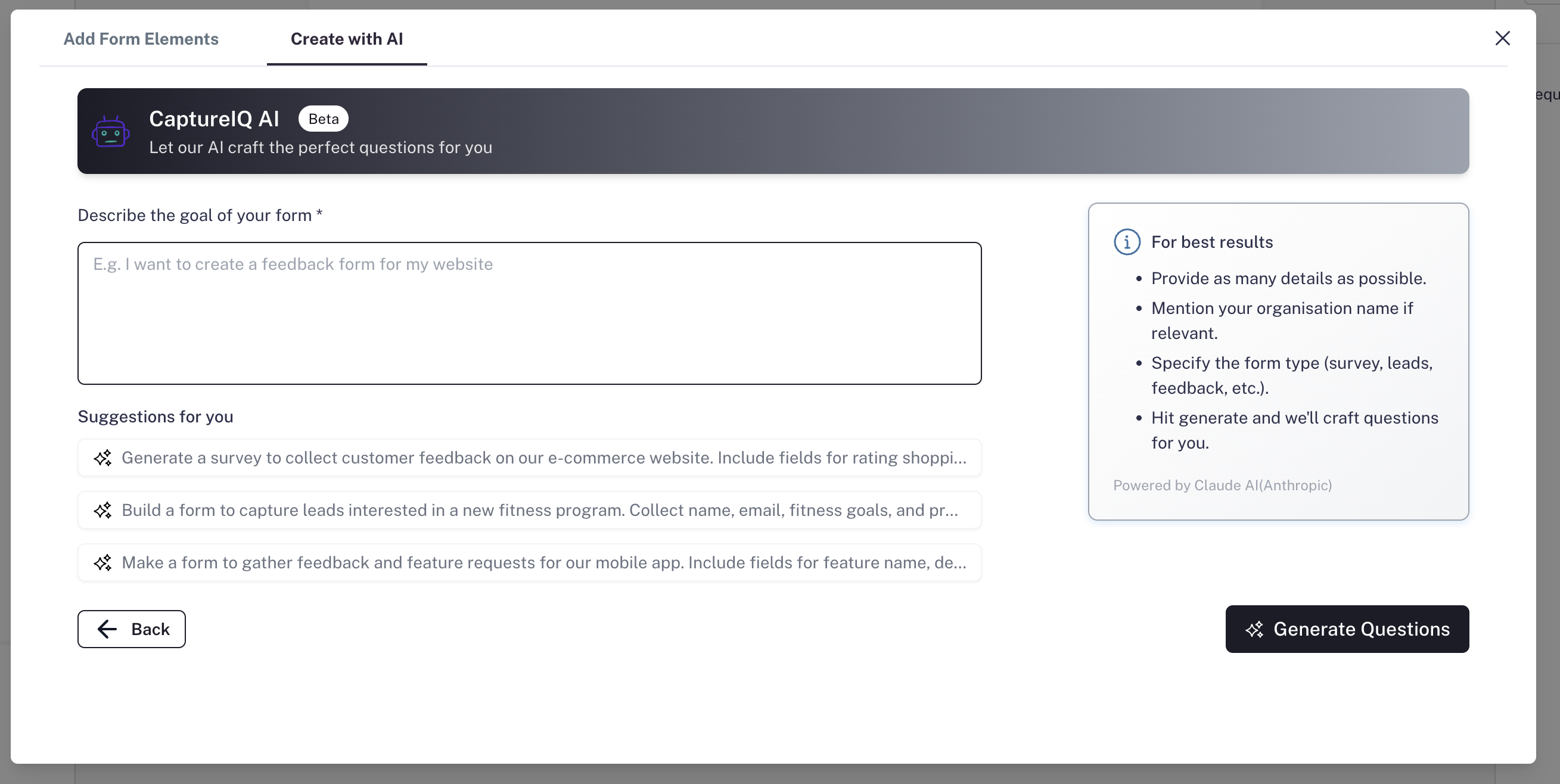
You’ll now see the AI form creation interface.
* In the field **“Describe the goal of your form”**, enter details about what you want to achieve.
* The more context you provide, the better the AI can generate relevant questions.
* Example details to include:
* Objective of your form (e.g., collect feedback, generate leads, run surveys)
* Type of data you want to collect
* Type of questions you need (e.g., multiple choice, short text, rating)
* Target audience (e.g., customers, employees, students)
* Your brand/company name
**Pro tip:** Below the text box, you’ll also see **3 sample suggestions**. Simply click on one to insert it into the box as a starting point.
## **Step 3: Describe the Goal of Your Form**
You’ll now see the AI form creation interface.
* In the field **“Describe the goal of your form”**, enter details about what you want to achieve.
* The more context you provide, the better the AI can generate relevant questions.
* Example details to include:
* Objective of your form (e.g., collect feedback, generate leads, run surveys)
* Type of data you want to collect
* Type of questions you need (e.g., multiple choice, short text, rating)
* Target audience (e.g., customers, employees, students)
* Your brand/company name
**Pro tip:** Below the text box, you’ll also see **3 sample suggestions**. Simply click on one to insert it into the box as a starting point.
 ## **Step 4: Generate AI Questions**
* Once you’ve described your goal, press **“Generate Questions.”**
* In a few seconds (typically 10–12 seconds depending on form length), the AI will generate your form.
* You’ll be redirected to the **Form Creation page** with all fields and questions already set up and optimized.
## **Step 5: Customize (Optional)**
* You can review the generated questions.
* Edit, tweak, or add extra fields if needed.
## **Step 6: Preview and Publish**
* Once you’re happy with the form, click **Preview** to see how it looks.
* Finally, press **Publish** and share it with your audience.
That’s it! In just a couple of minutes, you’ll have a complete, optimized form ready to go.
## **AI Questions Based on Your Plan**
The number of AI questions you can generate depends on your subscription plan:
| **Features** | **Free** | **Essential** | **Growth** | **Professional** |
| :--------------------- | :------- | :------------ | :--------- | :--------------- |
| AI Questions per month | 50 | 100 | 2500 | 10000 |
🔎 **Example:**
If you’re on the **Free plan** with 50 AI questions per month, you could generate **5 AI forms with 10 questions each.**
You can track you AI Questions usage direcly from the Homepage:
## **Step 4: Generate AI Questions**
* Once you’ve described your goal, press **“Generate Questions.”**
* In a few seconds (typically 10–12 seconds depending on form length), the AI will generate your form.
* You’ll be redirected to the **Form Creation page** with all fields and questions already set up and optimized.
## **Step 5: Customize (Optional)**
* You can review the generated questions.
* Edit, tweak, or add extra fields if needed.
## **Step 6: Preview and Publish**
* Once you’re happy with the form, click **Preview** to see how it looks.
* Finally, press **Publish** and share it with your audience.
That’s it! In just a couple of minutes, you’ll have a complete, optimized form ready to go.
## **AI Questions Based on Your Plan**
The number of AI questions you can generate depends on your subscription plan:
| **Features** | **Free** | **Essential** | **Growth** | **Professional** |
| :--------------------- | :------- | :------------ | :--------- | :--------------- |
| AI Questions per month | 50 | 100 | 2500 | 10000 |
🔎 **Example:**
If you’re on the **Free plan** with 50 AI questions per month, you could generate **5 AI forms with 10 questions each.**
You can track you AI Questions usage direcly from the Homepage:
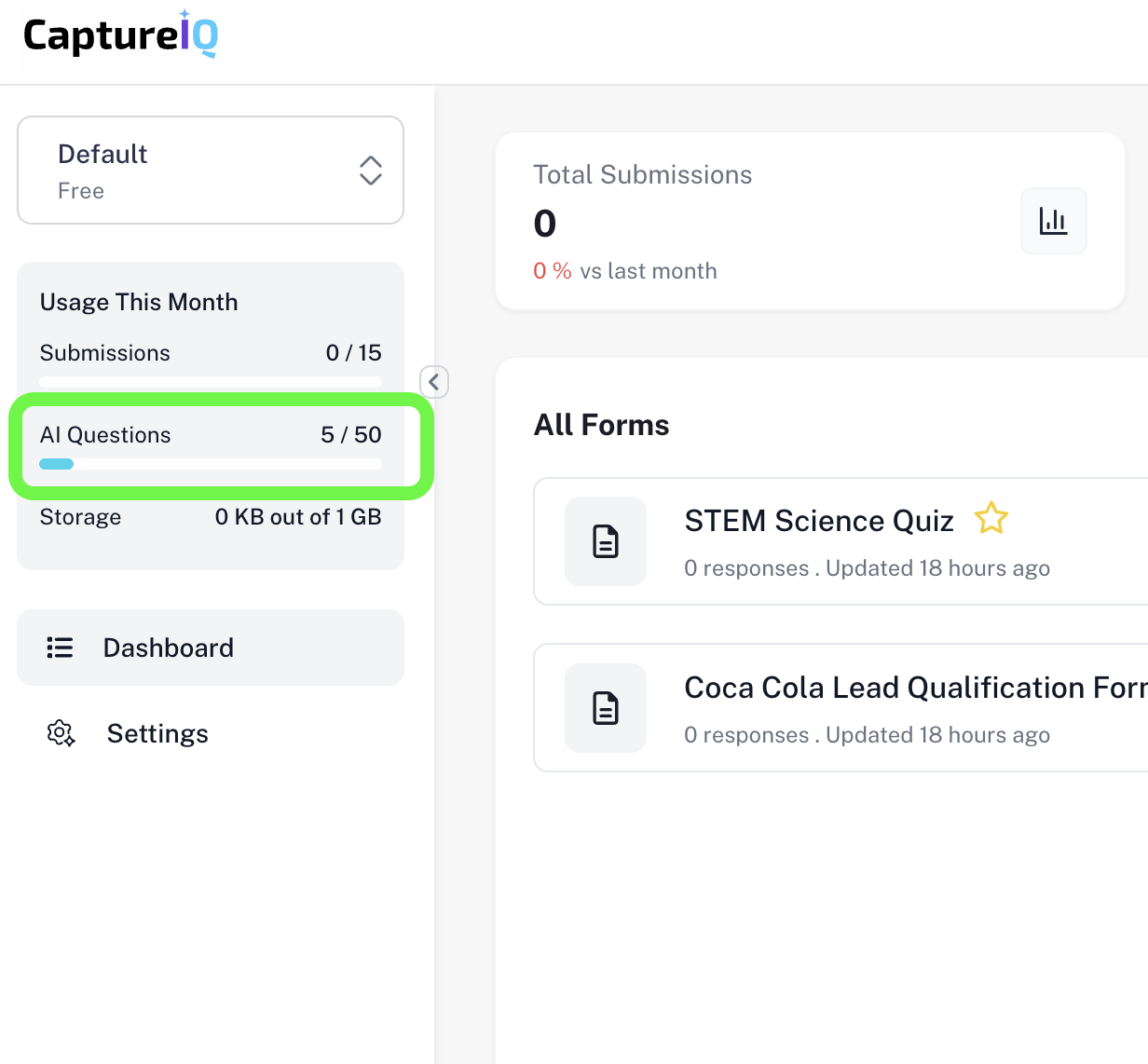 This helps you plan your usage efficiently and choose a plan that fits your needs.
Using AI in CaptureIQ means less time building and more time focusing on your business.
This helps you plan your usage efficiently and choose a plan that fits your needs.
Using AI in CaptureIQ means less time building and more time focusing on your business.