> ## Documentation Index
> Fetch the complete documentation index at: https://help.captureiq.ai/llms.txt
> Use this file to discover all available pages before exploring further.
# Do test submissions count towards my submission limit in CaptureIQ?
Yes. Any submission created or submitted through a published form count toward your monthly submissions limit.
For example, if your plan allows 100 submissions per month and you collect 3 submissions, you will have 97 remaining for that month. This also applies if you submit a form yourself as a test after publishing.
Submissions limits automatically reset at the beginning of each new month. Limits are tied to your plan, and CaptureIQ cannot manually reset or extend them.
### How to test your form without using submissions
To make sure your form works correctly before publishing:
1. Open your form.
2. Click the **Preview** button (play icon) in the toolbar.
3. Interact with the form as if you were a respondent — this won’t count toward your submissions limit.
4. Use the **mobile view** option to check how your form appears on smaller screens.
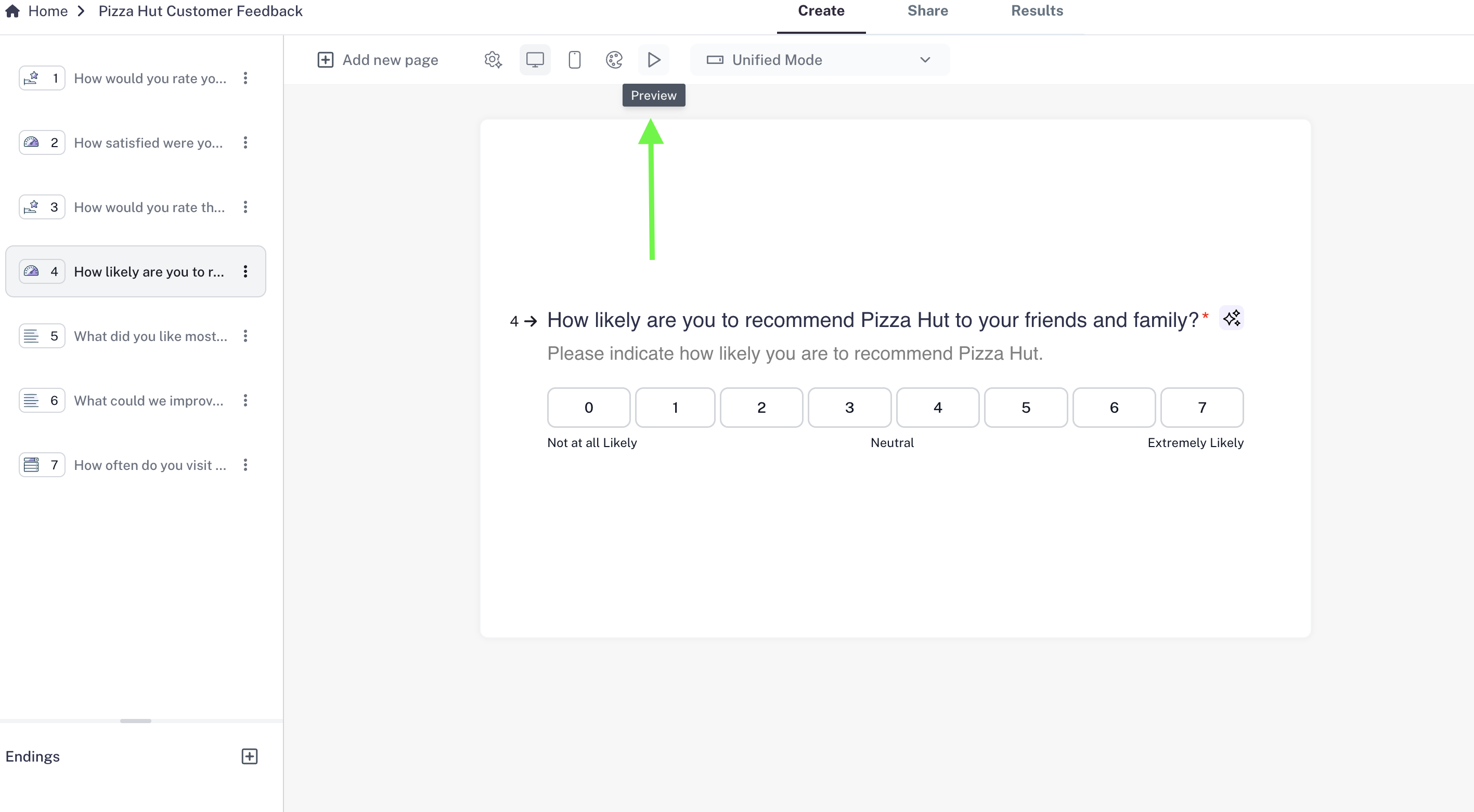 You can preview and test forms at any time, even after publishing, without consuming your monthly submissions quota.