> ## Documentation Index
> Fetch the complete documentation index at: https://help.captureiq.ai/llms.txt
> Use this file to discover all available pages before exploring further.
# CaptureIQ – Number Question
If you need to collect structured numeric input (e.g., age, quantity, budget), use the **Number** field.
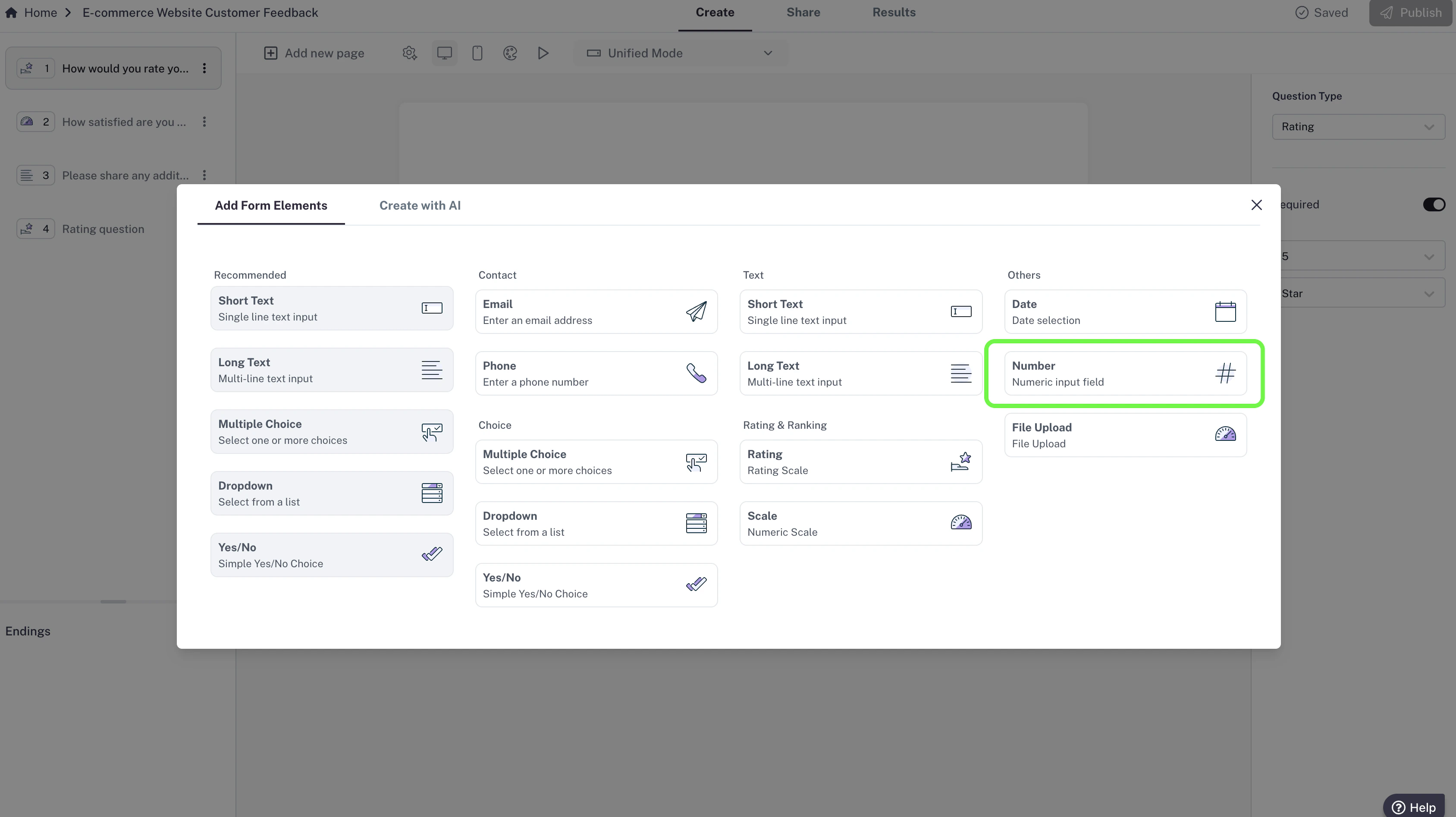 **How to add a Number field**
1. Click **Add new page**.
2. Select **Number**.
3. Enter your Question (e.g., “Enter your age”).
**How to add a Number field**
1. Click **Add new page**.
2. Select **Number**.
3. Enter your Question (e.g., “Enter your age”).
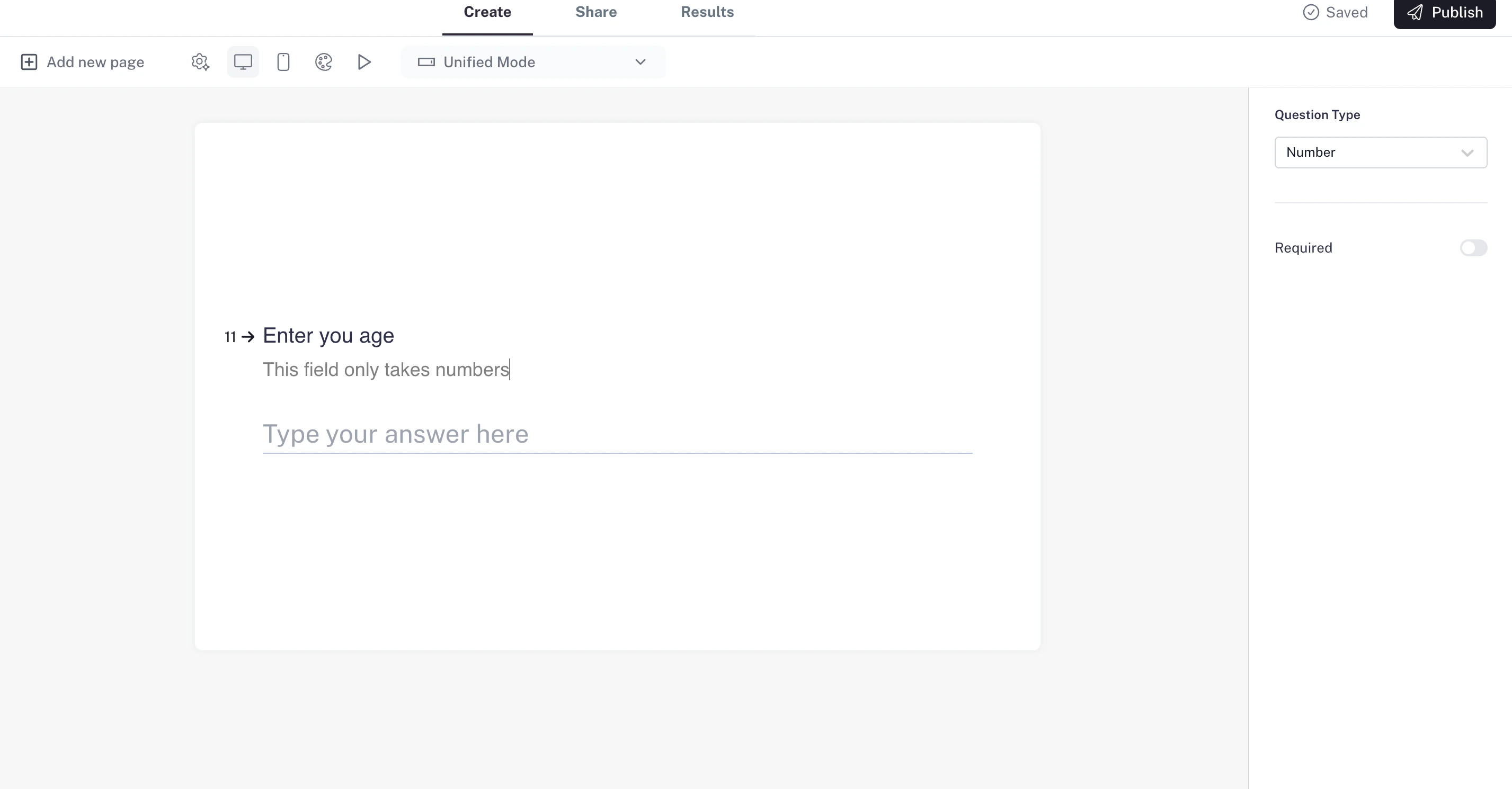 **Settings**
* CaptureIQ ensures only numeric input is accepted.
* You can set the field as **required**.
Use clear instructions to help respondents know the format (e.g., “Enter whole numbers only” or “Include decimals if needed”).
**Settings**
* CaptureIQ ensures only numeric input is accepted.
* You can set the field as **required**.
Use clear instructions to help respondents know the format (e.g., “Enter whole numbers only” or “Include decimals if needed”).