> ## Documentation Index
> Fetch the complete documentation index at: https://help.captureiq.ai/llms.txt
> Use this file to discover all available pages before exploring further.
# Email and Phone Number Questions in CaptureIQ
Collecting accurate contact details is a key use case for CaptureIQ forms. You can easily add **Email** and **Phone Number** fields to make sure you capture valid information.
 ### **How to add Email/Phone Number questions**
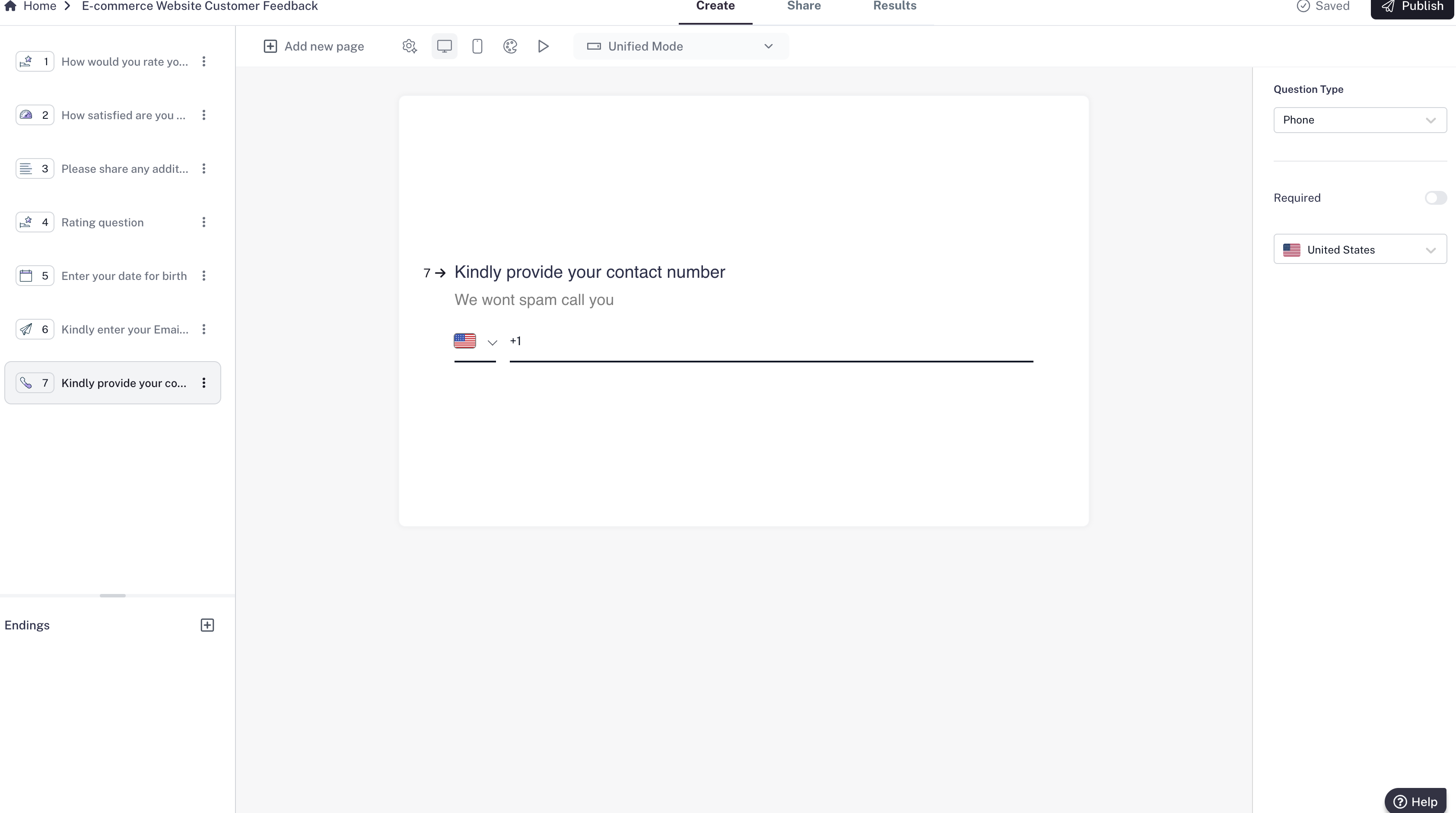
1. In your form editor, click **Add new page**.
2. Select **Email** or **Phone Number** from the list of available question types.
3. Type in your question (e.g., “What’s your email address?” or “Enter your phone number”).
### **How to add Email/Phone Number questions**
1. In your form editor, click **Add new page**.
2. Select **Email** or **Phone Number** from the list of available question types.
3. Type in your question (e.g., “What’s your email address?” or “Enter your phone number”).

 ### **Settings and validation**
* **Email Question**: CaptureIQ automatically checks if the response looks like a valid email (e.g., contains “@”). You can set the field as **Required**.
* **Phone Number Question**: CaptureIQ ensures only valid phone number inputs are entered. You can set the field as **Required**.
Keep these fields short and clear, so people don’t get confused. For example:
* “We’ll send your confirmation to this email:”
* “Share your phone number so we can contact you if needed.”
### **Settings and validation**
* **Email Question**: CaptureIQ automatically checks if the response looks like a valid email (e.g., contains “@”). You can set the field as **Required**.
* **Phone Number Question**: CaptureIQ ensures only valid phone number inputs are entered. You can set the field as **Required**.
Keep these fields short and clear, so people don’t get confused. For example:
* “We’ll send your confirmation to this email:”
* “Share your phone number so we can contact you if needed.”