> ## Documentation Index
> Fetch the complete documentation index at: https://help.captureiq.ai/llms.txt
> Use this file to discover all available pages before exploring further.
# CaptureIQ – Rating Question
Ratings let you measure satisfaction, preferences, or experiences at a glance.
 ### **How to add a Rating**
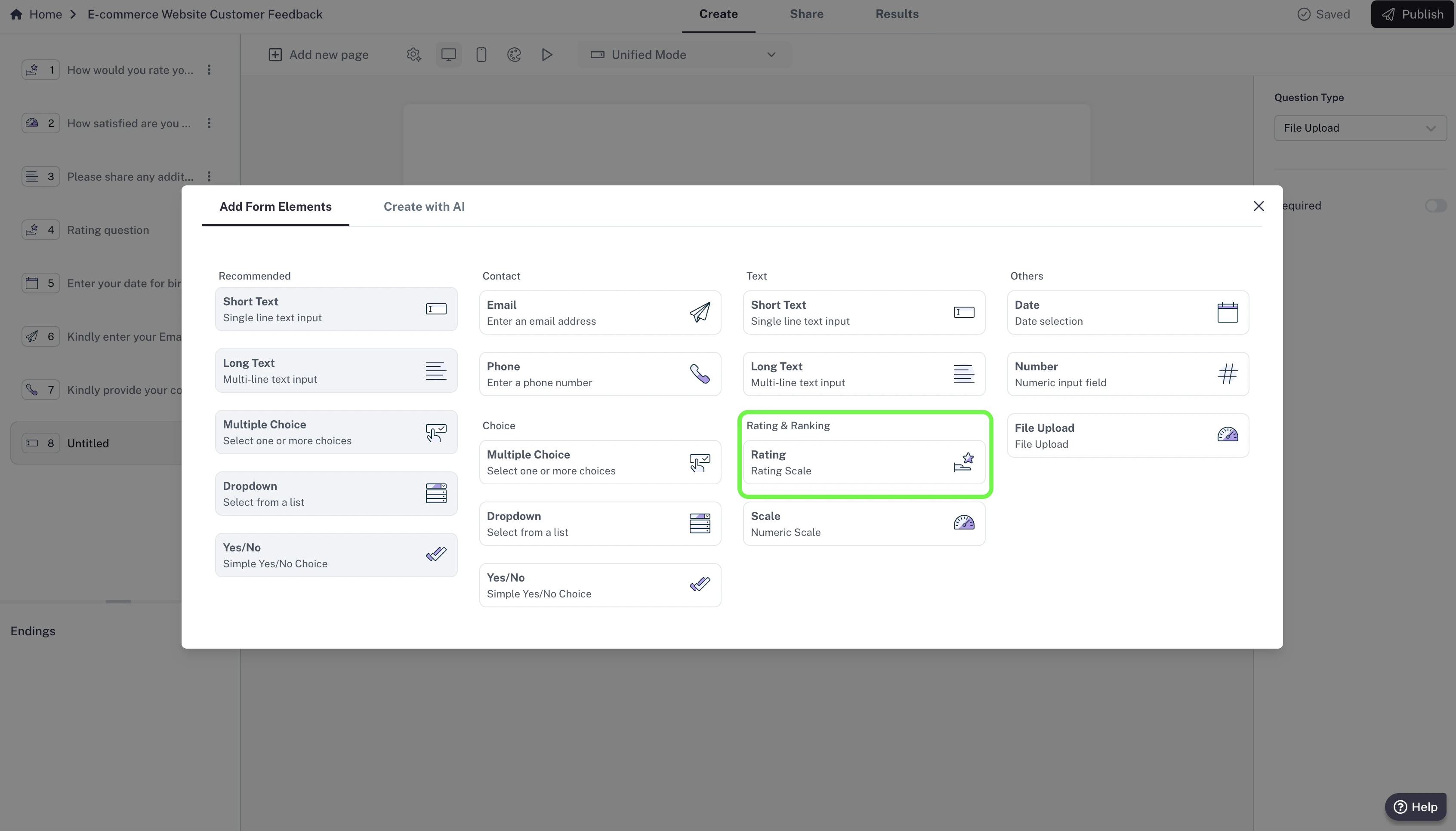
1. In your editor, click **Add new page**.
2. Select **Rating** from the list of question types.
3. Add your question (e.g., “How would you rate our service?”).
### **How to add a Rating**
1. In your editor, click **Add new page**.
2. Select **Rating** from the list of question types.
3. Add your question (e.g., “How would you rate our service?”).
 ### **Settings**
* **Required question:** Make the file upload mandatory so respondents can’t skip it.
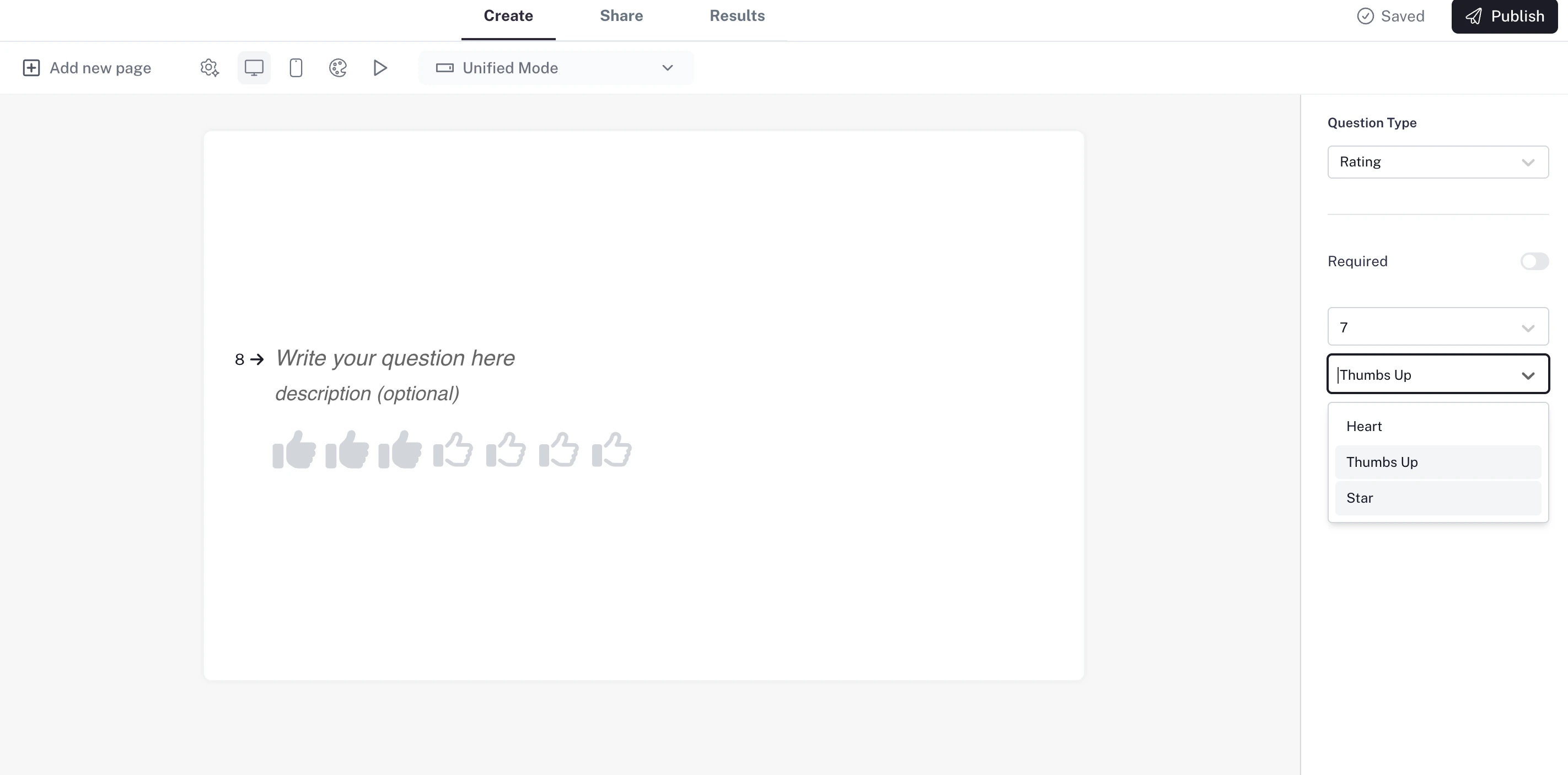
* **Rating scale:** Choose how many points you want in your rating scale — anywhere from **1 to 10** (default is 5).
* **Symbols:** Pick the symbol style for your ratings (for example: stars ⭐, hearts ❤️, thumbs 👍).
Use case: Perfect for product reviews, customer feedback, or quick satisfaction checks.
### **Settings**
* **Required question:** Make the file upload mandatory so respondents can’t skip it.
* **Rating scale:** Choose how many points you want in your rating scale — anywhere from **1 to 10** (default is 5).
* **Symbols:** Pick the symbol style for your ratings (for example: stars ⭐, hearts ❤️, thumbs 👍).
Use case: Perfect for product reviews, customer feedback, or quick satisfaction checks.