> ## Documentation Index
> Fetch the complete documentation index at: https://help.captureiq.ai/llms.txt
> Use this file to discover all available pages before exploring further.
# How to remove CaptureIQ branding
If you’re on one of our paid plans, you can remove the CaptureIQ branding from your forms. Here’s how:
 ### Step 1: Open Form Settings
* From the **Form Editor**, go to the top bar.
* Click on **Form Settings** icon.
### Step 1: Open Form Settings
* From the **Form Editor**, go to the top bar.
* Click on **Form Settings** icon.

 ### Step 2: Find the Branding Option
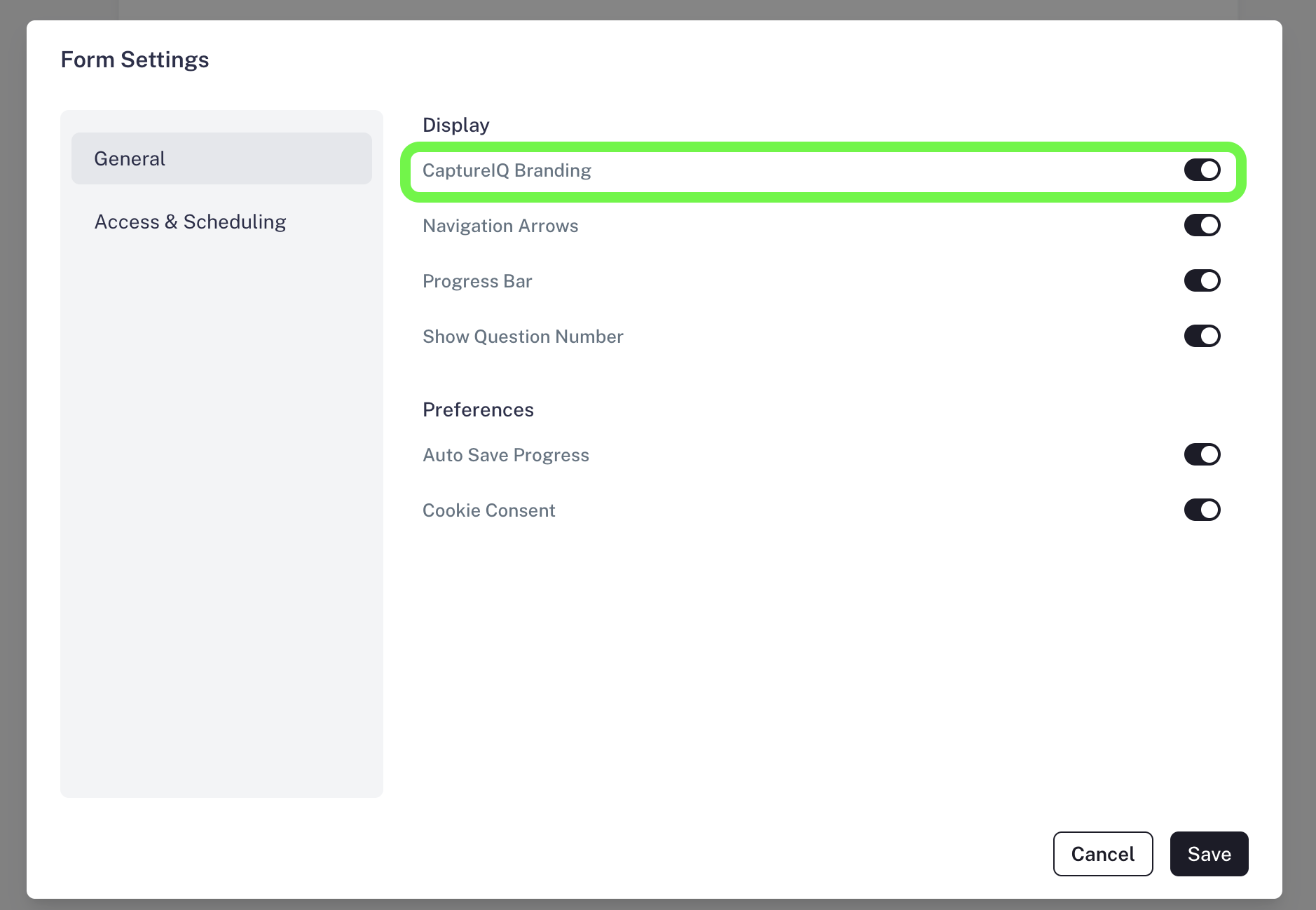
* In the **General** section, look for the toggle **CaptureIQ Branding** that controls **CaptureIQ Branding**.
### Step 3: Turn Off Branding
* Switch the toggle off to remove the CaptureIQ branding from your form.
### Step 2: Find the Branding Option
* In the **General** section, look for the toggle **CaptureIQ Branding** that controls **CaptureIQ Branding**.
### Step 3: Turn Off Branding
* Switch the toggle off to remove the CaptureIQ branding from your form.
 ### Important Note
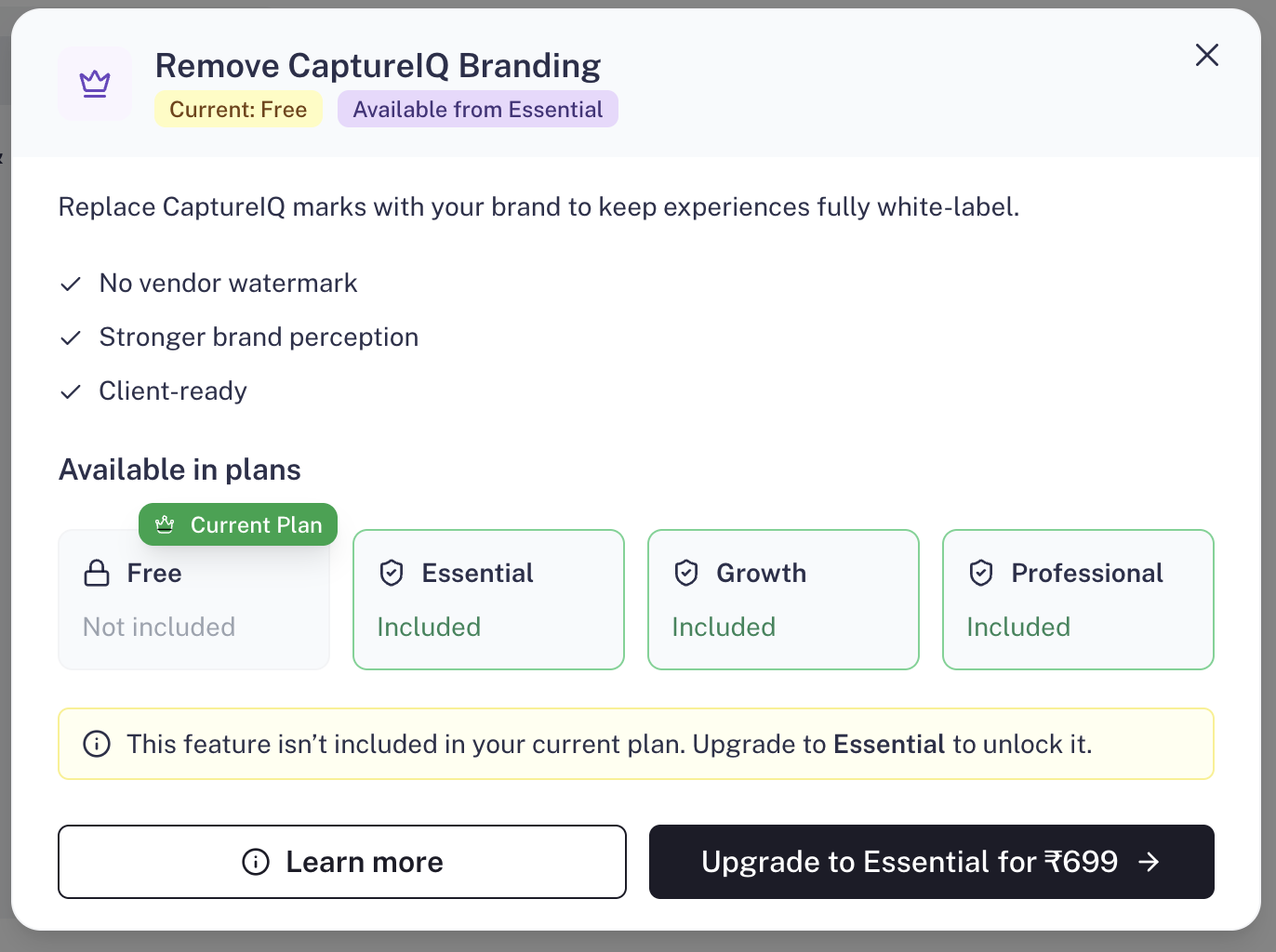
* Branding removal is available only on **Essential**, **Growth**, and **Professional** plans.
* Free plan users won’t be able to disable CaptureIQ branding.
### Important Note
* Branding removal is available only on **Essential**, **Growth**, and **Professional** plans.
* Free plan users won’t be able to disable CaptureIQ branding.