> ## Documentation Index
> Fetch the complete documentation index at: https://help.captureiq.ai/llms.txt
> Use this file to discover all available pages before exploring further.
# Setup Expiration Date in CaptureIQ forms
In CaptureIQ, you have complete control over how long your form remains active. This is especially useful for time-sensitive campaigns, limited offers, or cases where you want your form to stop accepting responses after a specific deadline.
You can manage this option from the **Form Editor** by navigating to:
**Form Settings > Access & Scheduling**
Here, you will find a powerful control to set an expiration date for your form:

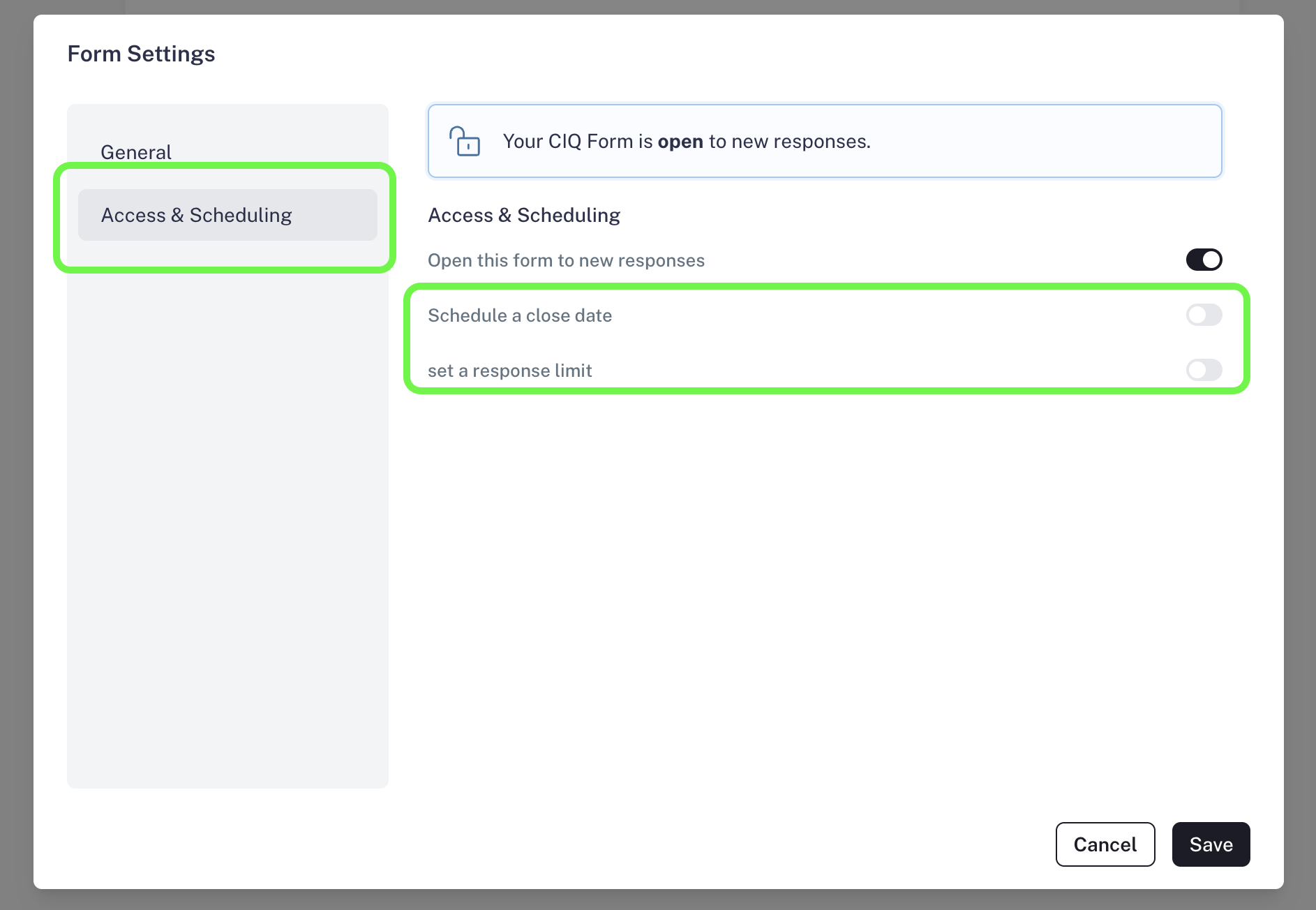 ## Set Expiration Date/Time
With this option, you can decide exactly when your form should stop accepting responses.
**Use Cases:**
* Running a **limited-time survey** (e.g., feedback form open for 7 days).
* Closing registrations for an **event or webinar** at a specific deadline.
* Setting deadlines for **contests or giveaways**, ensuring fairness.
**How to set it:**
* Go to **Settings > Access & Scheduling**.
* Select **Expiration Date/Time**.
* Choose the exact date when your form should automatically close.
Once expired, your audience will land on a **dedicated page** that informs them the form is no longer available.
## Set Expiration Date/Time
With this option, you can decide exactly when your form should stop accepting responses.
**Use Cases:**
* Running a **limited-time survey** (e.g., feedback form open for 7 days).
* Closing registrations for an **event or webinar** at a specific deadline.
* Setting deadlines for **contests or giveaways**, ensuring fairness.
**How to set it:**
* Go to **Settings > Access & Scheduling**.
* Select **Expiration Date/Time**.
* Choose the exact date when your form should automatically close.
Once expired, your audience will land on a **dedicated page** that informs them the form is no longer available.
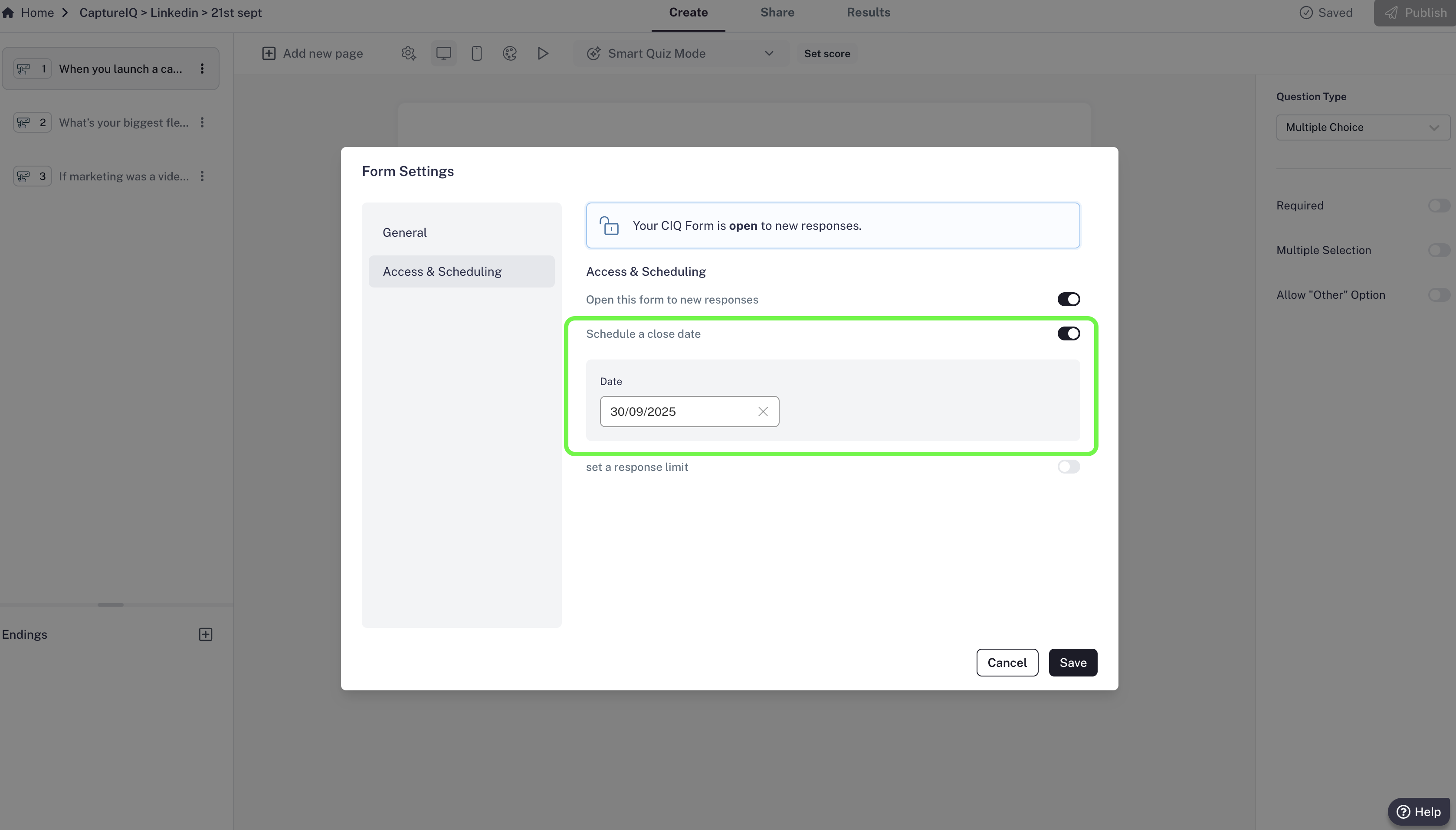
 CaptureIQ automatically handles the user experience with appropriate landing pages, so you don’t need to worry about confusion or missed communication.