> ## Documentation Index
> Fetch the complete documentation index at: https://help.captureiq.ai/llms.txt
> Use this file to discover all available pages before exploring further.
# Setup Response Limit in CaptureIQ forms
In CaptureIQ, you can control how many responses your form can collect. This is especially useful for limited offers, beta programs, or events where capacity is capped.
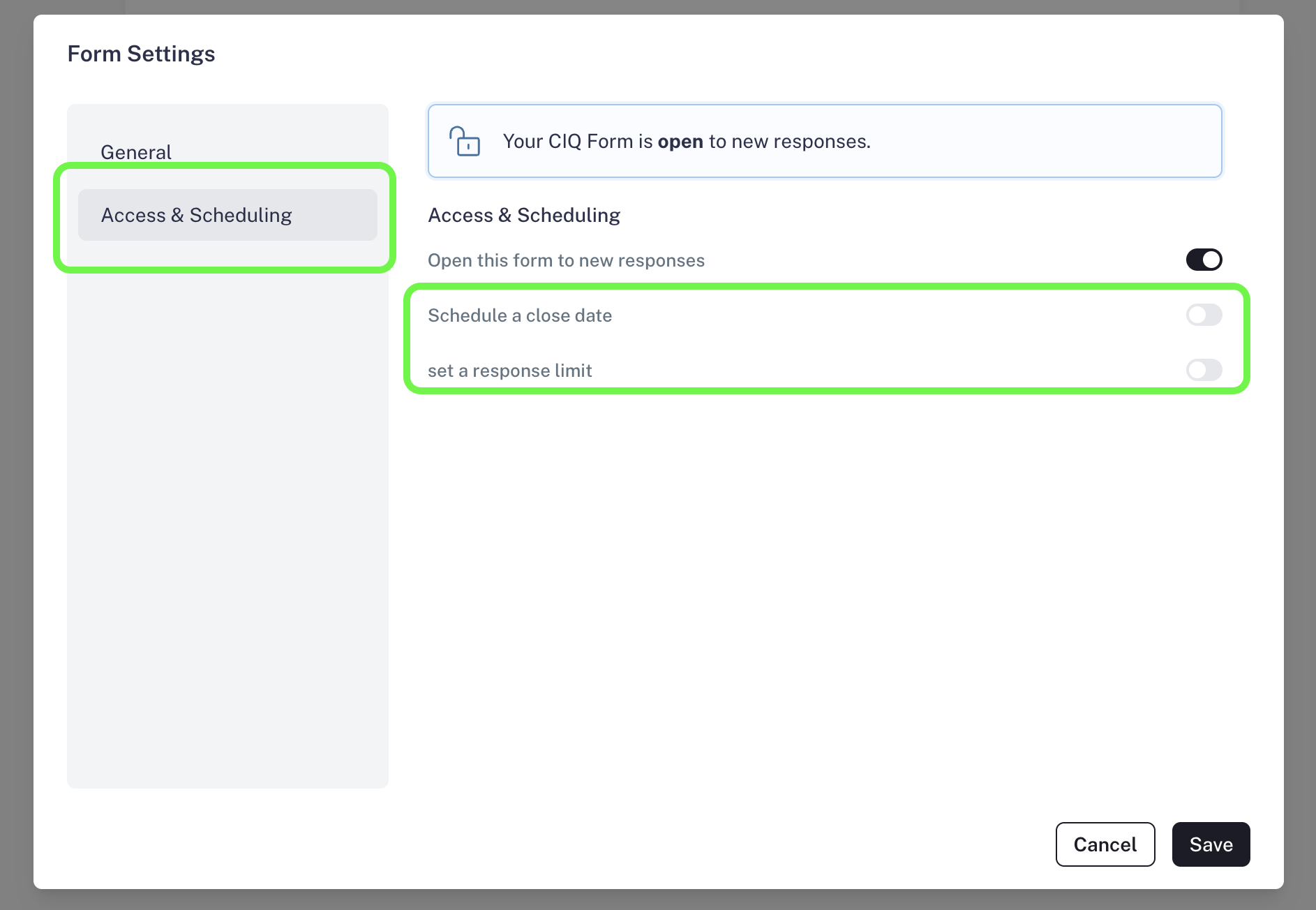
You can manage this option from the **Form Editor** by navigating to:
**Form Settings > Access & Scheduling**
Here, you will find a powerful control to set a response limit for your form:

 ## Set Response Limit
This feature allows you to cap the number of responses your form can receive.
**Use Cases:**
* Collecting only the **first 100 sign-ups** for an exclusive offer.
* Running **beta testing or early access programs** with limited slots.
* Managing **capacity-based events** (like workshops or classes with a maximum number of participants).
**How to set it:**
* Go to **Settings > Access & Scheduling**.
* Select **Response Limit**.
* Enter the maximum number of responses you want to accept.
Once the limit is reached, respondents will land on a **custom CaptureIQ landing page** informing them that the form has already reached its maximum capacity.
## Set Response Limit
This feature allows you to cap the number of responses your form can receive.
**Use Cases:**
* Collecting only the **first 100 sign-ups** for an exclusive offer.
* Running **beta testing or early access programs** with limited slots.
* Managing **capacity-based events** (like workshops or classes with a maximum number of participants).
**How to set it:**
* Go to **Settings > Access & Scheduling**.
* Select **Response Limit**.
* Enter the maximum number of responses you want to accept.
Once the limit is reached, respondents will land on a **custom CaptureIQ landing page** informing them that the form has already reached its maximum capacity.
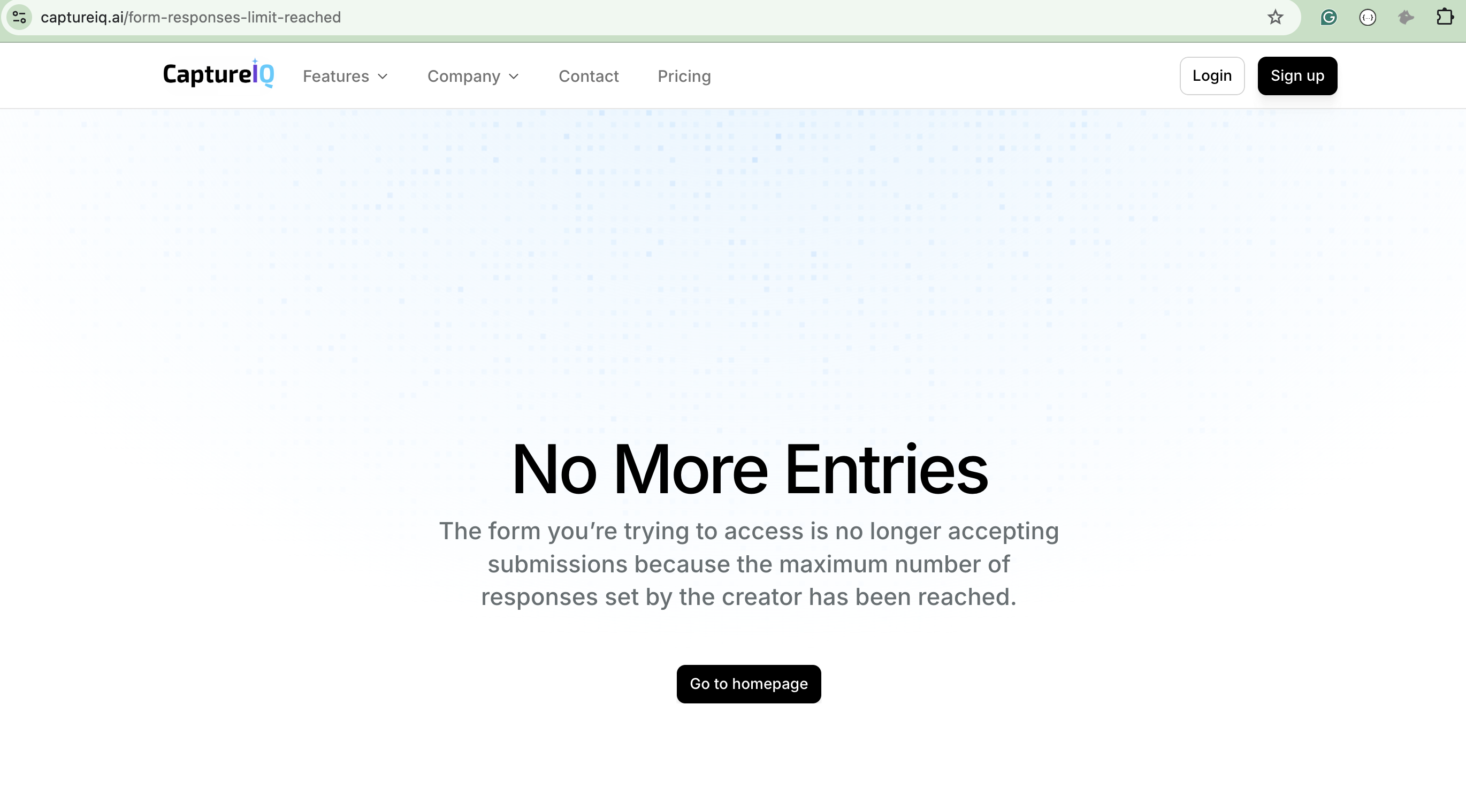 CaptureIQ automatically handles the user experience with appropriate landing pages, so you don’t need to worry about confusion or missed communication.