> ## Documentation Index
> Fetch the complete documentation index at: https://help.captureiq.ai/llms.txt
> Use this file to discover all available pages before exploring further.
# How to Create Mobile-Friendly CaptureIQ Forms
More than half of form submissions today happen on mobile devices. The good news? **All CaptureIQ forms are fully mobile-optimized by default.**
Still, there are a few things you can do during creation to make sure your form is smooth and easy to complete on smaller screens.
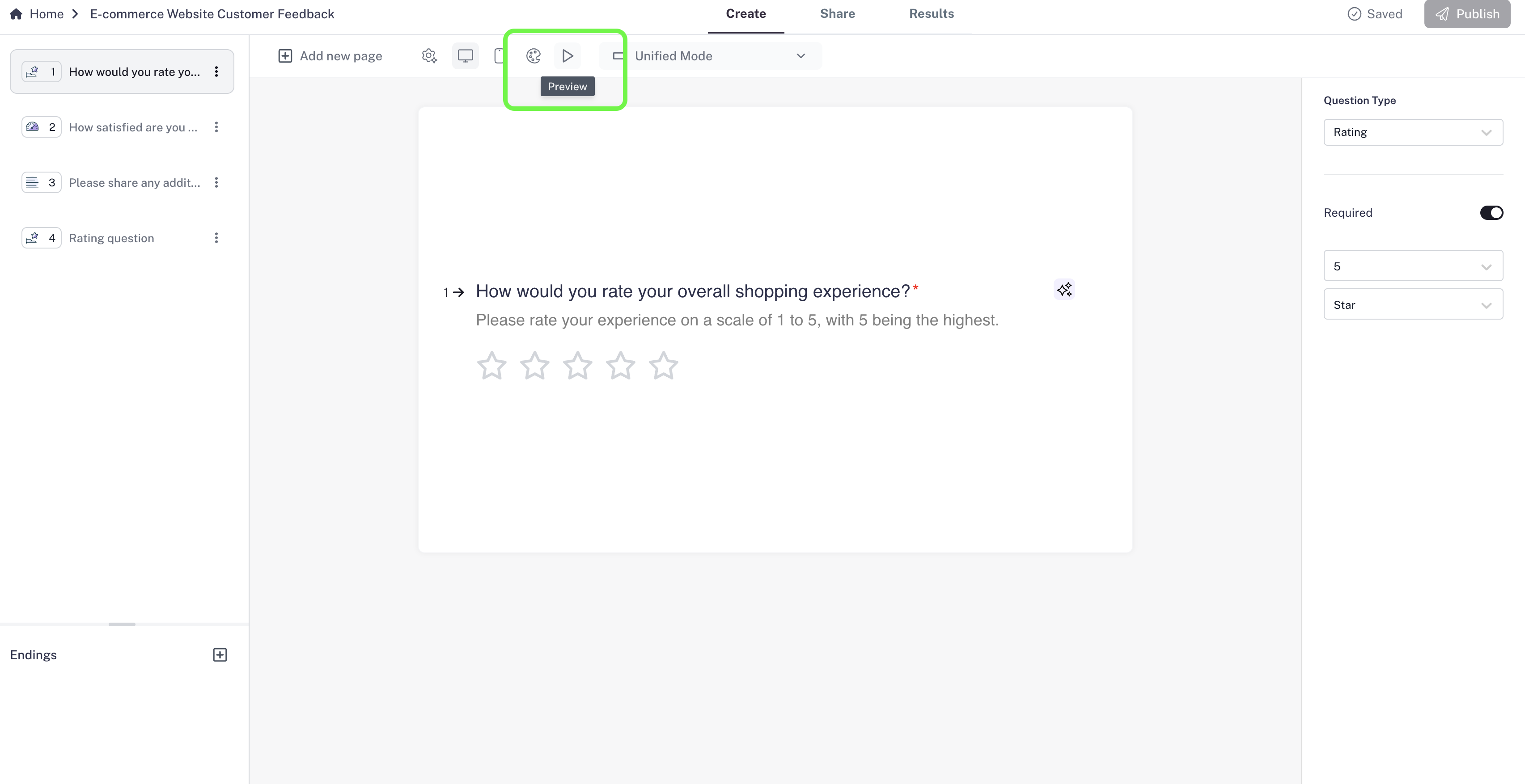 ### **Step 1: Preview in Mobile View**
* While creating your form, open the **Preview**.
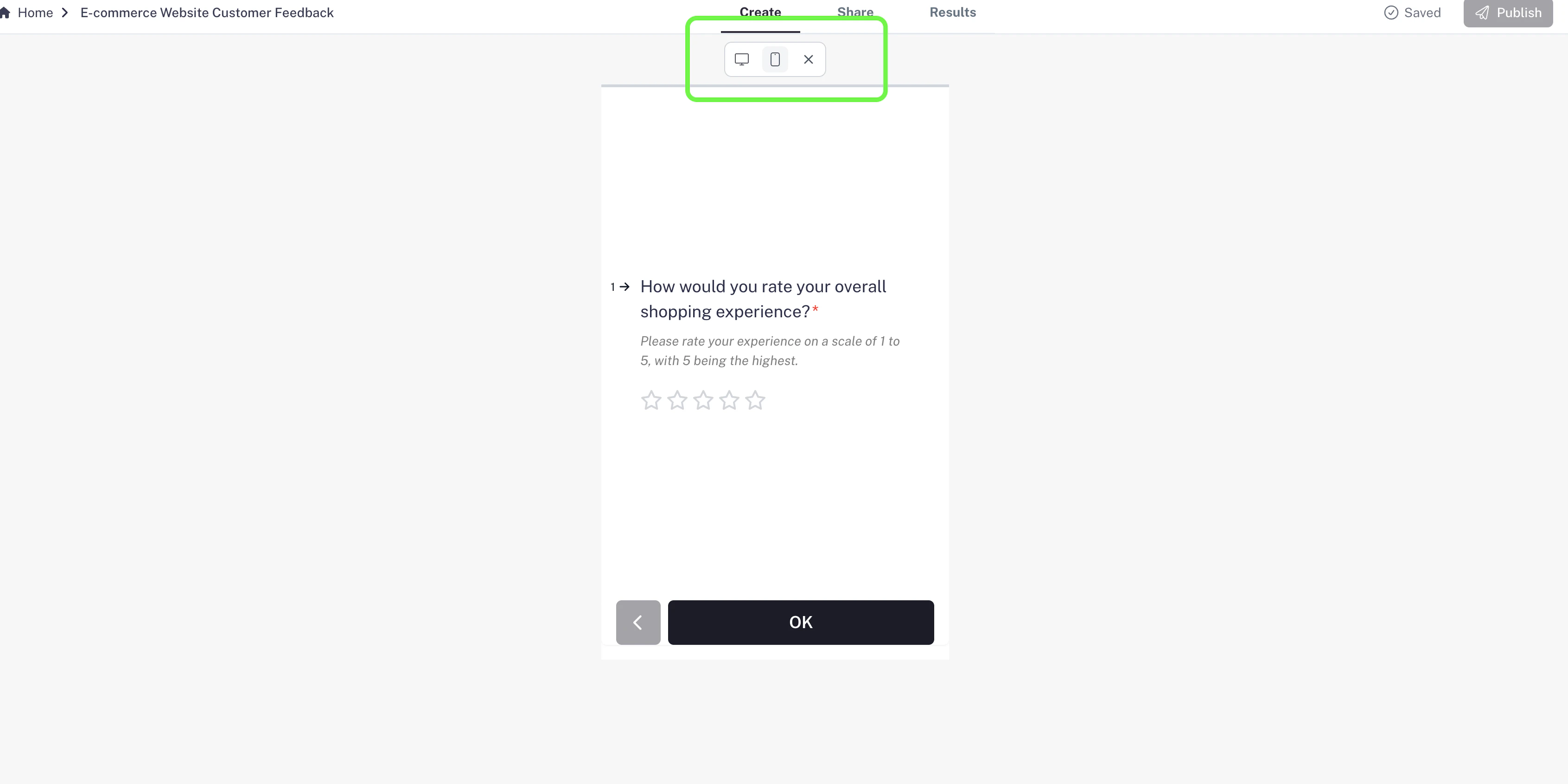
* Switch to **Mobile View** to see exactly how it will look on a phone.
* This helps you adjust your content to make sure it’s not too crowded or text-heavy.
### **Step 1: Preview in Mobile View**
* While creating your form, open the **Preview**.
* Switch to **Mobile View** to see exactly how it will look on a phone.
* This helps you adjust your content to make sure it’s not too crowded or text-heavy.
 ### **Step 2: Keep Questions Short & Clear**
* Mobile users are often on the move, so keep your **questions short and simple**.
* Avoid long paragraphs or complex wording that might feel overwhelming on a small screen.
### **Step 3: Limit Answer Choices**
* Too many options can make a mobile screen cluttered.
* For **Multiple Choice** or **Dropdown** questions, try to keep answer choices concise and limited.
* The goal: users shouldn’t need to scroll endlessly to see all options.
### **Step 4: Test Before Sharing**
* Always test your form in **Preview Mode** on both desktop and mobile views.
* This lets you experience it exactly as your respondents will.
* Make adjustments if something feels too long or crowded.
Pro Tip: Shorter forms usually perform better on mobile. If your form is long,
consider breaking it into smaller sections or even separate forms.
### **Step 2: Keep Questions Short & Clear**
* Mobile users are often on the move, so keep your **questions short and simple**.
* Avoid long paragraphs or complex wording that might feel overwhelming on a small screen.
### **Step 3: Limit Answer Choices**
* Too many options can make a mobile screen cluttered.
* For **Multiple Choice** or **Dropdown** questions, try to keep answer choices concise and limited.
* The goal: users shouldn’t need to scroll endlessly to see all options.
### **Step 4: Test Before Sharing**
* Always test your form in **Preview Mode** on both desktop and mobile views.
* This lets you experience it exactly as your respondents will.
* Make adjustments if something feels too long or crowded.
Pro Tip: Shorter forms usually perform better on mobile. If your form is long,
consider breaking it into smaller sections or even separate forms.