> ## Documentation Index
> Fetch the complete documentation index at: https://help.captureiq.ai/llms.txt
> Use this file to discover all available pages before exploring further.
# Introduction
> Welcome to CaptureIQ — your intelligent form builder for smarter data collection and automation.
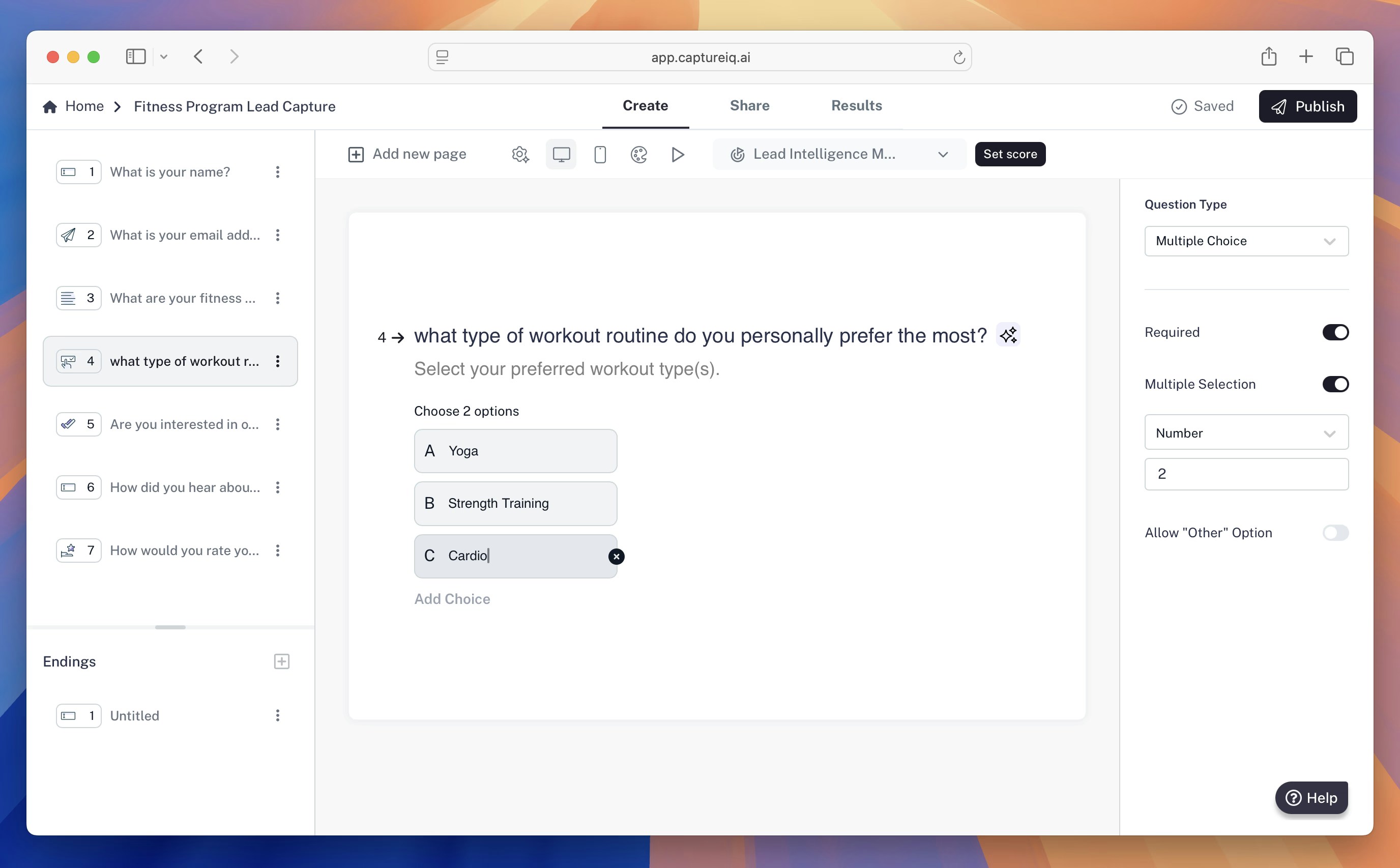 # Welcome to CaptureIQ 👋
**CaptureIQ** is a modern and intelligent **form builder platform** that enables you to create, customize, and share forms effortlessly.\
From collecting leads and feedback to analyzing responses, CaptureIQ gives you everything you need to **capture, understand, and act on data intelligently.**
***
## Why CaptureIQ?
Traditional form builders stop at collecting data — CaptureIQ goes beyond.\
It helps you design beautiful, mobile-friendly forms, analyze submissions using AI insights, and manage every detail of your form workflow in one place.
With CaptureIQ, you can:
* 🎨 **Build visually engaging forms** using drag-and-drop simplicity.
* 📊 **Analyze responses** with AI-powered insights and reports.
* ⚙️ **Customize form behavior** — from branding and redirects to submission limits.
* 🧠 **Use AI** to generate questions, optimize form performance, and summarize results.
***
## What You’ll Learn in This Documentation
This documentation is designed to guide you through every part of using CaptureIQ — whether you’re creating your first form or setting up advanced analytics.
Learn what CaptureIQ is, how to create an account, and publish your first form.
{" "}
Explore all available question types — from short text to file uploads.
{" "}
Configure form appearance, branding, navigation, expiration, and more.
{" "}
Discover advanced features like end screens, quiz mode, and lead intelligence.
{" "}
Use AI to optimize questions, view response summaries, and get smart insights.
{" "}
Learn how to share forms via links, short URLs, QR codes, or embed them on
your site.
Manage your account, workspaces, billing, and security settings.
Learn how to integrate CaptureIQ with your applications using our REST API.
***
## Start Building Today 🚀
CaptureIQ empowers you to move from form creation to intelligent data insights — all within a few clicks.
Follow the quick-start guide and publish your first CaptureIQ form in minutes.
Discover more features that make your forms smarter and more interactive.
# Welcome to CaptureIQ 👋
**CaptureIQ** is a modern and intelligent **form builder platform** that enables you to create, customize, and share forms effortlessly.\
From collecting leads and feedback to analyzing responses, CaptureIQ gives you everything you need to **capture, understand, and act on data intelligently.**
***
## Why CaptureIQ?
Traditional form builders stop at collecting data — CaptureIQ goes beyond.\
It helps you design beautiful, mobile-friendly forms, analyze submissions using AI insights, and manage every detail of your form workflow in one place.
With CaptureIQ, you can:
* 🎨 **Build visually engaging forms** using drag-and-drop simplicity.
* 📊 **Analyze responses** with AI-powered insights and reports.
* ⚙️ **Customize form behavior** — from branding and redirects to submission limits.
* 🧠 **Use AI** to generate questions, optimize form performance, and summarize results.
***
## What You’ll Learn in This Documentation
This documentation is designed to guide you through every part of using CaptureIQ — whether you’re creating your first form or setting up advanced analytics.
Learn what CaptureIQ is, how to create an account, and publish your first form.
{" "}
Explore all available question types — from short text to file uploads.
{" "}
Configure form appearance, branding, navigation, expiration, and more.
{" "}
Discover advanced features like end screens, quiz mode, and lead intelligence.
{" "}
Use AI to optimize questions, view response summaries, and get smart insights.
{" "}
Learn how to share forms via links, short URLs, QR codes, or embed them on
your site.
Manage your account, workspaces, billing, and security settings.
Learn how to integrate CaptureIQ with your applications using our REST API.
***
## Start Building Today 🚀
CaptureIQ empowers you to move from form creation to intelligent data insights — all within a few clicks.
Follow the quick-start guide and publish your first CaptureIQ form in minutes.
Discover more features that make your forms smarter and more interactive.