CaptureIQ allows flexible login options such as Gmail , Microsoft account , or OTP-based login . However, you can also set up and manage your own password for easier access.
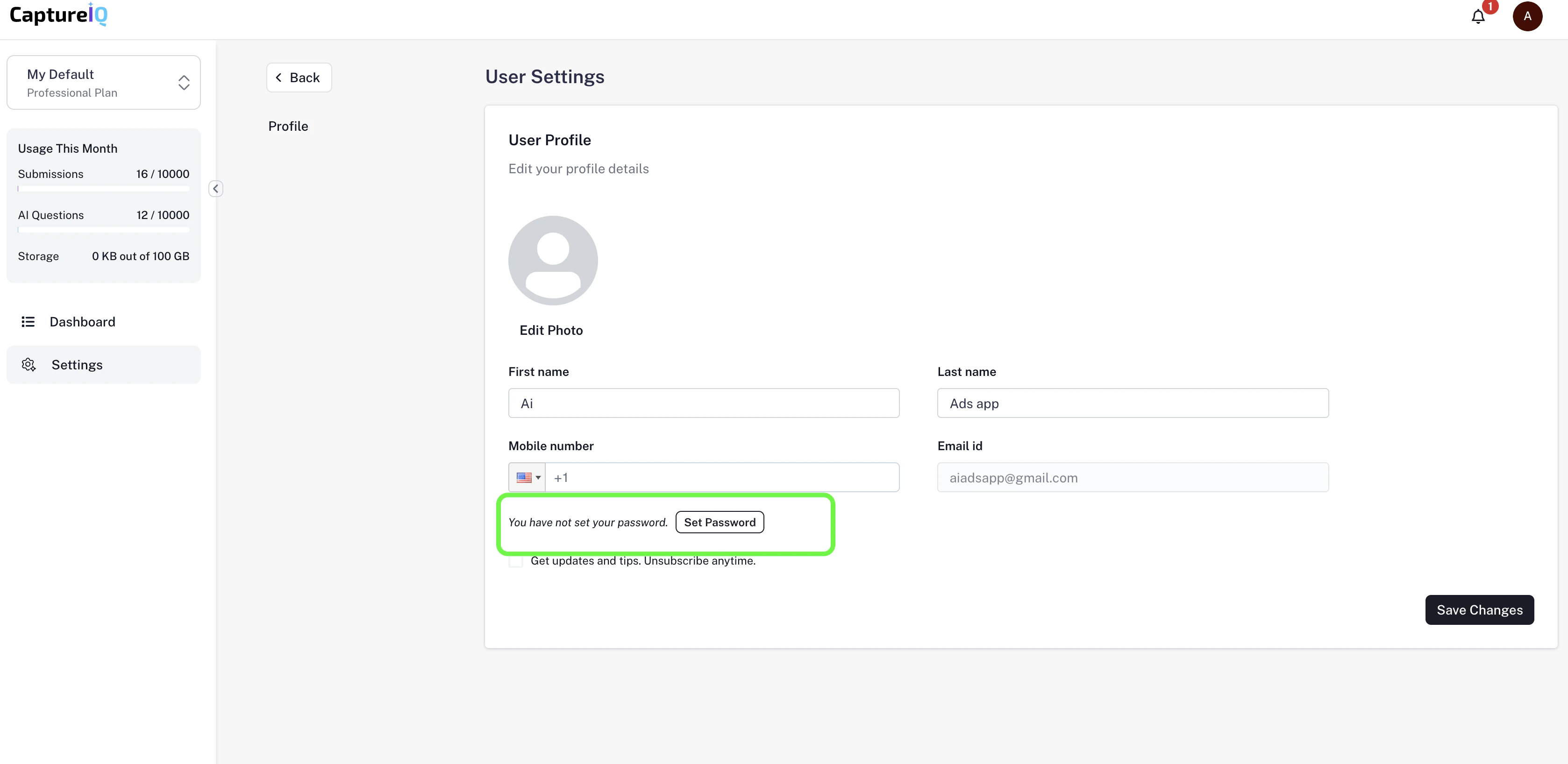
Setting a Password for the First Time
Log in to CaptureIQ using Gmail , Microsoft account , or OTP-based login .
Once inside your dashboard, navigate to:
Settings → Profile → Set Password
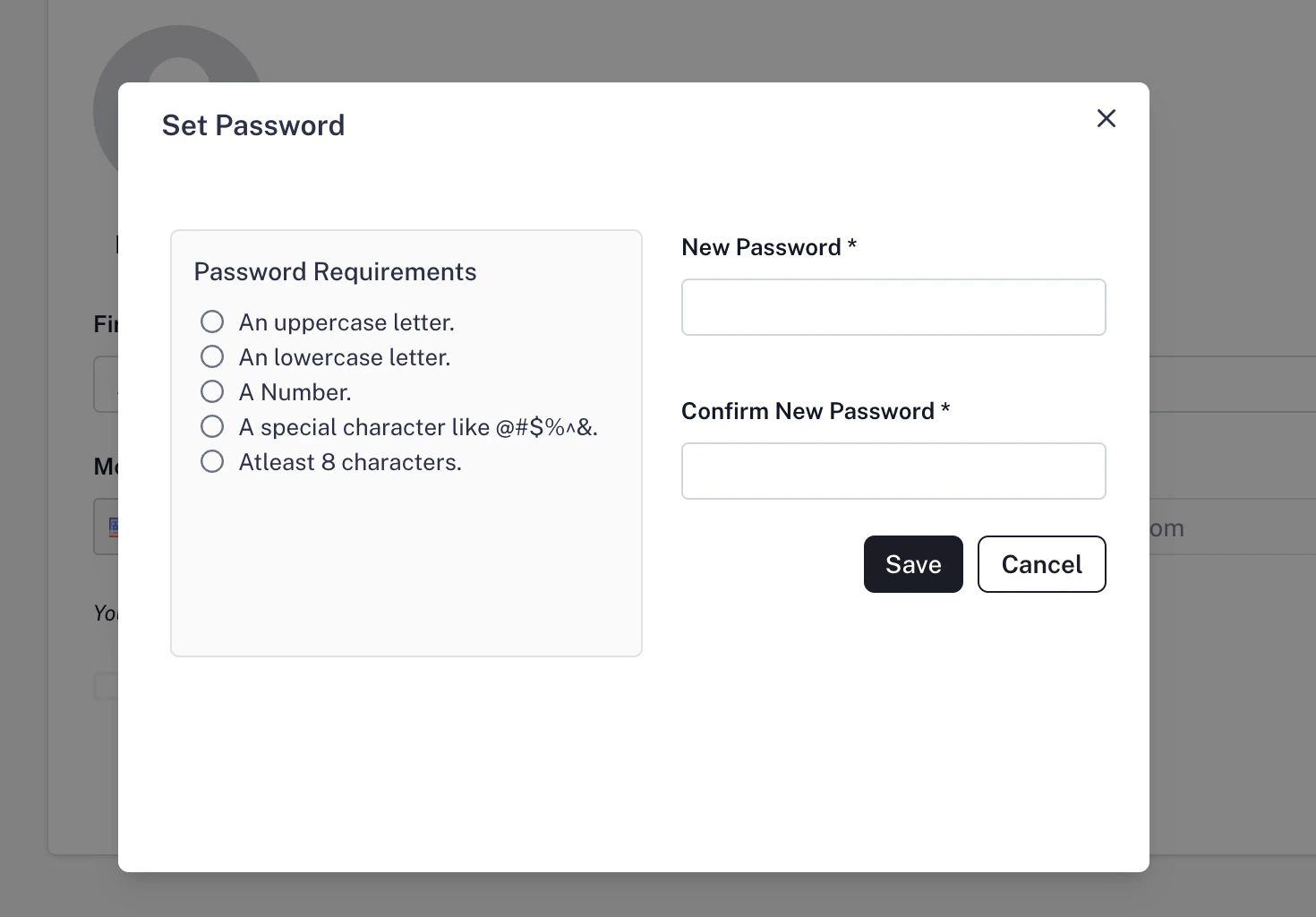
Enter your new password and save.
After this, you can log in using your email + password combination, in addition to your existing login methods.
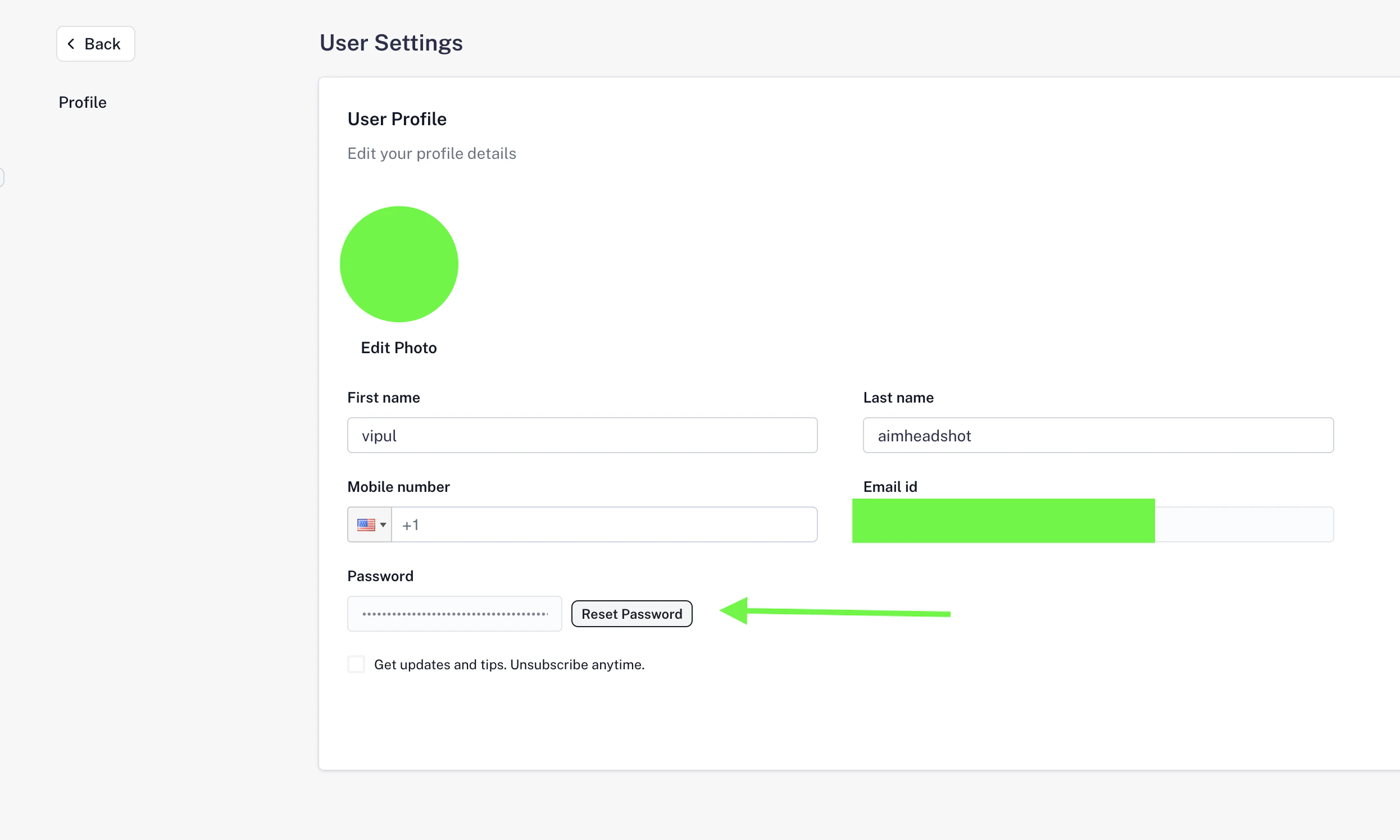
Resetting Your Password If you already have a password but need to change it:
Go to Settings → Profile .
Click on the Reset Password button.
Enter and confirm your new password.
Save the changes.
Your password will be updated immediately, and you can use the new password for your next login.
Tip: Make sure your password is strong (a mix of letters, numbers, and symbols) to keep your account secure.