


Step 1: Open Form Settings
- From the Form Editor, go to the top bar.
- Click on Form Settings icon.

Step 2: Find the Branding Option
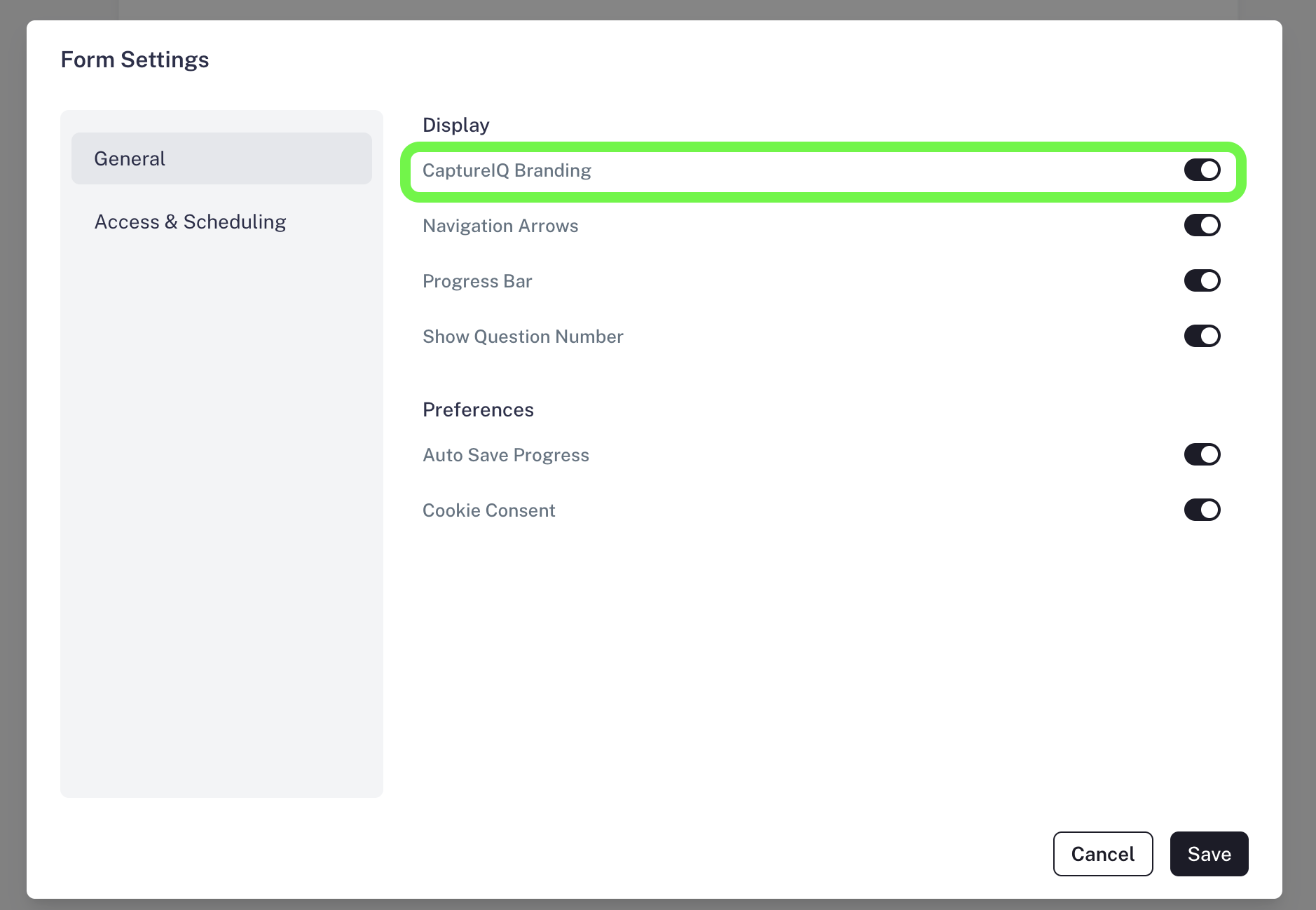
- In the General section, look for the toggle CaptureIQ Branding that controls CaptureIQ Branding.
Step 3: Turn Off Branding
- Switch the toggle off to remove the CaptureIQ branding from your form.
Important Note
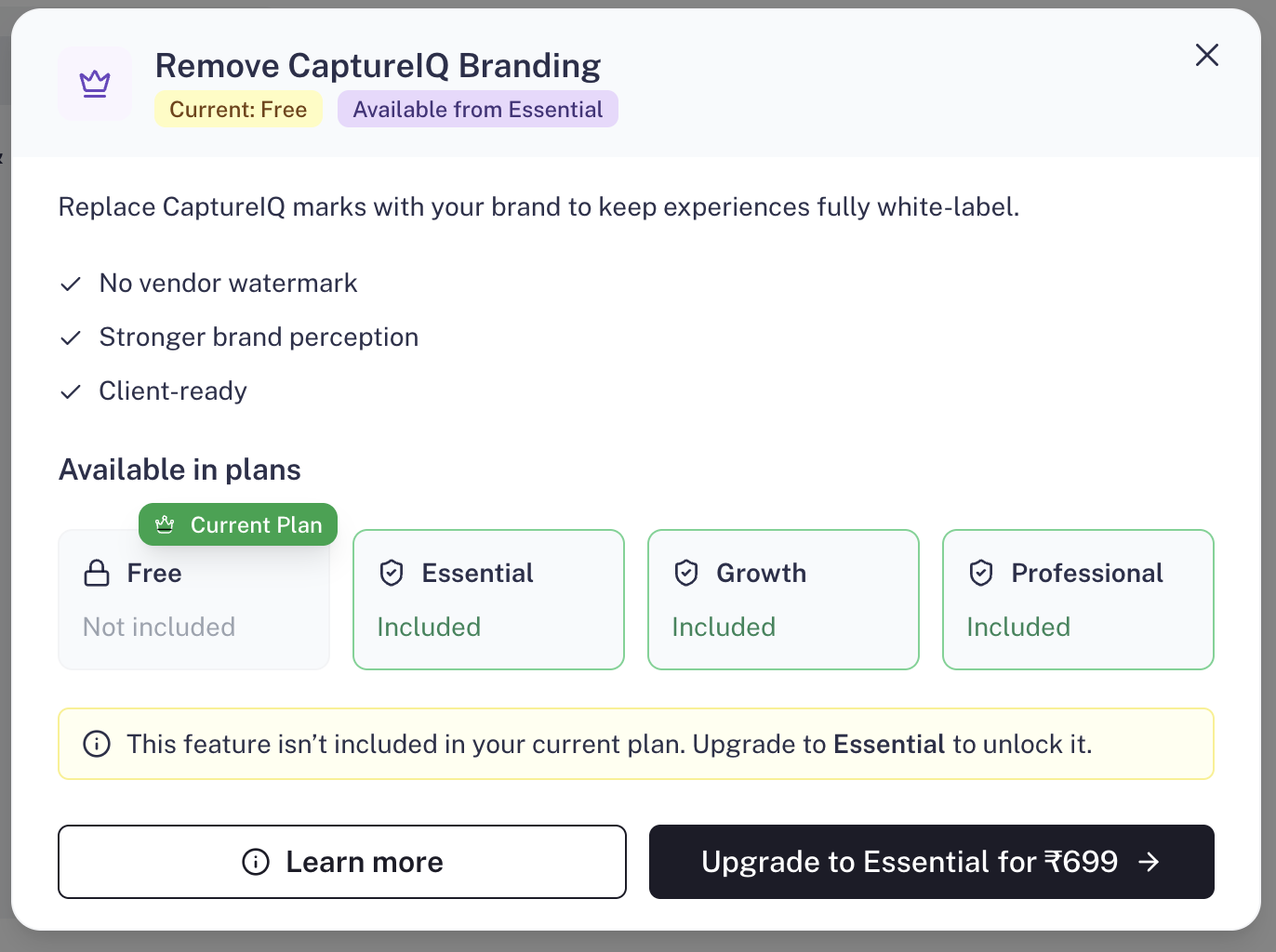
- Branding removal is available only on Essential, Growth, and Professional plans.
- Free plan users won’t be able to disable CaptureIQ branding.