

Why is OGP important?
- Boosts click-through rates (CTR): A clear and attractive preview encourages more people to open your form.
- Increases trust: A branded image and precise description make your form look authentic.
- Drives engagement: Social posts with rich previews perform better than plain links.
- Consistency: Ensures your brand identity is maintained across all channels.
How to Customize OGP in CaptureIQ
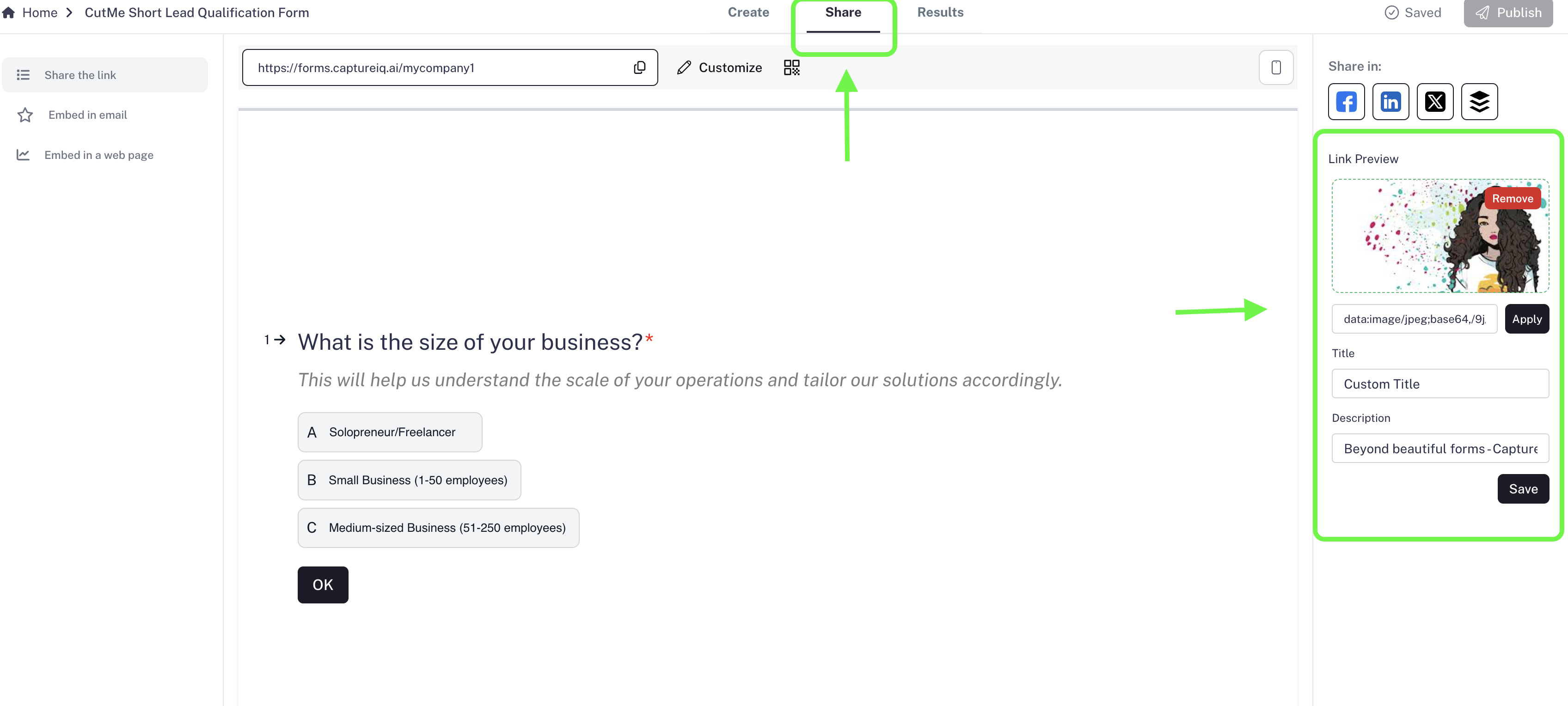
- Go to the Share tab of your form.
- On the right panel, look for the OGP section.
- You’ll find three fields you can customize:
- Title – Write a clear, attention-grabbing title.
- Description – Add a short summary explaining what the form is about.
- Image – You can either upload your own image or provide an image URL.
- Once you’re done, press Save.
You do not need to republish your form after making OGP changes. The updates will automatically reflect when you share the link.
Example Use Cases
- A lead capture form preview showing your company’s logo and a strong CTA headline.
- A survey form link on LinkedIn with an engaging description to encourage participation.
- A feedback form sent on WhatsApp where the preview instantly builds trust.