The number of submissions you can collect each month depends on your CaptureIQ plan.
Monthly Submissions Limits by Plan
| Plan | Monthly Submissions |
|---|
| Free | 15 |
| Essential | 100 |
| Growth | 1,000 |
| Professional | 10,000 |
How submissions limits work
- Submissions limits apply across all forms in your account.
- For example, if you’re on the Growth plan with 3 forms, you can collect a total of 1,000 submissions per month, not per form.
- Unused submissions don’t roll over to the next month.
When submission limits reset
- Limits reset automatically at the start of each new billing cycle (monthly or yearly, depending on your plan).
Checking Your Usage
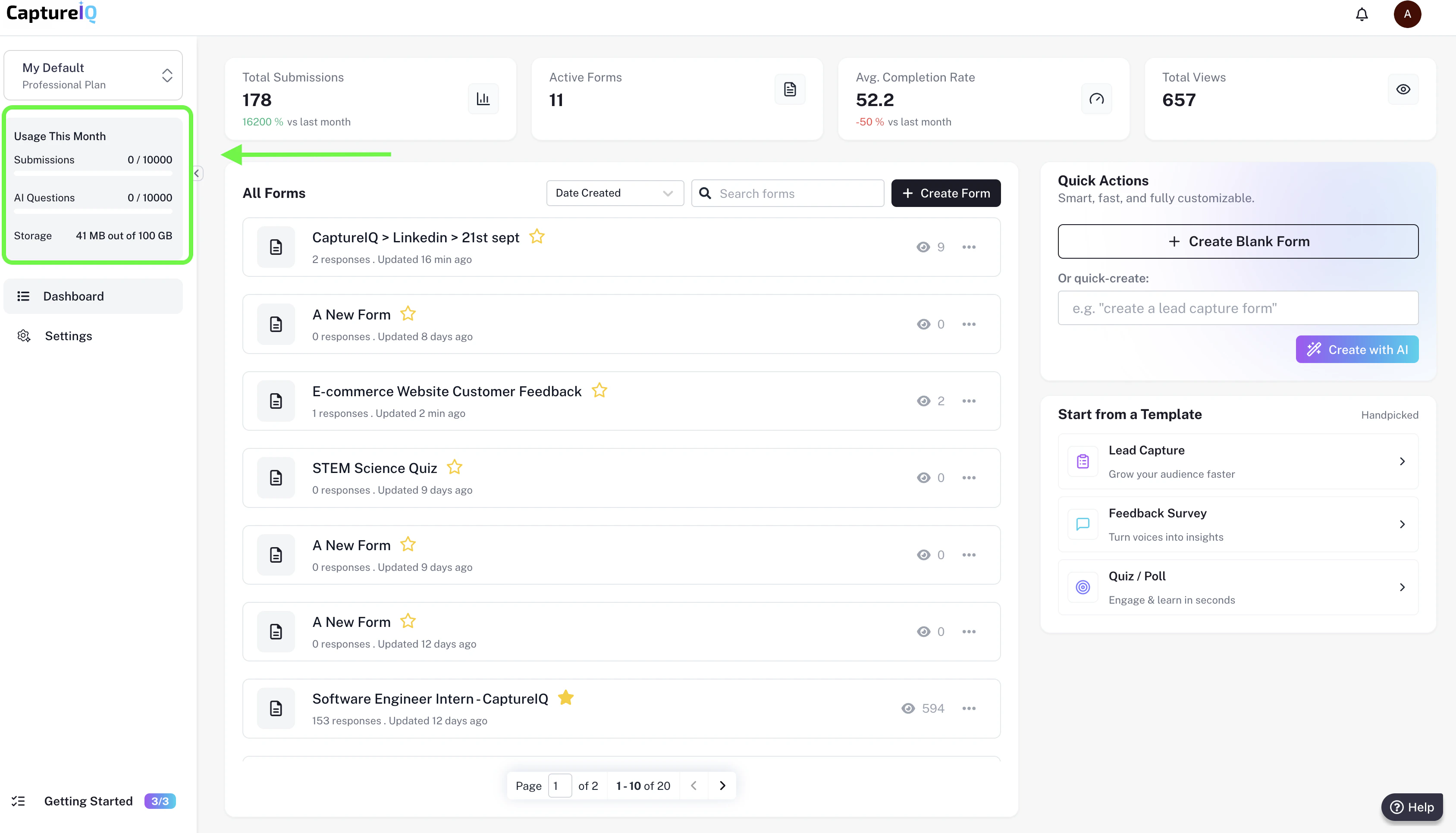
- Go to your Dashboard → Left side bar → Usage this month box.
- Here, you can see:
- How many submissions you’ve collected this month.
What happens when you reach the limit
- Once you hit 100% of your quota, your forms will go into Private Mode (no new responses can be collected).
- Forms will automatically collect response again when:
- Your monthly cycle resets, or
- You upgrade to a higher plan.
Deleting submissions is not an option and will not free up extra submissions
for that month. Once a submission is counted, it stays in the monthly total.
Pro Tip: If you expect a sudden spike in submissions, consider upgrading in
advance so your forms don’t stop collecting.