

Steps to Duplicate a Form
- From your CaptureIQ Dashboard, locate the form you’d like to duplicate.
- Click on the three-dot menu (⋮) in the top-right corner of that form tile.
- Select Duplicate.
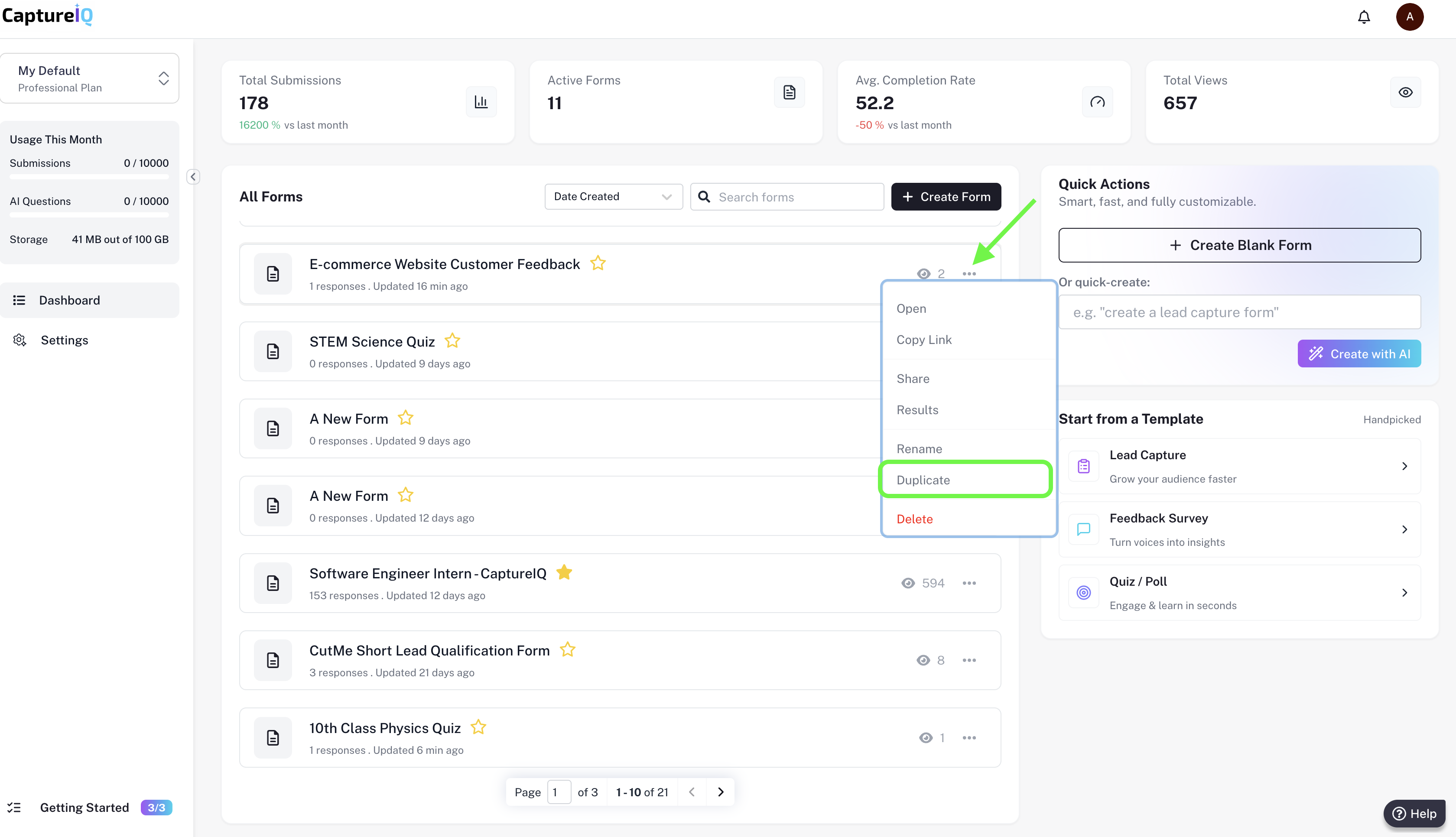
That’s it! 🎉 A new copy of your form will be created instantly. You can now edit the duplicated version without affecting your original form.
Why Use Form Duplication?
- ✅ Save Time – No need to rebuild forms from scratch.
- ✅ Maintain Consistency – Use the same structure for similar projects or surveys.
- ✅ Experiment Safely – Test variations of a form while keeping the original intact.