


When to use Ask AI
Ask AI becomes powerful once your form has gathered a decent number of responses (ideally more than 10–15). This makes it especially useful for:- Surveys
- Feedback forms
- Customer satisfaction studies
- Employee engagement polls
- Any situation where respondents provide long text or multiple-choice answers
- Go to Results → Smart Insights.
- If it’s your first time, the page will be empty until you generate insights.
- On the top-right, click Generate Report.

- For 10–20 responses, insights are usually ready in 15–20 seconds.
- For a few hundred responses, it may take up to ~15 minutes.
How Ask AI works
Once your report is generated, you’ll notice a floating window at the bottom of the Smart Analytics page. This is the entry point for Ask AI.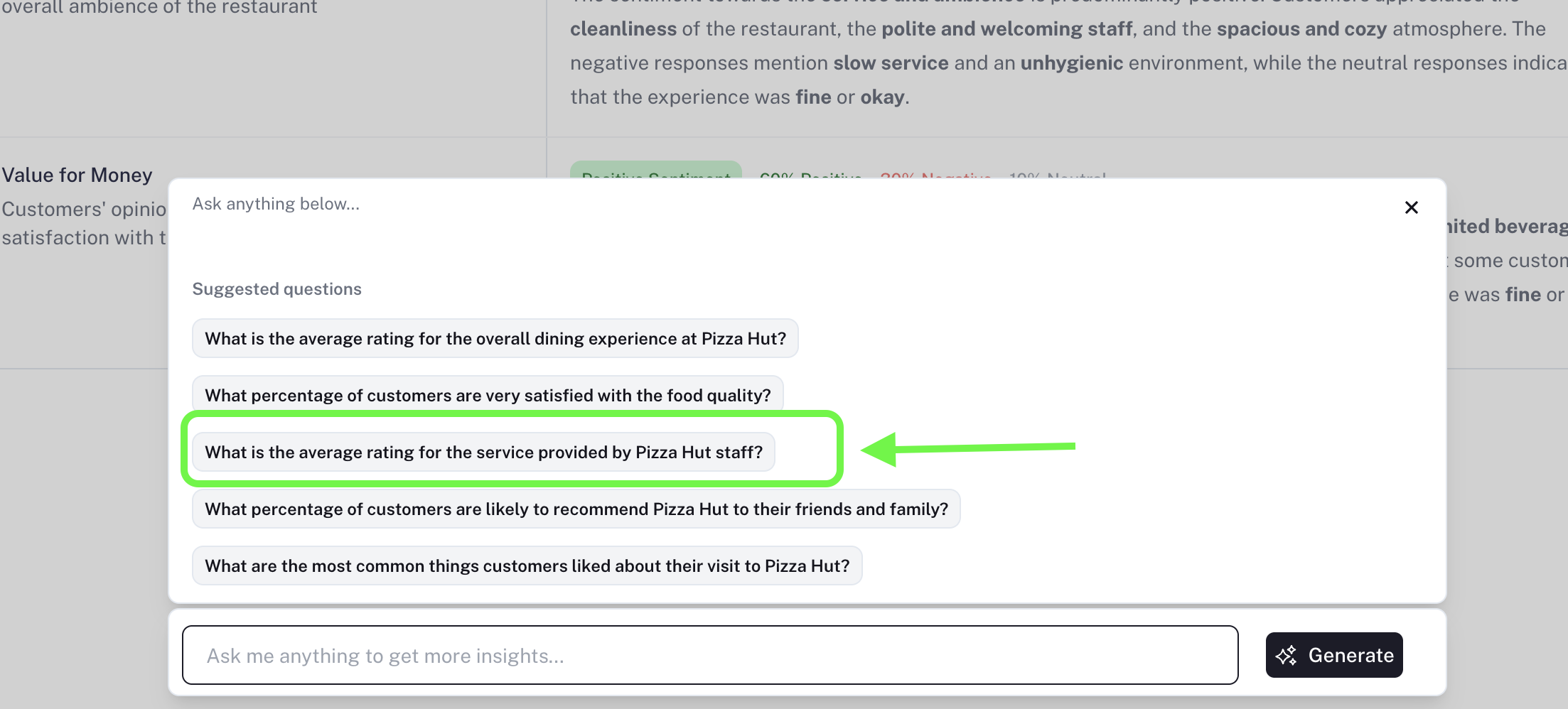
- Click on it to open a panel with 5 recommended starter questions.
- You can use one of these or type in your own custom question.
- Ask AI understands both:
- Open-ended fields: Long Text, Short Text
- Close-ended fields: Multiple Choice, Dropdown, Ratings, Yes/No, etc.
- It does not analyze personal identifiers (like phone numbers or emails).
Example Questions You Can Ask
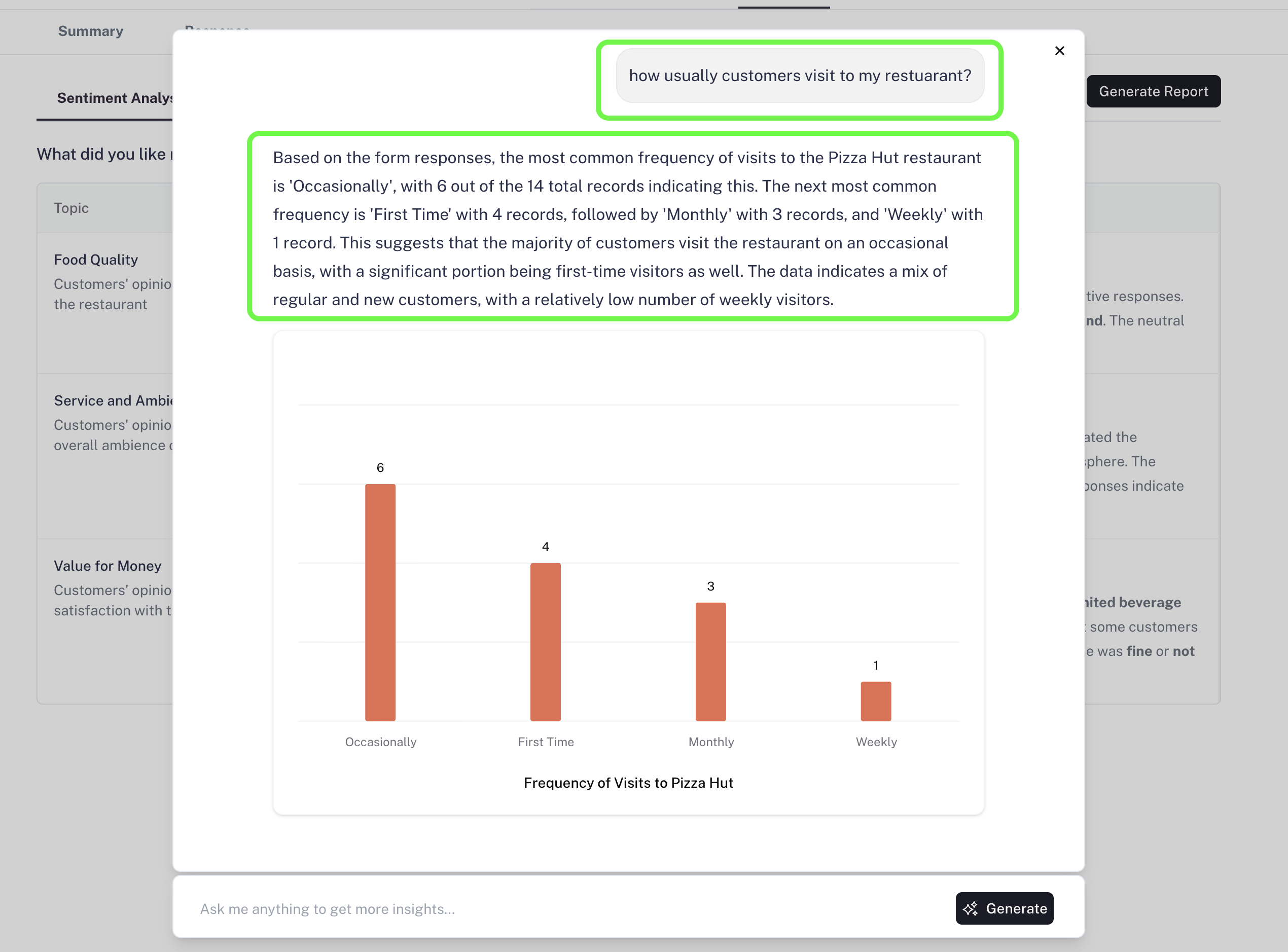
“What percentage of customers are likely to recommend Pizza Hut to their friends and family?”- Ask AI will calculate and return a clear, percentage-based answer, often with a supporting chart.

- The AI will explain the findings, provide the breakdown, and include visuals to help you understand patterns.
Currently, the chat does not remember across sessions, but memory support will be added soon.
Why Ask AI is Valuable
When you collect responses with a form, you usually have specific insights you’re looking for. Ask AI makes this easier by:- Saving hours of manual reading and analysis
- Giving direct answers to your exact questions
- Identifying trends across both text and choice-based answers
- Presenting insights in a clear, visual, and actionable format