

Where to find it
- Go to your Form Edit Page.
- Look for any question that is around 8–10 words long.
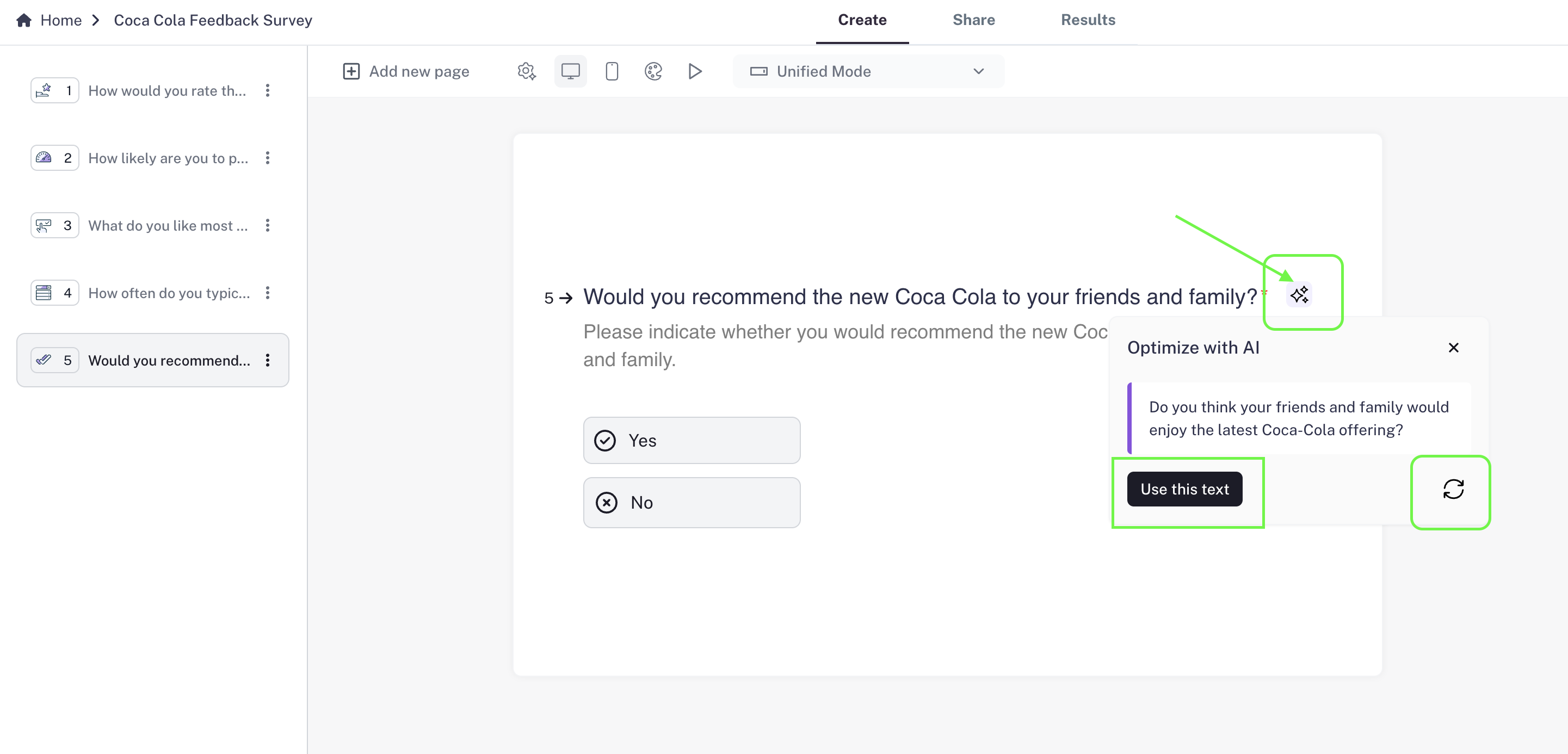
- You’ll notice an AI button next to those questions.
How it works
- Click the AI button beside your question.
- CaptureIQ AI will suggest an optimized version of your question to make it more engaging and increase your form completion rate.
- If you like the suggestion, press “Use this text” and your original question will be replaced instantly.
- Not satisfied? Hit the refresh button to generate another variation until you find the one that best fits your form.
Plan availability
The AI Optimizer is available only on our paid plans (Essential, Growth, and Professional). Free plan users won’t be able to use this feature.