

To solve this, CaptureIQ lets you create a custom short link for your form. This makes your form URL clean, memorable, and professional, while still keeping the original link fully functional.

Why Customize Your Form Link?
Here are some key benefits of creating a short and branded link:- Professional Branding: Replace random characters in the default link with your business or campaign name.
- Easy Sharing: Short links are easier to share in social media posts, SMS, or even offline campaigns.
- Memorable: A clean, custom link is easier for respondents to recall and retype.
- SEO Value: Descriptive slugs (like /feedback or /event-registration) can give search engines more context.
- Flexibility: You can update your custom name anytime without breaking older links.
How to Create a Custom Short Link in CaptureIQ
Step 1: Publish Your Form
First, publish your form as usual. You’ll receive a default CaptureIQ form URL.Step 2: Go to Share Tab
- Open the published form from your Dashboard.
- Navigate to the Share tab.
- On the top bar, you’ll see your full form link along with a Customize button.
Step 3: Customize Your Link
- Click on Customize.
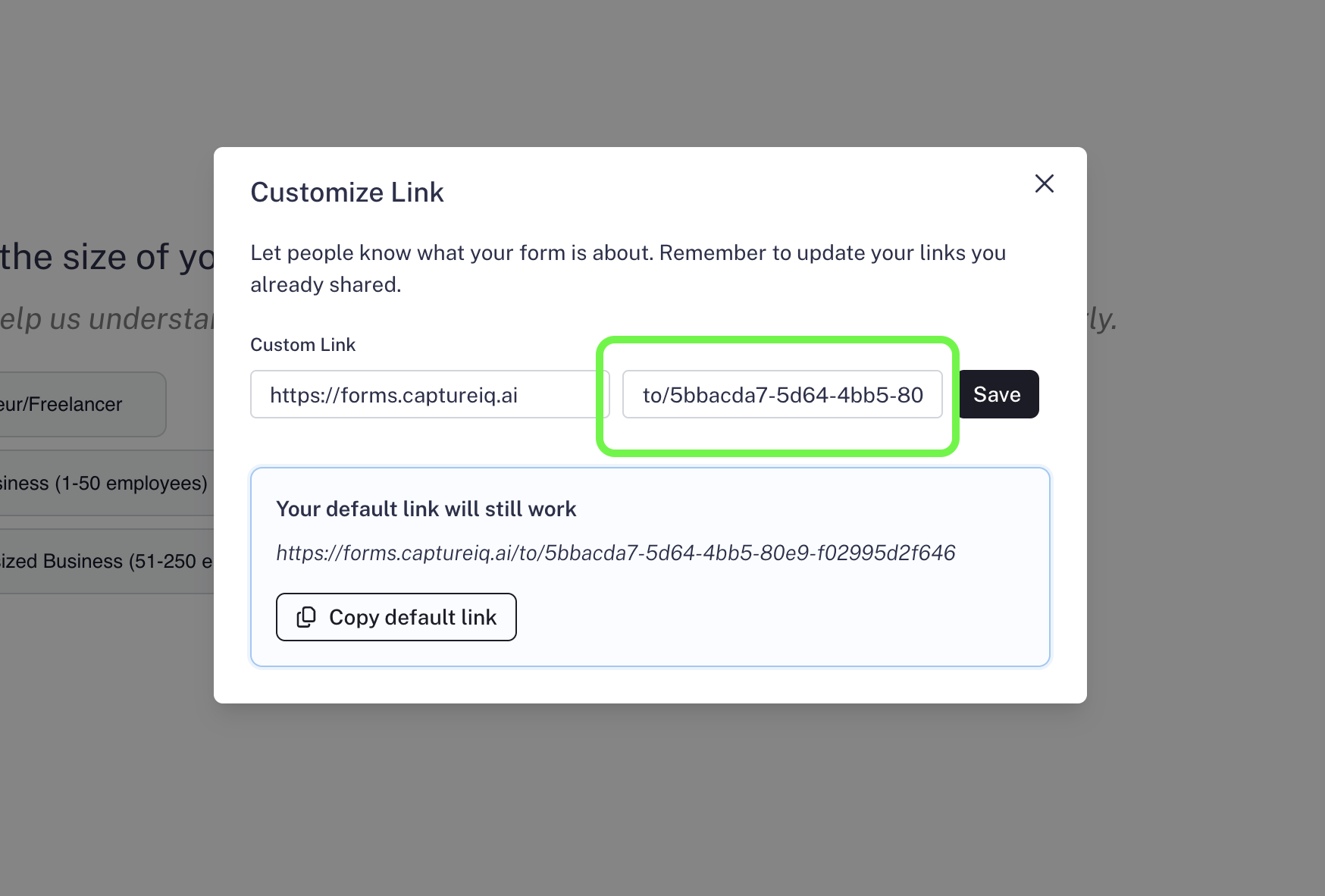
- A modal will open up. Click on the Edit button.
- Enter your preferred custom name.
- Save your changes.

Important Notes
- Default Link Still Works: Even after customizing, your original long URL remains active. Anyone with the old link can still access your form.
- Best Practice: Use meaningful names (like the form’s purpose or campaign name) instead of random words to make your link more effective.
That’s it! You now have a clean, branded short link to share with your audience.