

Where to find it
- Go to your published form.
- Navigate to Results tab.
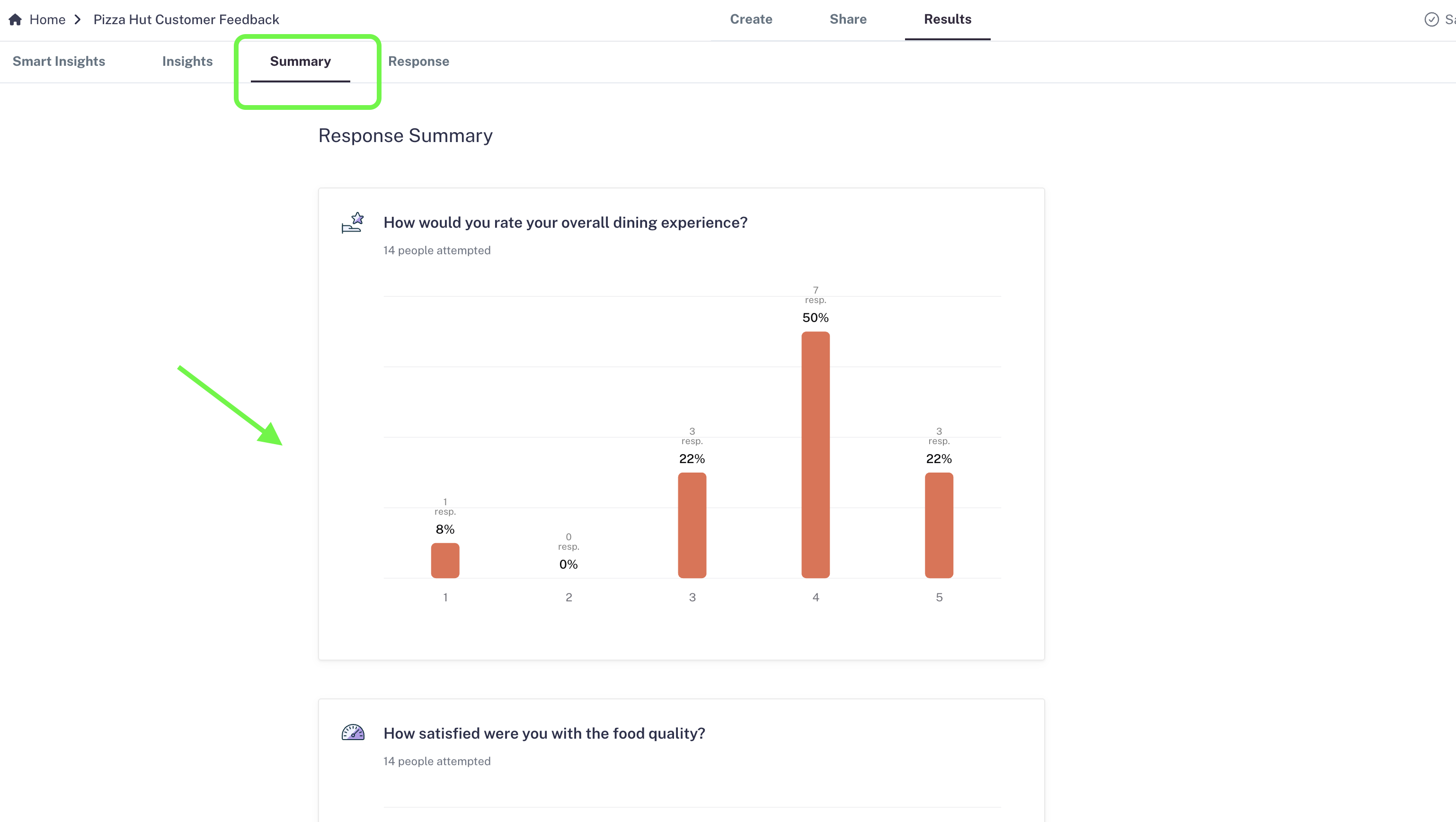
- Open the Summary tab under Results.
-
Here, you’ll find detailed insights for each field or question in your form.
What you can see
- Rating questions: View the exact distribution. For example, you might discover that 50% of respondents rated you 4 stars, 20% gave 5 stars, and the rest distributed lower.
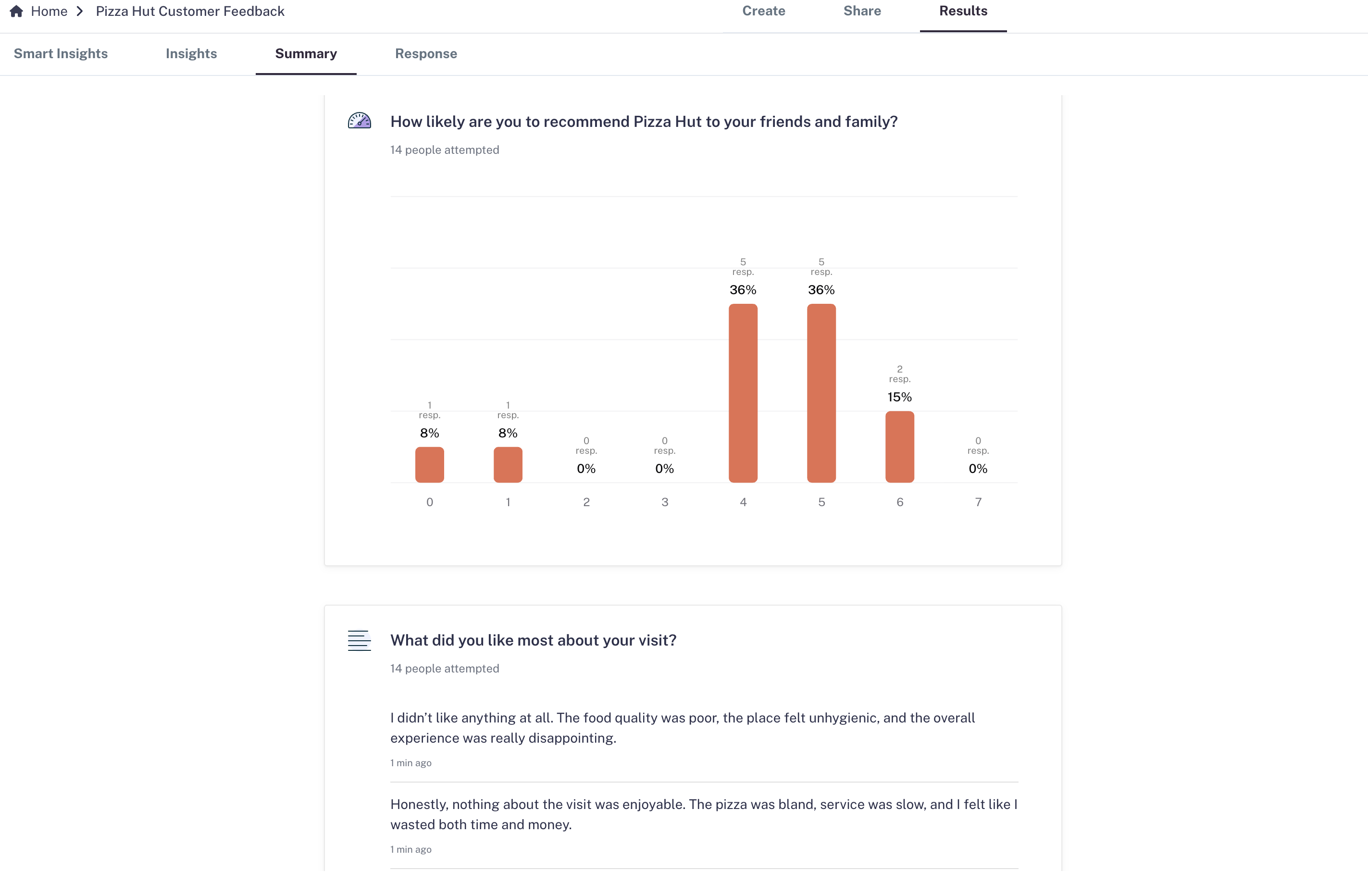
- Multiple-choice questions: Identify which options are most and least selected, helping you spot trends in preferences.
- Text fields (short/long answers): Scroll through responses directly inside the dashboard to see detailed feedback, ideas, or comments.
- Drop-downs: Analyze how often each choice is picked to refine your options.
Real-world use cases
- Product feedback → Understand which features customers love most or where improvements are needed.
- Customer satisfaction → Track ratings and reviews to measure performance over time.
- Market research → See which preferences dominate in multiple-choice questions.
- Lead forms → Spot common themes in open-text responses to better qualify leads.