

Step-by-Step Guide
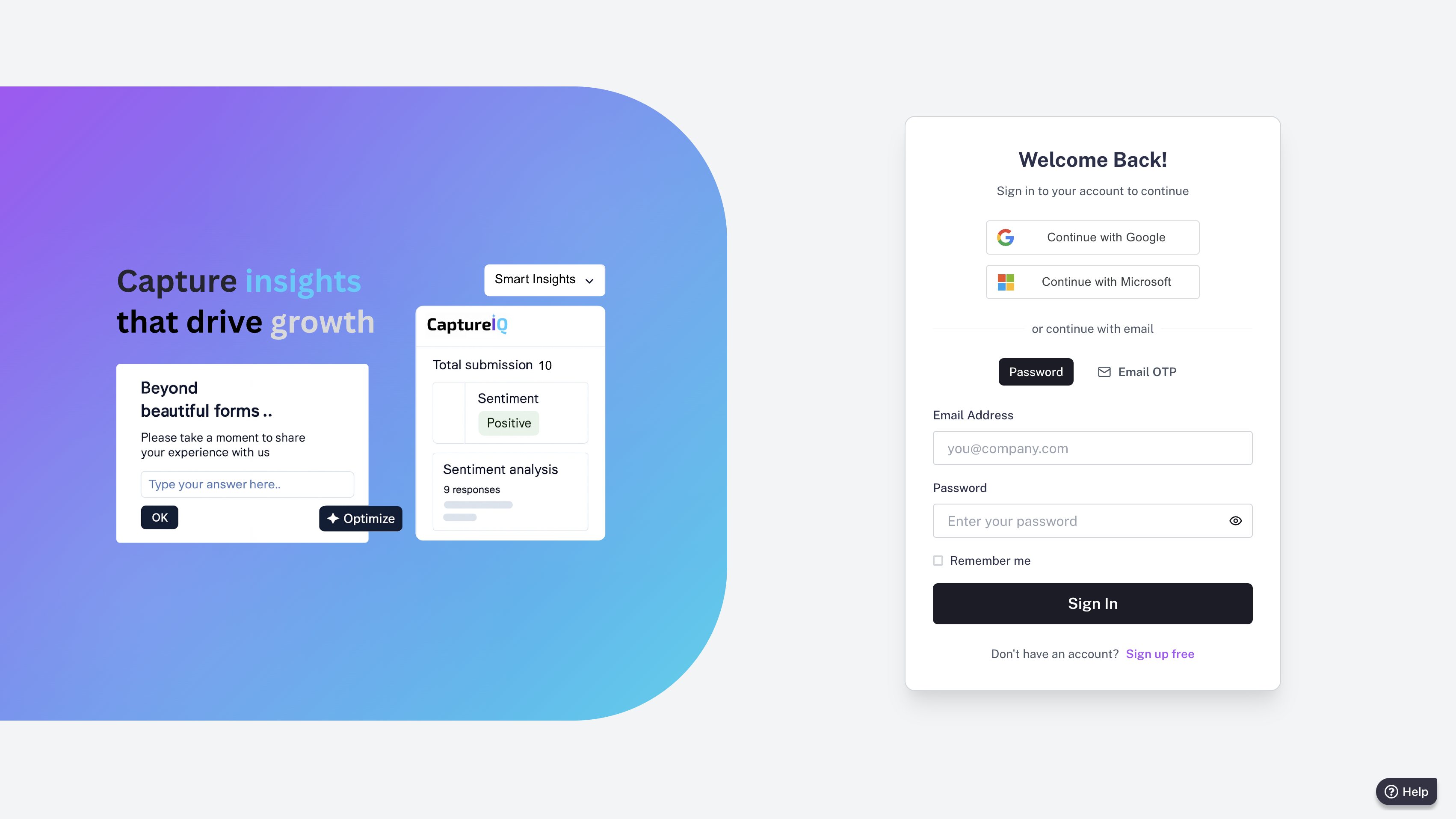
1. Visit the Login Page
Go to:https://www.app.captureiq.ai/login2. Choose a Login Method
You can sign in using any of the following:- Google Account
- Microsoft Account
- Email ID + OTP (One-Time Password)
3. (Optional) Set a Password
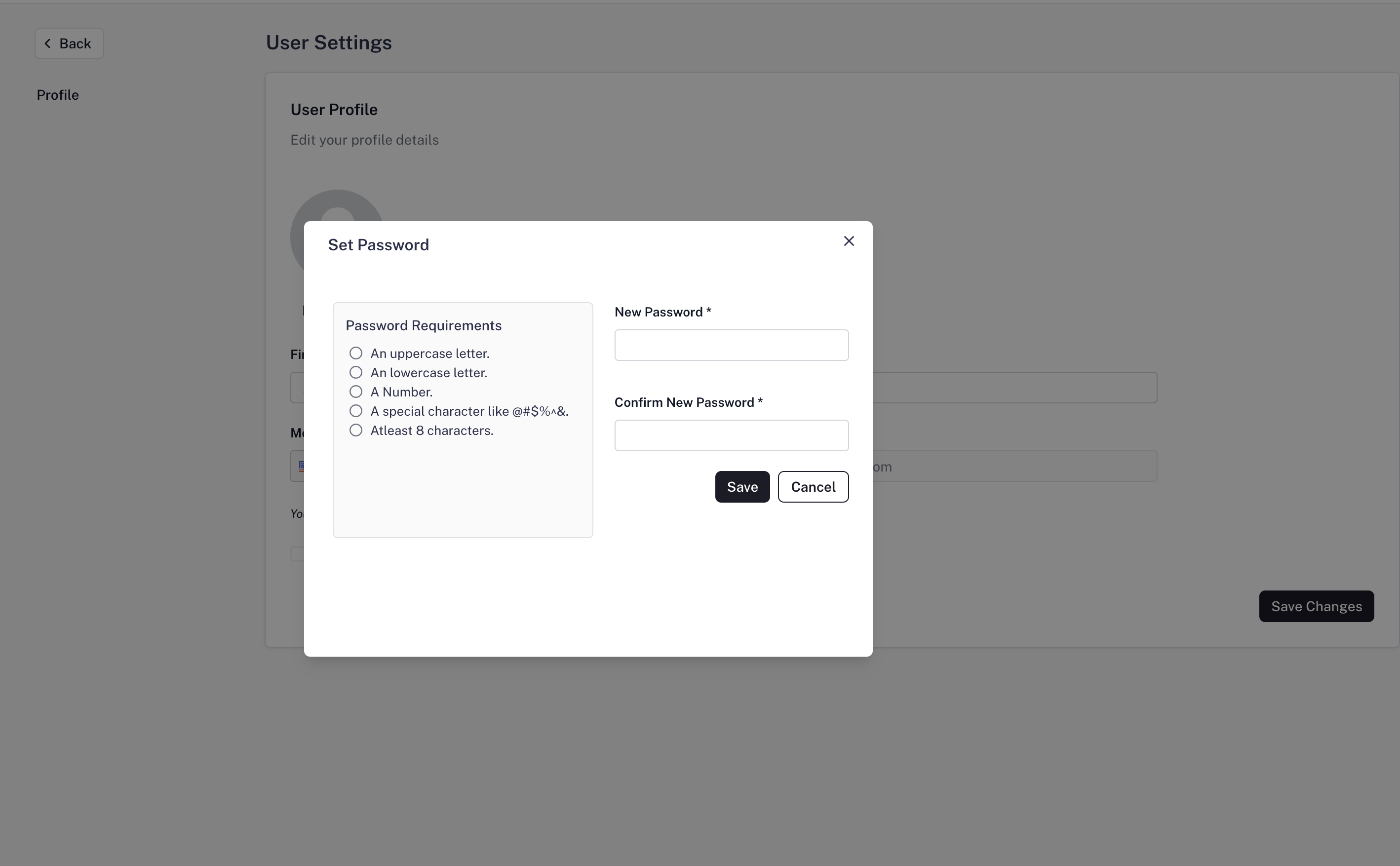
Once you’re logged in:- Navigate to Settings > Profile
- Click on Set Password

Notes:
- You do not need to set a password if you continue using Google or Microsoft login.
- OTP-based login is secure and password-free — ideal for quick access.