

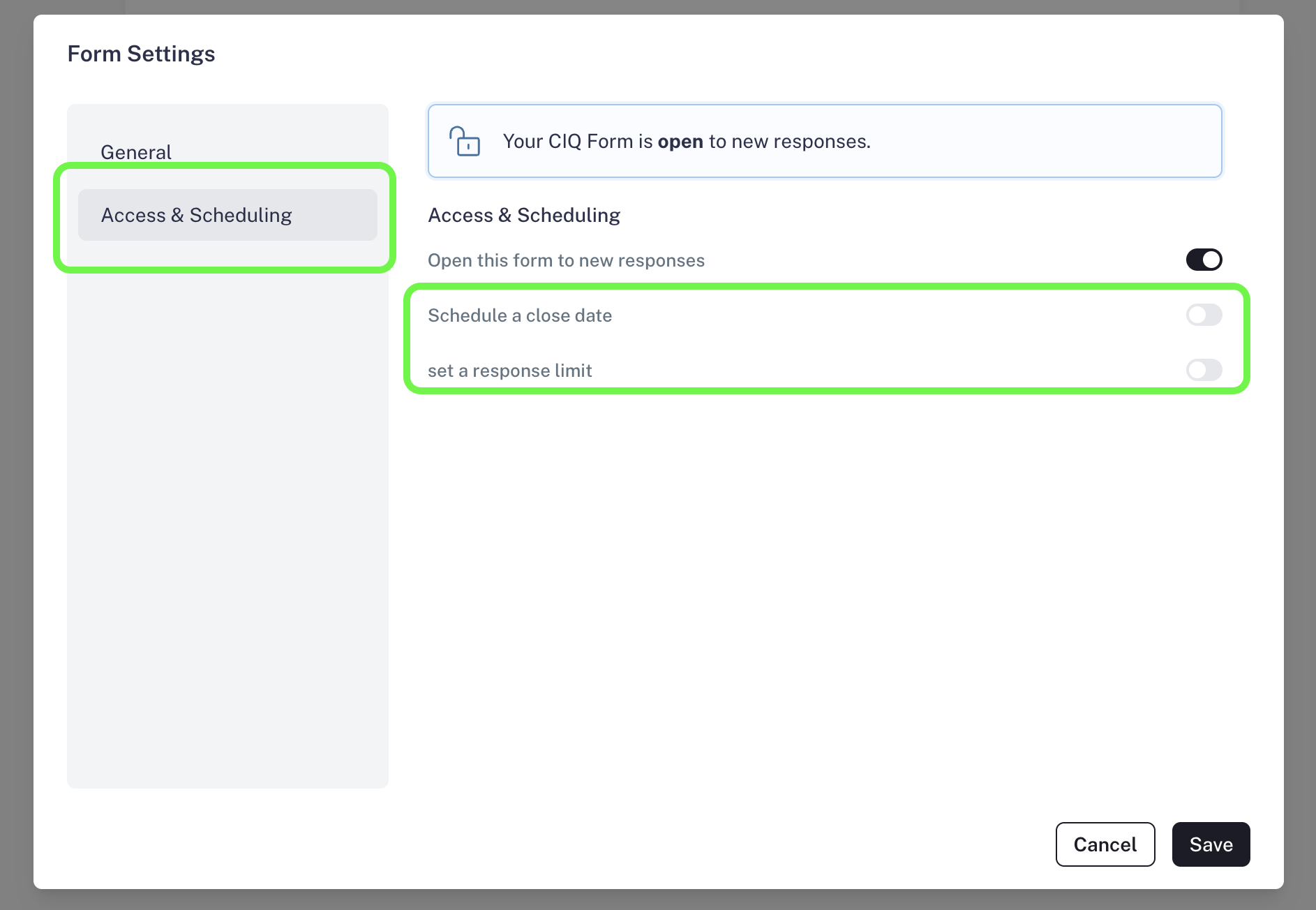
In CaptureIQ, you have complete control over how long your form remains active. This is especially useful for time-sensitive campaigns, limited offers, or cases where you want your form to stop accepting responses after a specific deadline. You can manage this option from the Form Editor by navigating to: Form Settings > Access & Scheduling Here, you will find a powerful control to set an expiration date for your form: Screenshot2025 09 07at12 54 14AM Pn Screenshot2025 09 07at12 54 55AM Pn

Set Expiration Date/Time

With this option, you can decide exactly when your form should stop accepting responses. Use Cases:
  • Running a limited-time survey (e.g., feedback form open for 7 days).
  • Closing registrations for an event or webinar at a specific deadline.
  • Setting deadlines for contests or giveaways, ensuring fairness.
How to set it:
  • Go to Settings > Access & Scheduling.
  • Select Expiration Date/Time.
  • Choose the exact date when your form should automatically close.
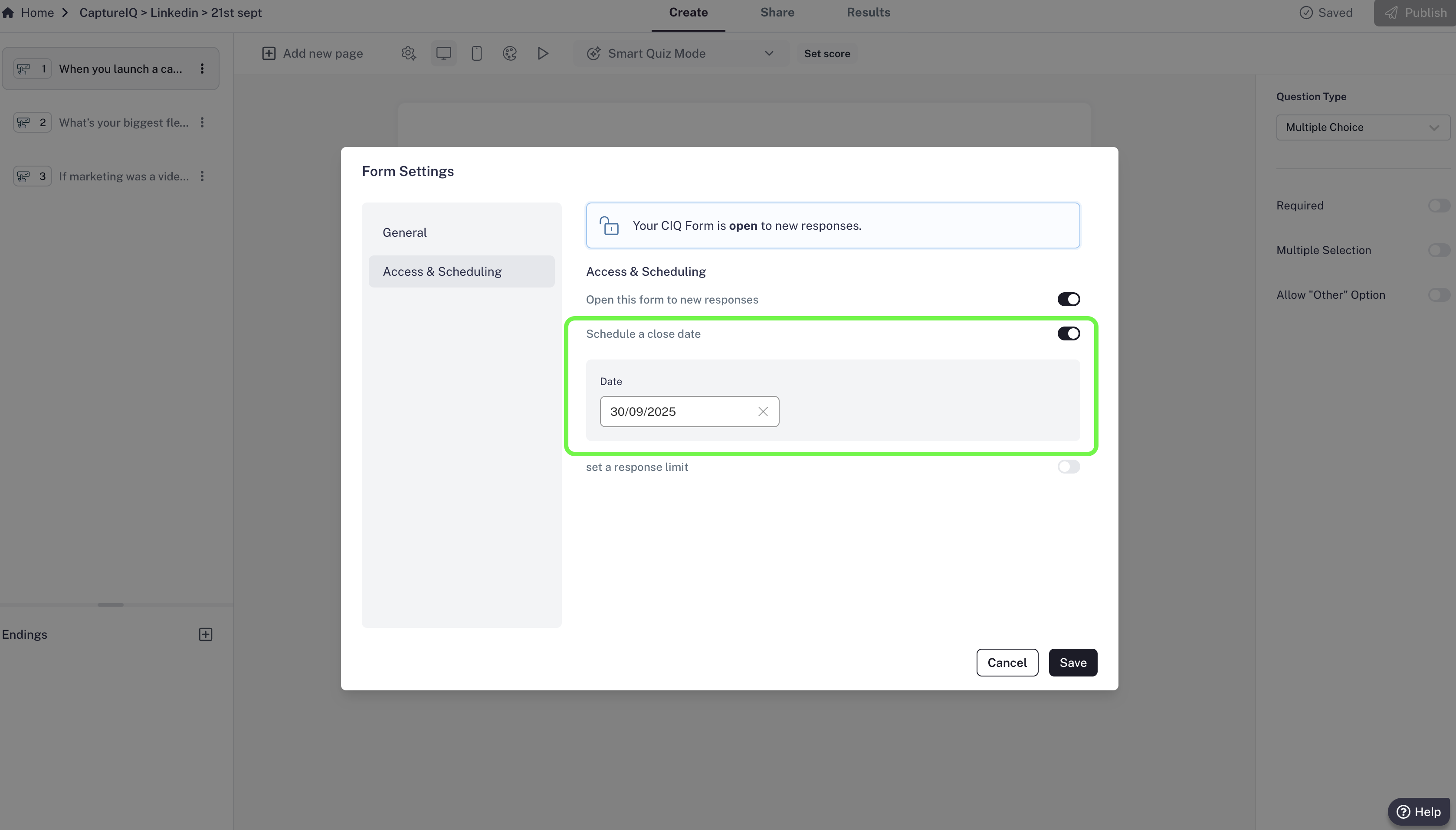
Once expired, your audience will land on a dedicated page that informs them the form is no longer available. Screenshot2025 09 28at2 41 15PM Pn Screenshot2025 09 07at12 57 44AM Pn
CaptureIQ automatically handles the user experience with appropriate landing pages, so you don’t need to worry about confusion or missed communication.