

How to edit in draft mode
- Open the form you want to update.
- Make your changes — you can add, remove, or update any fields, adjust question text, or modify settings.
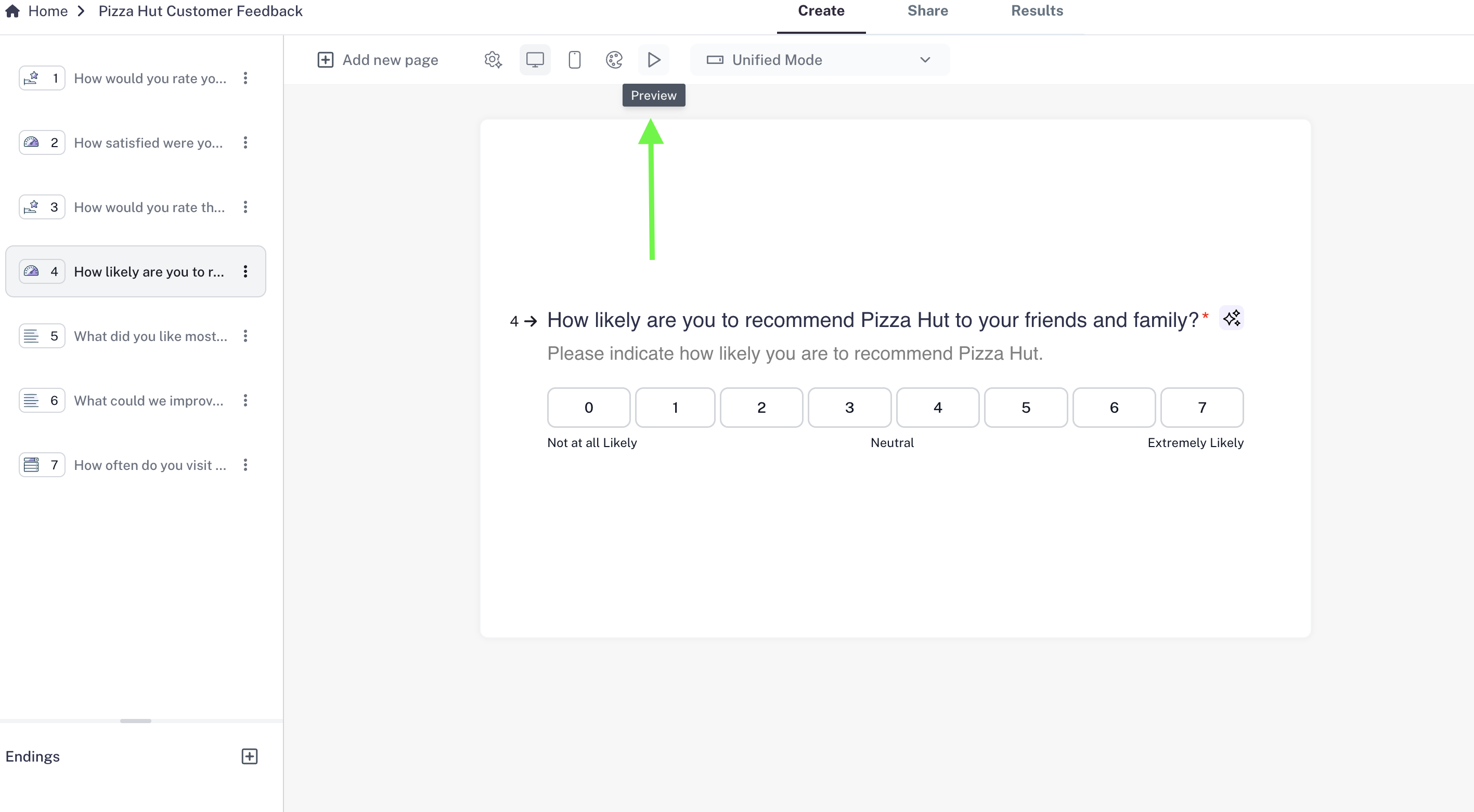
- Use the Preview option in the toolbar to check your work:
- Play button: Walk through your form as a respondent would.
- Mobile view: See how your form will look on smaller screens.
- Close the preview when finished. Your edits remain saved in draft mode.
Publishing your edits
- While changes are automatically saved, they are not visible to respondents until you click Publish.
- Once you publish, your form updates will go live immediately.
- The form URL stays the same, so you don’t need to re-share it.
Key Points
- Draft Mode ensures your respondents never see half-finished or unpolished changes.
- You can continue collecting responses on the live form while making edits in the background.
- Only finalized updates appear after you publish.