

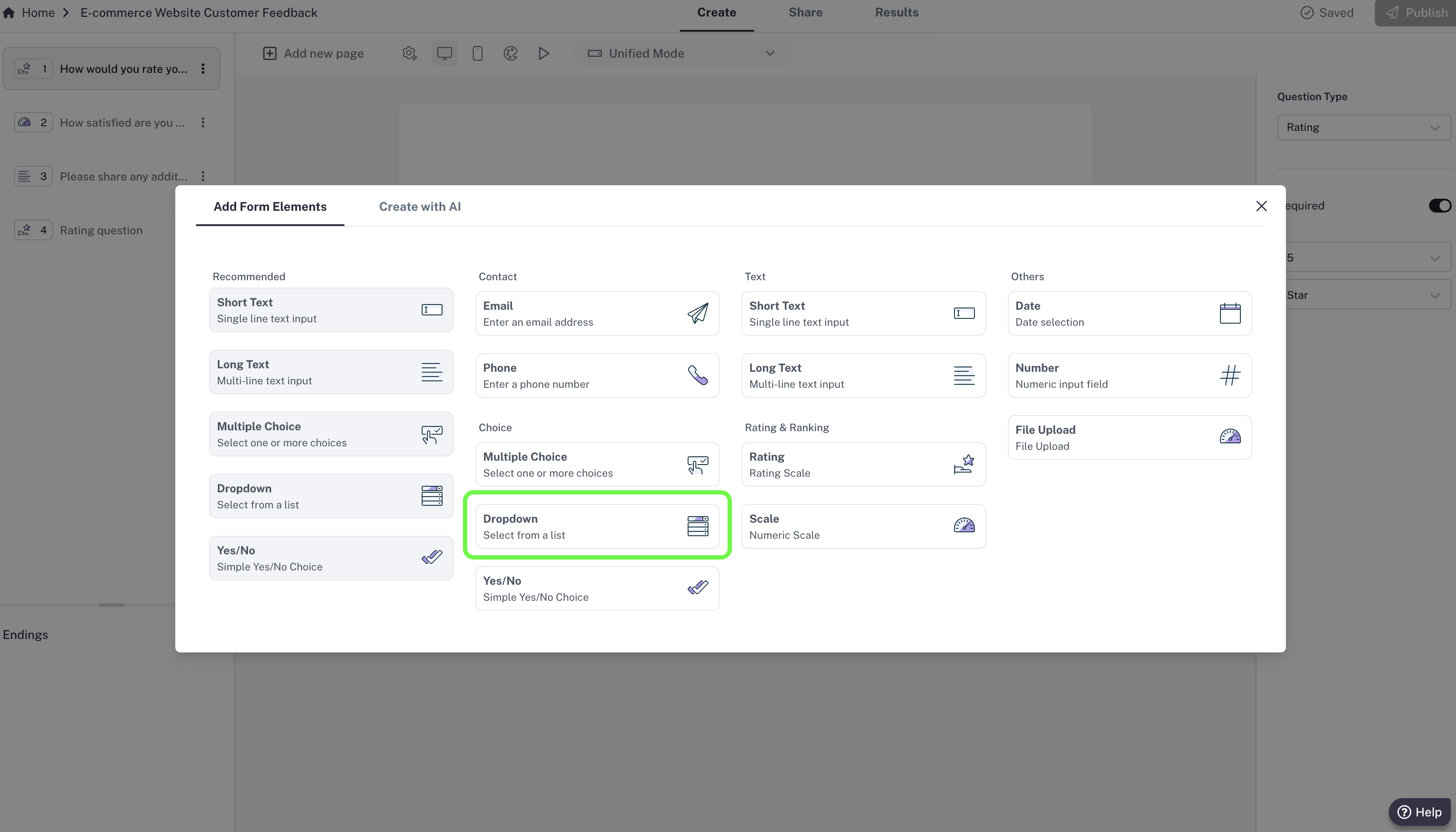
How to add a Dropdown question
- In your editor, click Add new page.
- Choose Dropdown from the list of question types.
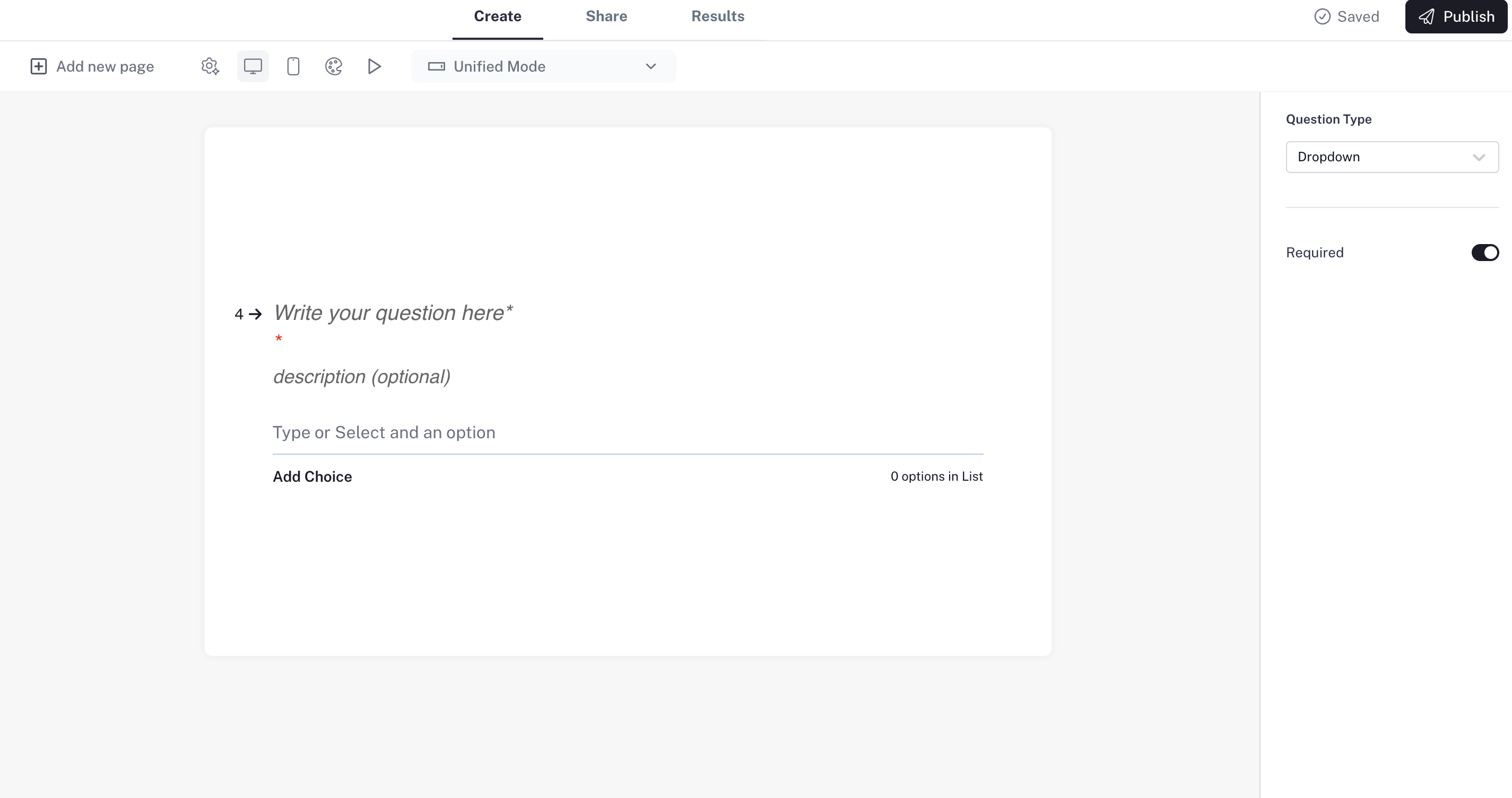
- Enter your question.
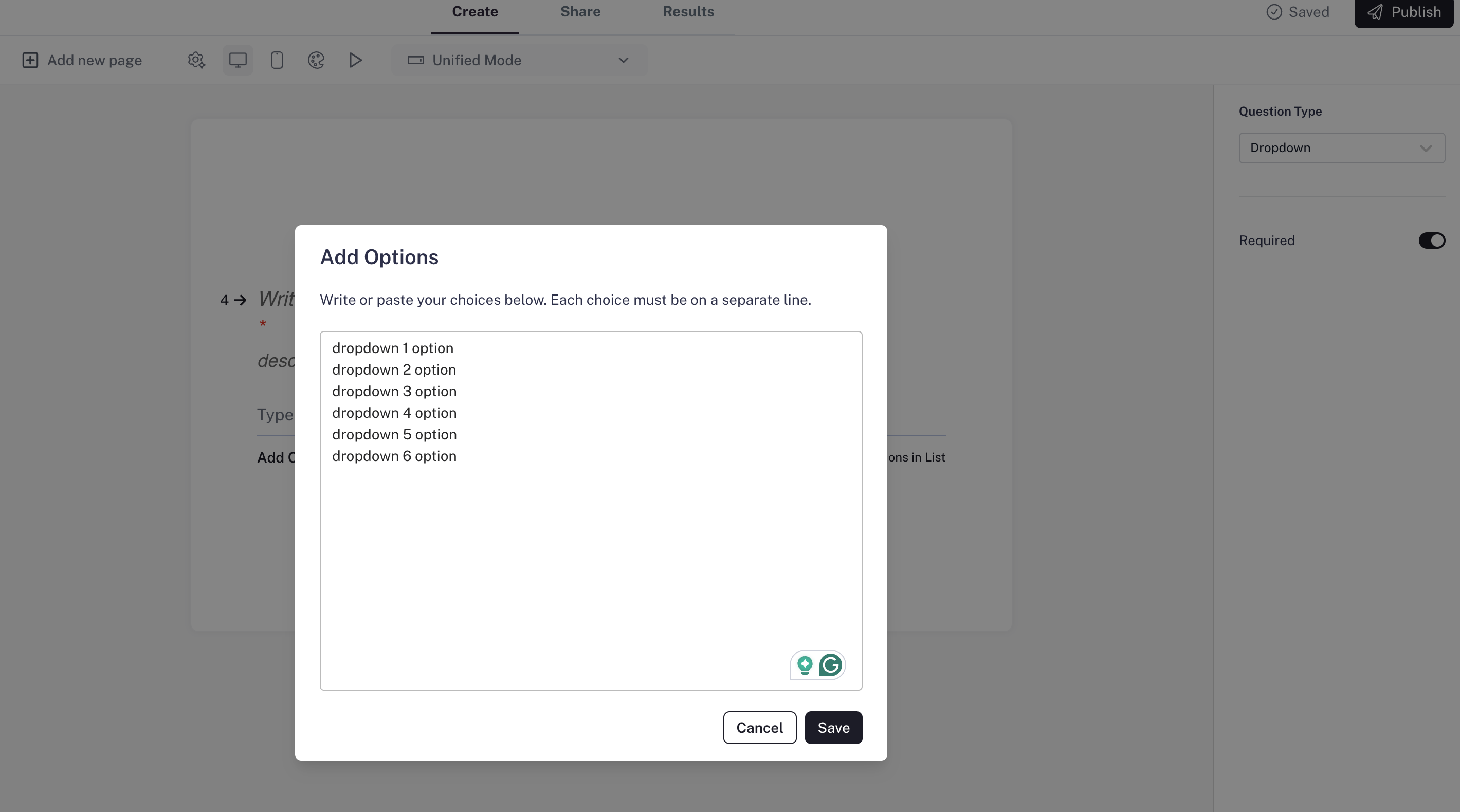
- Click the “Add Choices” button in the editor — a popup will appear where you can enter your options, one per line.
Settings
- Required question: Make the question mandatory so respondents can’t skip it.
- Answer options: Add as many options as you like in the popup (for example: countries, cities, product names). You can edit or reorder them anytime.