An Opinion Scale helps you measure attitudes or preferences on a defined range.
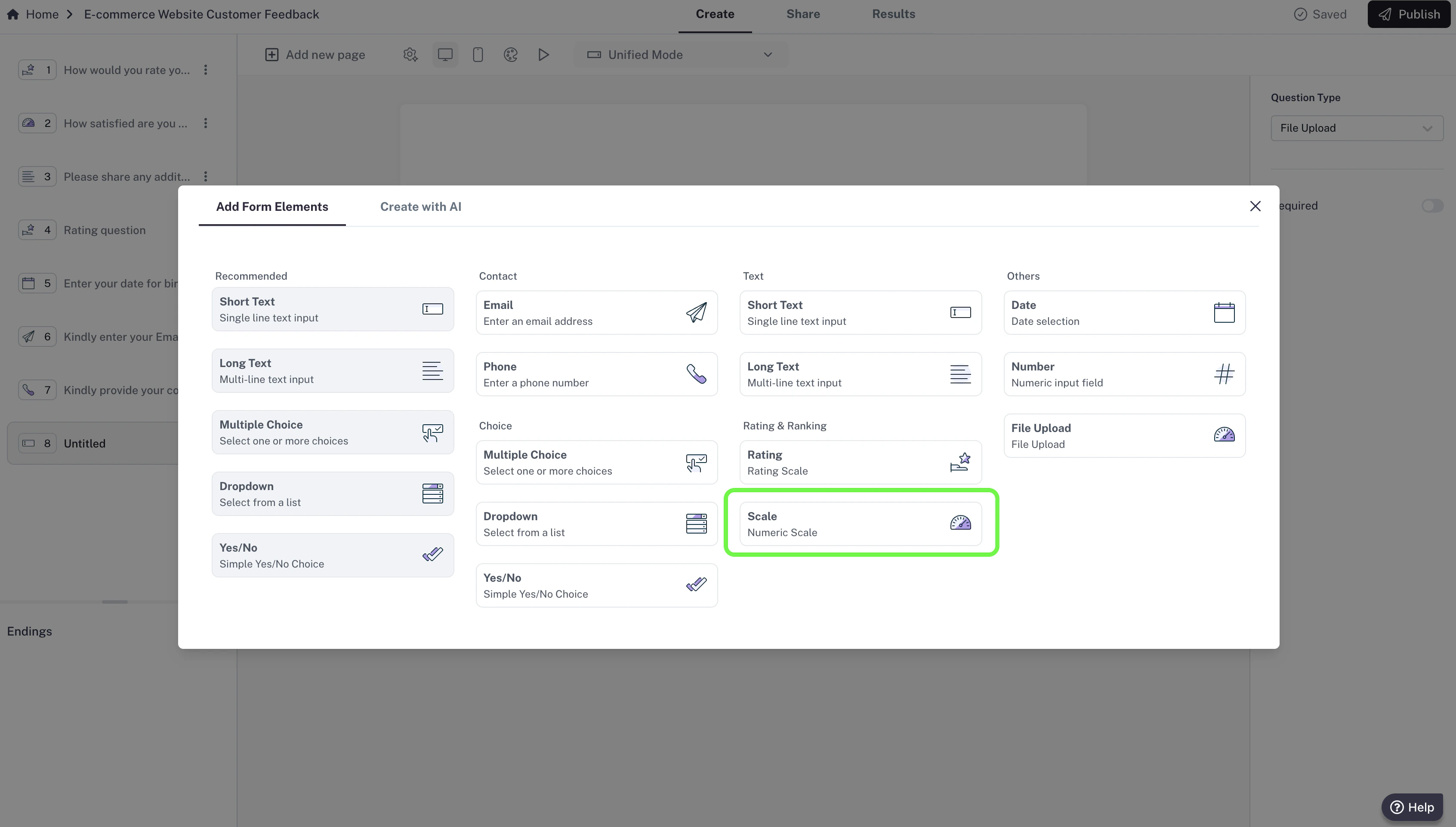
How to add an Opinion Scale
- In your editor, click Add new page.
- Select Opinion Scale from the list of question types.
- Type your question (e.g., “How satisfied are you with our service?”).
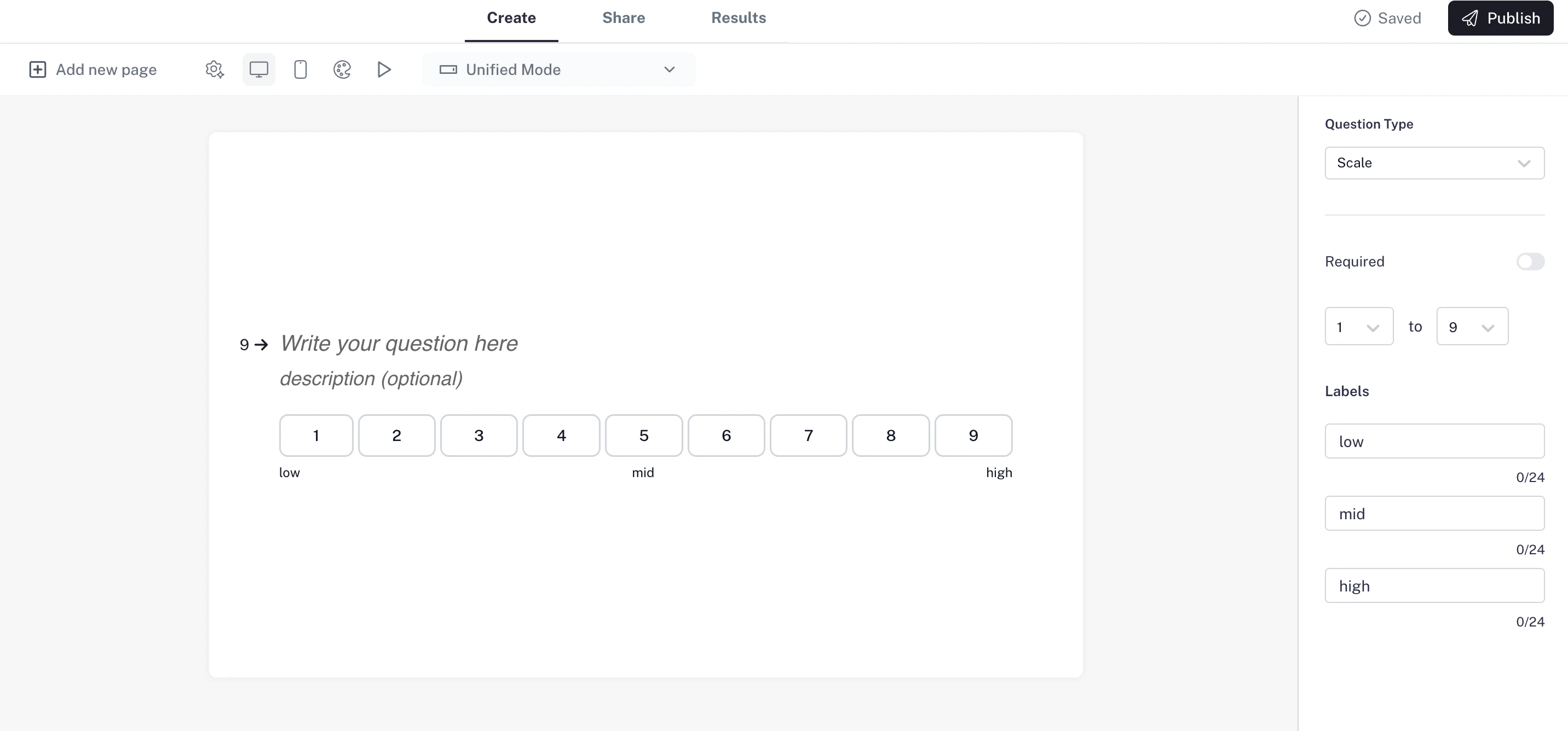
Settings
- Required question: Make the file upload mandatory so respondents can’t skip it.
- Scale range: Choose where your scale starts and ends.
- Start point can be 0 or 1.
- End point can be anywhere from 5 to 10 (for example: 1–5, 0–10, 1–7).
- Labels: Customize the low, mid, and high labels to guide respondents (for example: 0 = Not at all likely, 5 = Neutral, 10 = Extremely likely).
Use case: Ideal for NPS-style feedback or gauging satisfaction on a clear scale.

