

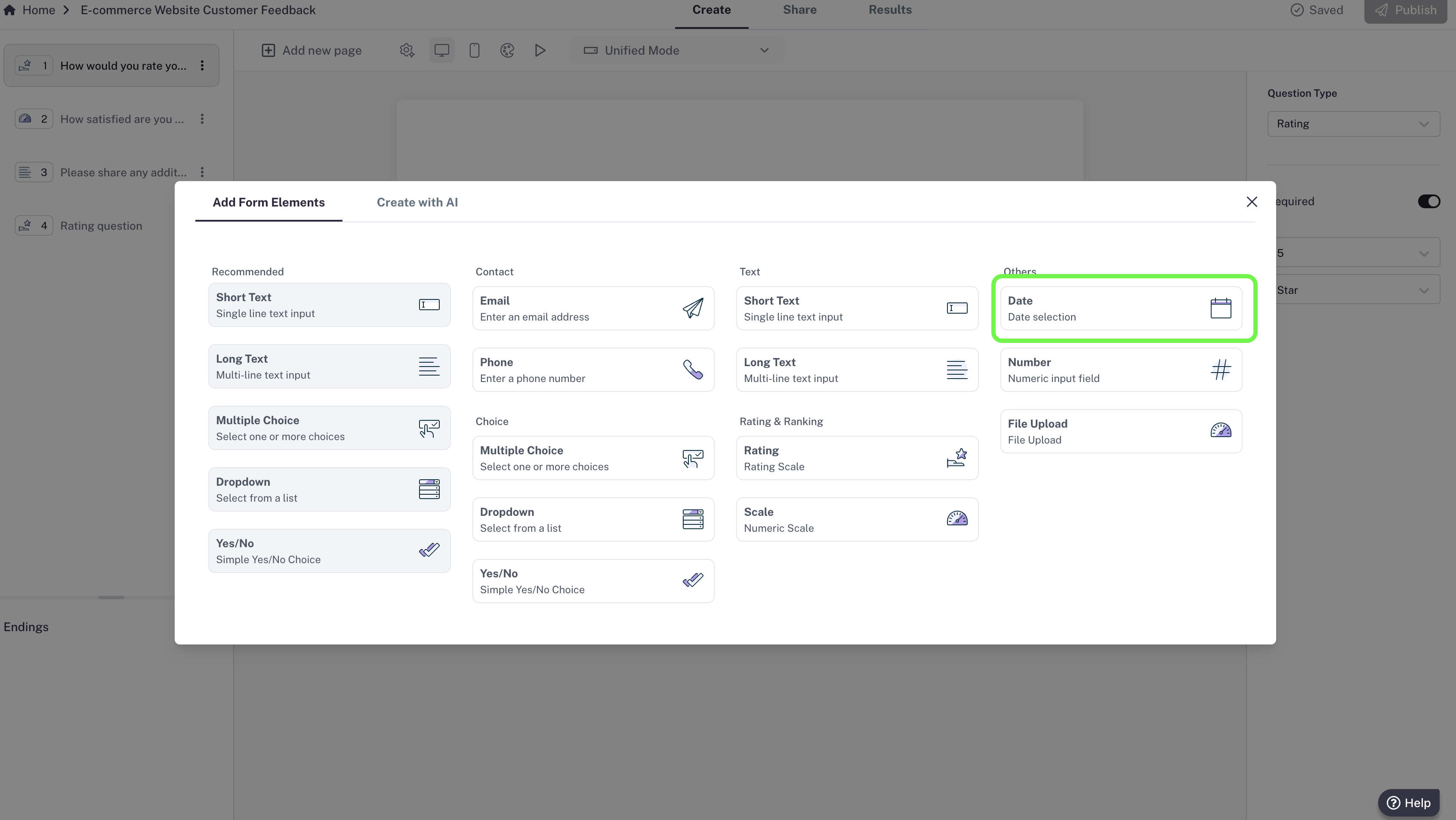
How to add a Date question
- In your editor, click Add new page.
- Select Date from the list of question types.
- Type your question (e.g., “What date works best for you?”).
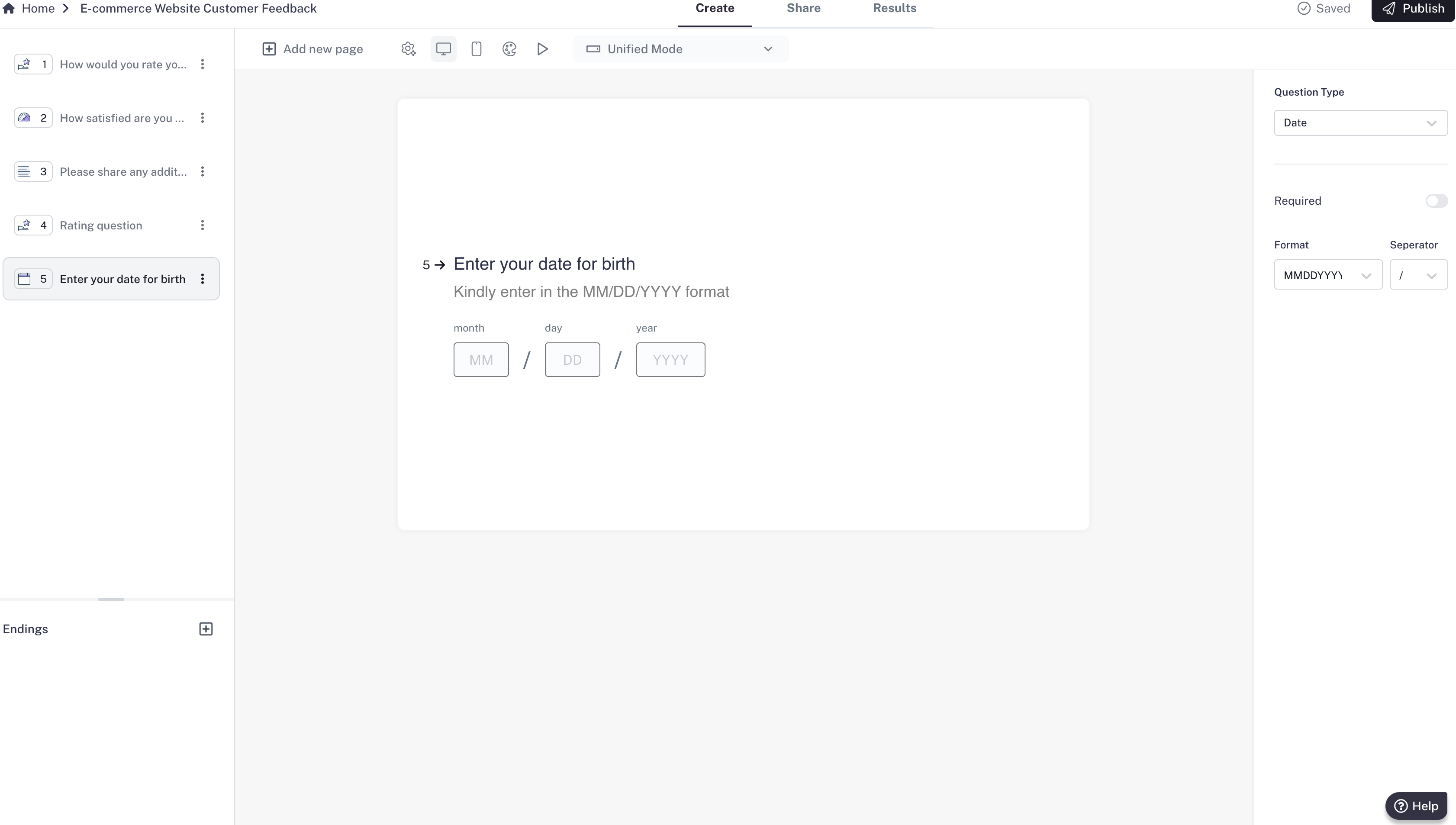
Settings
- By default, responses must follow a valid date format.
- Required question: Make the question mandatory so respondents can’t skip it.