


How to add a Multiple Choice question
- In your editor, click Add new page.
- Choose Multiple Choice from the list of question types.
- Type your question in the text box. Then add the answer options below — you can add as many options as you like or edit them anytime.
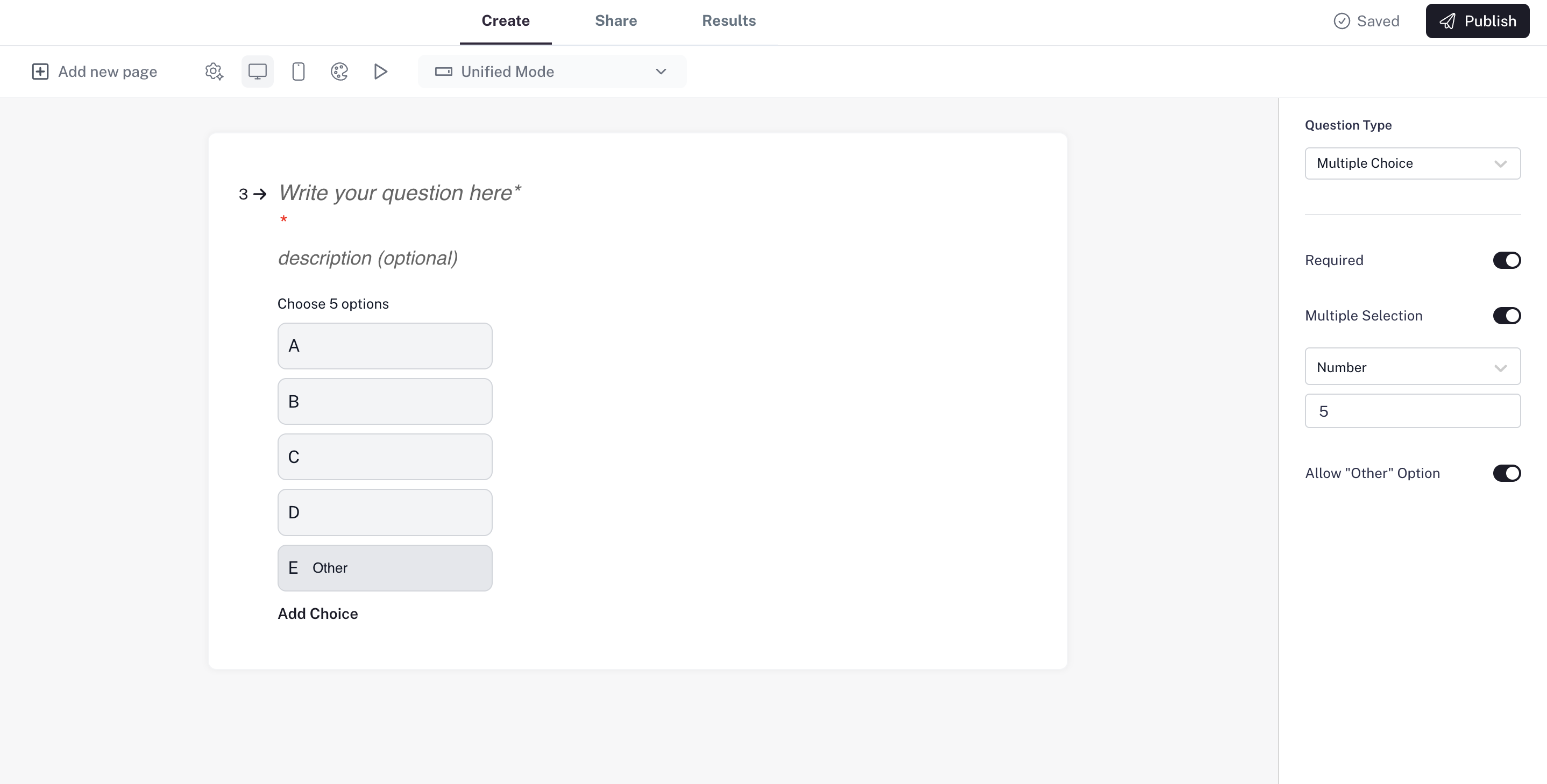
Settings
- Required question: Make the question mandatory so respondents can’t skip it.
- Selection type: Decide if people can choose just one option or multiple options.
- Limits for multiple selection: When multiple choices are allowed, you can set:
- Unlimited – respondents can pick as many as they like.
- Number – set an exact number of choices they must pick.
- Range – set a minimum and maximum number of choices.
- “Other” option: Let respondents add their own answer if none of the listed options fit.
Example: “Which of the following features do you use most?” —allow multiple selections, limit them to a range, and include an “Other”option for extra flexibility.